
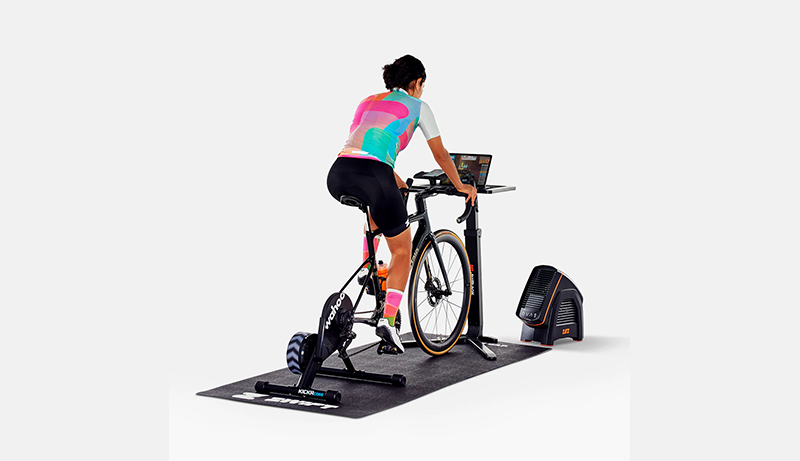
Zwift transforms indoor cycling into an immersive, interactive experience, and choosing the best tablet can make a noticeable difference in how smooth and enjoyable your rides feel.
A good Zwift tablet should deliver strong performance to handle real-time graphics, a bright and responsive display for clear visibility during intense sessions, and reliable connectivity to keep sensors and trainers synced without interruption.
Screen size also matters, as larger displays make routes, stats, and virtual riders easier to follow at a glance, while lightweight designs help with flexible mounting options. Battery endurance is another key factor, especially for long training sessions or races.
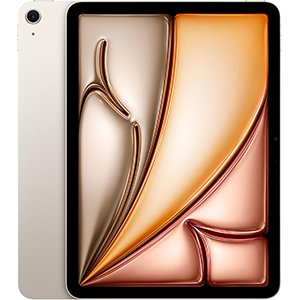
iPad Air (M3 chip)
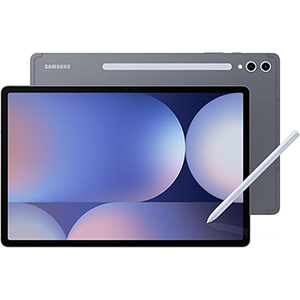
Galaxy Tab S10+
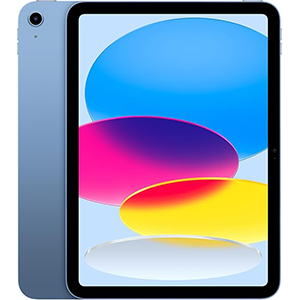
iPad (A16 chip)
Whether you prefer iOS or Android, the best tablets for Zwift balances speed, visual clarity, and stability to ensure distraction-free workouts. Below, we take a closer look at some of the best tablets that meet these demands and perform exceptionally well for Zwift training.
1. Apple iPad Air 11-inch (M3 Chip)
This tablet delivers a powerful and fluid experience that suits Zwift’s real-time graphics and fast-changing environments extremely well. The advanced processor ensures smooth animations, quick app launches, and stable performance during long rides, even when virtual worlds become crowded. The 11-inch Liquid Retina display stands out with sharp visuals, accurate colors, and excellent brightness, making routes, elevation changes, and on-screen metrics easy to read while cycling.
Navigation feels intuitive thanks to a refined operating system that responds instantly to touch inputs, which is useful when adjusting settings or joining events mid-session. Wireless connectivity is fast and reliable, helping maintain steady connections with smart trainers, heart-rate monitors, and other Bluetooth accessories. The slim and lightweight design makes it easy to mount on indoor cycling setups without feeling bulky.
Battery performance is designed to last through extended workouts, and the tablet remains cool and responsive during demanding sessions. Added features like secure fingerprint unlocking and versatile accessory support enhance everyday usability beyond training, making it a well-rounded choice for both fitness and general tasks.
2. Samsung Galaxy Tab S10+ (12.4-inch)
This large-screen Android tablet is well suited for Zwift riders who want a more immersive visual experience. The expansive 12.4-inch AMOLED display delivers deep contrast, vivid colors, and excellent brightness, making virtual roads and landscapes feel more lifelike during workouts. Motion appears smooth and responsive, helping Zwift’s animations look natural even during high-intensity rides.
Performance is strong enough to handle long training sessions without stuttering, ensuring stable frame rates and quick transitions between menus. The tablet’s sound quality adds to the immersion, especially when paired with in-game audio or background music. Connectivity remains dependable, allowing seamless pairing with smart trainers and sensors throughout a ride.
The included stylus adds flexibility for note-taking, planning workouts, or managing other tasks off the bike. Its durable design offers extra confidence when used in active indoor environments. Battery endurance supports extended sessions, reducing interruptions between workouts. With a balance of power, screen quality, and productivity features, this tablet works well for Zwift while also serving as a capable device for daily use.
3. Apple iPad 11-inch (A16 Chip)
This tablet offers a smooth and reliable Zwift experience thanks to its fast and efficient processor. Virtual rides load quickly, and on-screen actions feel responsive, which is essential for maintaining focus during training sessions. The 11-inch Liquid Retina display provides crisp visuals and comfortable brightness, making ride data, maps, and avatars easy to follow without straining the eyes.
The operating system is polished and user-friendly, allowing quick access to Zwift and easy multitasking with other apps. Wireless connectivity performs consistently, helping maintain strong links with cycling sensors and trainers. The lightweight design makes mounting simple, while its solid build feels dependable during intense workouts.
Battery life is well suited for long rides, allowing extended training without frequent recharging. The tablet also includes quality front and rear cameras, useful for video calls or content creation off the bike. Secure fingerprint authentication adds convenience, and compatibility with accessories expands its versatility. Overall, it delivers dependable performance and visual clarity that fit well into a Zwift-focused indoor cycling setup.
4. Google Pixel Tablet
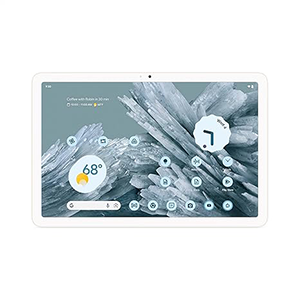
This Android tablet focuses on simplicity, smooth performance, and strong integration with the Google ecosystem, making it a practical option for Zwift users. The 11-inch display offers bright colors and adaptive brightness, ensuring good visibility in various lighting conditions commonly found in indoor training spaces. Visuals remain clear and fluid during rides, helping maintain immersion.
The tablet runs Zwift smoothly for typical training sessions, handling navigation and in-game interactions without major slowdowns. Built-in AI features enhance everyday productivity, allowing easy multitasking before or after workouts. Wireless connectivity works reliably for pairing trainers, sensors, and other fitness accessories.
One standout feature is its smart-home integration, which can be useful for controlling lights or fans during indoor rides. The design feels modern and minimal, and the tablet transitions easily between training use and home entertainment. Battery endurance supports long sessions, and charging is straightforward. For riders who value a clean Android experience with added smart features, this tablet fits comfortably into a Zwift training routine.
5. Lenovo Tab P11 (2nd Gen)
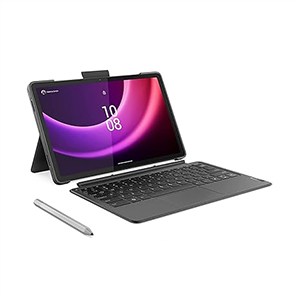
This tablet positions itself as a balanced option for Zwift riders seeking a capable yet practical device. The 11.5-inch display offers sharp visuals and a wide viewing area, making ride data and virtual routes easy to follow during workouts. Colors appear clear, and the screen size works well for stationary cycling setups.
Performance is suitable for regular Zwift sessions, handling rides and menus with reasonable responsiveness. Split-screen functionality adds convenience for multitasking, such as following training plans or media alongside workouts. Wireless connectivity supports stable pairing with trainers and fitness sensors.
Battery endurance is designed to handle long indoor rides, reducing the need for frequent charging. The included keyboard and pen expand functionality for productivity and creative tasks beyond cycling. Reading and eye-comfort modes are helpful for recovery time after workouts. While it may not target high-end performance users, it delivers dependable visuals, useful features, and flexibility, making it a solid choice for Zwift and everyday tablet use.
How to Choose The Best Tablets for Zwift
Selecting the right tablet for Zwift can significantly enhance your indoor cycling experience. Zwift’s dynamic virtual environments, real-time graphics, and constant data updates require a device that delivers reliable performance, clear visuals, and seamless connectivity. To make an informed choice, focus on several key aspects that impact how well your tablet handles the demands of Zwift and supports your overall training workflow.
Performance and Speed
Zwift relies on smooth rendering and responsive navigation, so processing power is crucial. A tablet with a modern, capable processor ensures that Zwift runs fluidly, even when you’re switching between screens, joining events, or viewing detailed maps. Fast performance reduces delays and stutters, helping you maintain focus and rhythm during rides. While raw benchmark numbers don’t tell the whole story, real-world responsiveness and multitasking capability are good performance indicators.
Display Quality and Size
The screen is arguably the most important component when choosing a Zwift tablet. A bright, high-resolution display makes it easier to see route details, rider stats, and group interactions without straining your eyes. Larger screens offer a more immersive view of the virtual world and allow you to glance at on-screen metrics comfortably from your cycling position. Consider displays with good color accuracy and high brightness levels to ensure visibility in varying lighting conditions typical of home gyms.
Connectivity and Sensor Support
Zwift depends on stable connections to trainers, heart rate monitors, and cadence sensors. Your tablet should support reliable Bluetooth and/or ANT+ connectivity. Bluetooth is standard on most devices, but if your accessories use ANT+, you may need an adapter. Tablets with strong wireless performance help maintain uninterrupted data flow, which is critical for accurate tracking and a seamless riding experience.
Battery Life
Longer battery life allows extended Zwift sessions without interruption. While many riders keep their tablet plugged in during workouts, a device that can comfortably last through long rides on battery alone offers flexibility and reduces dependency on power outlets. Efficient power management also helps prevent overheating, which can affect performance.
Operating System and App Compatibility
Zwift is available on both major mobile platforms, but compatibility and update support can vary. Choose a tablet with a current operating system and a track record of regular updates to ensure ongoing support for the Zwift app and other training tools. A responsive interface and intuitive navigation also contribute to a smoother overall experience.
Portability and Mounting
Consider how and where you’ll use your tablet. Lightweight devices are easier to mount on handlebars or stands and can be repositioned with minimal effort. Some tablets offer versatile mounting accessories or magnetic attachments, enhancing convenience during workouts.
Extras That Matter
While primary performance factors should guide your decision, thoughtful extras can elevate your experience. A quality sound system enhances workout motivation, and accessories like styluses or keyboards add versatility beyond training. Security features like fingerprint unlocking make everyday use easier, and expandable accessory ecosystems can provide long-term value.
By focusing on performance, display quality, connectivity, battery life, operating system support, and practical usability, you’ll be well-equipped to choose a tablet that not only handles Zwift effectively but also fits your broader lifestyle and training goals.
Best Tablets for Zwift – FAQ
1. Can Zwift run smoothly on a tablet?
Yes, Zwift is optimized for tablets and can run smoothly as long as the device has a capable processor, stable connectivity, and a modern operating system. A well-performing tablet delivers fluid graphics and responsive controls during rides.
2. Is a larger screen better for Zwift?
A larger screen can improve visibility of routes, elevation changes, and performance stats, making rides more immersive. However, mid-sized screens also work well if they offer good resolution and brightness.
3. Do I need special connectivity for sensors and trainers?
Most tablets support Bluetooth, which works with the majority of smart trainers and sensors. Some setups may require additional adapters if using specific sensor types.
4. Is it okay to keep the tablet plugged in during rides?
Yes, many riders keep their tablet plugged in during long sessions. A tablet with good heat management and battery efficiency handles this without issues.
5. Does the operating system matter for Zwift?
Yes, using a tablet with a current and well-supported operating system ensures better app stability, regular updates, and long-term compatibility with Zwift features.
Conclusion
Choosing the best tablet for Zwift comes down to finding the right balance of performance, display quality, and reliable connectivity. A smooth-running device with a bright, clear screen makes virtual routes easier to follow and keeps workouts engaging.
Strong wireless support ensures uninterrupted pairing with trainers and sensors, while solid battery life adds flexibility for longer sessions. Beyond training, a versatile tablet can also serve everyday entertainment and productivity needs. By focusing on core features that enhance stability and visibility, you can enjoy a more immersive, distraction-free Zwift experience.


Leave a Reply