

Modern classrooms are evolving fast, and teaching tablets have become essential tools for educators at every level. From interactive lessons to digital note-taking and real-time collaboration, a capable tablet can transform the way lessons are planned, delivered, and shared. The right device helps teachers stay organized, engage students visually, and adapt to both in-person and remote learning environments with ease.
A great teaching tablet balances performance, display quality, and flexibility. Large, sharp screens make it easier to present diagrams, annotate documents, or manage multiple apps at once. Smooth processors ensure lessons run without interruptions, whether streaming content, switching between apps, or using creative teaching tools. Support for stylus input and keyboards further enhances productivity.
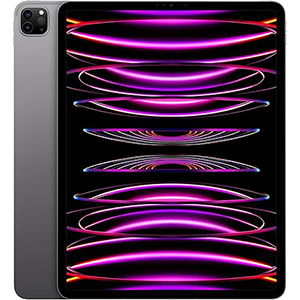
iPad Pro 6th Gen
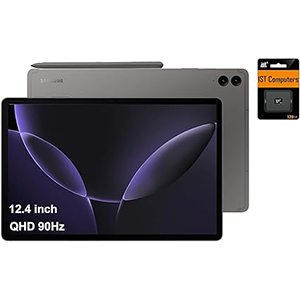
Galaxy Tab S9 FE+
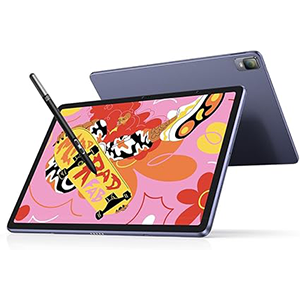
XPPen Magic Pad
With so many options available, choosing the best teaching tablet can feel overwhelming. This guide focuses on powerful, reliable tablets designed to support teaching, creativity, and everyday classroom demands, helping educators find the perfect digital companion.
1. Apple iPad Pro 12.9-inch (6th Generation)
The Apple iPad Pro 12.9-inch (6th Generation) stands out as a premium teaching tablet designed for high-performance educational tasks. It features a large 12.9-inch Liquid Retina XDR display that delivers exceptional brightness, clarity, and color accuracy, making it ideal for presenting lessons, grading assignments, and working with detailed visual content. The expansive screen allows educators to multitask comfortably, viewing lesson materials alongside notes or video calls.
Powered by the Apple M2 processor, this tablet delivers fast and responsive performance for demanding teaching workflows. Switching between apps, running interactive classroom tools, editing media, and handling large documents feels smooth and effortless. The processor also supports advanced educational apps that rely on strong graphical performance.
The tablet integrates seamlessly with productivity-focused software, enabling efficient lesson planning, content creation, and classroom management. Support for advanced stylus input enhances handwritten notes, annotations, and whiteboard-style teaching. With its strong build quality and refined operating system, this tablet suits educators who want a powerful, versatile device capable of handling both everyday teaching and advanced creative tasks without compromise.
2. SAMSUNG Galaxy Tab S9 FE+ Plus
The SAMSUNG Galaxy Tab S9 FE+ Plus is a well-rounded teaching tablet built for durability and long classroom sessions. It features a spacious 12.4-inch WQXGA display with crisp resolution and smooth visuals, making lesson slides, educational videos, and digital textbooks easy to view and share. The large screen is especially useful for multitasking during online classes or interactive teaching.
At its core, the tablet runs on the Exynos 1380 processor, delivering reliable performance for daily teaching activities. Educators can comfortably run multiple educational apps, browse lesson resources, annotate documents, and conduct video sessions without slowdowns. The processor ensures a stable experience during extended teaching hours.
Stylus support enhances handwritten note-taking, diagram drawing, and real-time explanations during lessons. The tablet’s design is suited for both classroom and remote teaching, offering flexibility for different learning environments. Strong connectivity features help maintain smooth online collaboration and content sharing. Overall, this tablet is a solid choice for teachers who want a large display, dependable performance, and stylus-based teaching tools in a durable and versatile Android device.
3. XPPen Magic Drawing Pad 12.2-inch
The XPPen Magic Drawing Pad 12.2-inch is a unique teaching tablet tailored for creative and visual instruction. It features a 12.2-inch paper-like display with a balanced aspect ratio that feels natural for writing, sketching, and illustrating educational concepts. The textured screen surface helps reduce glare and provides a comfortable viewing experience during long teaching sessions.
This tablet runs on an Android-based system powered by a capable processor designed to handle creative apps, multitasking, and classroom tools smoothly. It performs well for drawing-heavy lessons, digital whiteboarding, and interactive demonstrations. Teachers can easily switch between note-taking, visual presentations, and educational apps without interruptions.
The advanced stylus technology offers high pressure sensitivity and tilt support, making it ideal for subjects that rely on diagrams, art, or handwriting. Eye-comfort features further support extended use in classroom or home-teaching environments. Lightweight and portable, the device is easy to carry between classrooms or teaching locations. This tablet is especially well-suited for educators who focus on creative subjects, visual explanations, or interactive teaching methods that benefit from a natural pen-on-screen experience.
4. Microsoft Surface Go 3
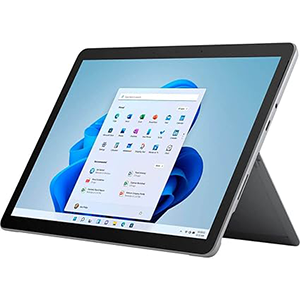
The Microsoft Surface Go 3 is a compact and versatile teaching tablet designed for educators who prefer a Windows-based environment. It features a 10.5-inch high-resolution touchscreen that provides sharp text and clear visuals for lesson materials, documents, and presentations. The smaller display size makes it easy to carry while still offering enough space for productive classroom use.
Powered by an Intel Pentium Gold processor, the Surface Go 3 handles everyday teaching tasks efficiently. It supports web browsing, document editing, video conferencing, and educational software commonly used in academic settings. The processor ensures smooth performance for routine workloads without unnecessary complexity.
Running Windows 11, the tablet offers access to familiar desktop applications, making it ideal for teachers who rely on traditional productivity tools. The adjustable kickstand and accessory support allow it to function as both a tablet and a lightweight teaching workstation. Connectivity options enable easy integration with classroom peripherals and external displays. Overall, the Surface Go 3 is a practical choice for educators who value portability, a desktop-style operating system, and flexible teaching setups in a compact form factor.
5. Amazon Fire Max 11
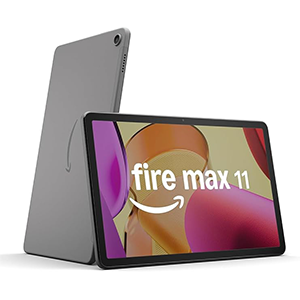
The Amazon Fire Max 11 is a practical teaching tablet focused on simplicity, media use, and everyday educational tasks. It features an 11-inch high-resolution display that delivers clear visuals for reading, video lessons, and classroom presentations. The screen is comfortable for extended viewing, making it suitable for lesson preparation and content consumption.
The tablet is powered by an octa-core processor that provides smooth performance for standard teaching activities. Navigating educational apps, streaming instructional videos, browsing the web, and multitasking between tools feels responsive. The processor ensures consistent performance during daily classroom or home-teaching use.
Its lightweight aluminum design makes it easy to carry and handle throughout the day. Optional accessories expand its usability for typing lessons or writing notes digitally. The tablet integrates well with productivity tools and voice assistance features, helping teachers manage tasks efficiently. With strong battery endurance and straightforward software, this device is well-suited for educators seeking an easy-to-use tablet for lesson delivery, reading materials, communication, and light productivity without unnecessary complexity.
Conclusion
Choosing the best teaching tablet depends on your classroom needs, teaching style, and preferred operating system. Some educators may need top-tier performance and a large display for multitasking, while others may prefer portability, affordability, or stylus-friendly features for note-taking and interactive lessons.
A quality tablet can improve lesson planning, communication, and student engagement both in-person and online. Whether you teach creative subjects, manage remote classes, or need a reliable device for daily tasks, the right tablet can become an essential teaching companion.
Focus on display size, processor power, and versatility to find the best option for long-term educational use.


Leave a Reply