
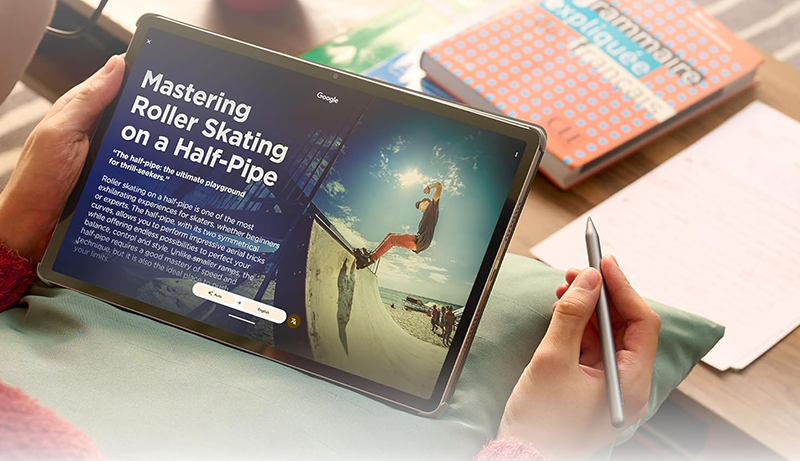
In today’s fast-paced digital lifestyle, a tablet built for multitasking is no longer a luxury—it’s a necessity. Whether you’re juggling work documents, online meetings, creative projects, or study materials, the right tablet can dramatically improve productivity.
A large, high-quality display allows you to comfortably view multiple apps at once, while powerful processors ensure smooth switching without lag. Advanced operating systems now support split-screen views, floating windows, external display connections, and keyboard or stylus input, making tablets more capable than ever.
Battery endurance also plays a vital role, enabling uninterrupted performance throughout long work or study sessions. From note-taking and content creation to video editing and research, multitasking tablets bridge the gap between laptops and smartphones.
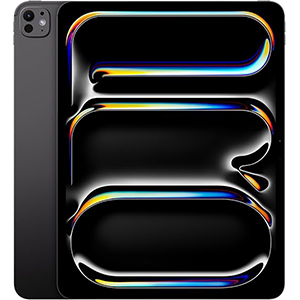
iPad Pro 13-Inch (M4)
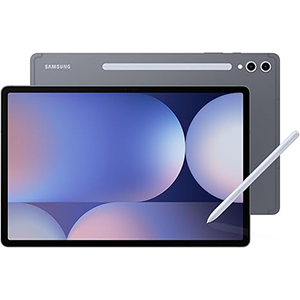
Galaxy Tab S10+ Plus
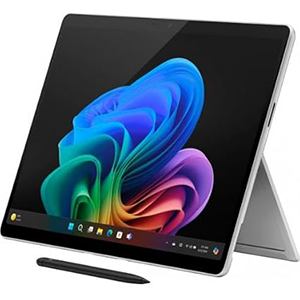
Surface Pro (2024)
Choosing a device that balances performance, display quality, software features, and flexibility ensures you can stay efficient, organized, and creative—no matter how demanding your daily workflow becomes.
1. Apple iPad Pro 13-Inch (M4)
This tablet sets a high benchmark for multitasking with its ultra-thin design and exceptionally powerful performance. The large 13-inch display delivers outstanding brightness, contrast, and color accuracy, making it ideal for running multiple apps side by side. Visual tasks such as document editing, graphic work, and video playback feel immersive and fluid.
Multitasking is further enhanced by advanced software features that allow overlapping windows, external display support, and seamless app switching. Productivity workflows benefit from precise stylus support and smooth handwriting recognition, while keyboard compatibility transforms the device into a near-laptop replacement. Everyday tasks feel instant, whether launching apps, editing media, or managing complex projects.
Battery performance supports all-day use, allowing long work sessions without frequent charging. The tablet also excels in creative and professional scenarios, thanks to high-quality cameras, studio-grade audio, and advanced sensors that enhance augmented-reality experiences. Secure facial recognition ensures quick access while maintaining privacy. Overall, this device is built for users who demand uncompromising multitasking performance in a sleek and portable form factor.
2. Samsung Galaxy Tab S10+ Plus
Designed with productivity and creativity in mind, this Android tablet offers a spacious display that makes multitasking intuitive and comfortable. The vibrant AMOLED screen provides excellent clarity and deep contrast, allowing multiple apps to remain visible without feeling cramped. Whether you’re working on documents, attending online classes, or sketching ideas, everything looks sharp and fluid.
AI-powered tools elevate multitasking by simplifying searches, organizing notes, and transforming handwritten input into refined content. Switching between apps feels seamless, enabling efficient workflows for both academic and professional use. The included stylus adds precision for note-taking, drawing, and quick annotations, making it especially useful for students and creatives.
Audio performance enhances the experience during video calls and media playback, while long-lasting battery support keeps productivity uninterrupted throughout the day. The tablet’s durable build adds confidence for daily use, whether at home, on campus, or while traveling. With smart ecosystem features and intelligent software enhancements, this device delivers a balanced multitasking experience that blends performance, creativity, and convenience into one versatile package.
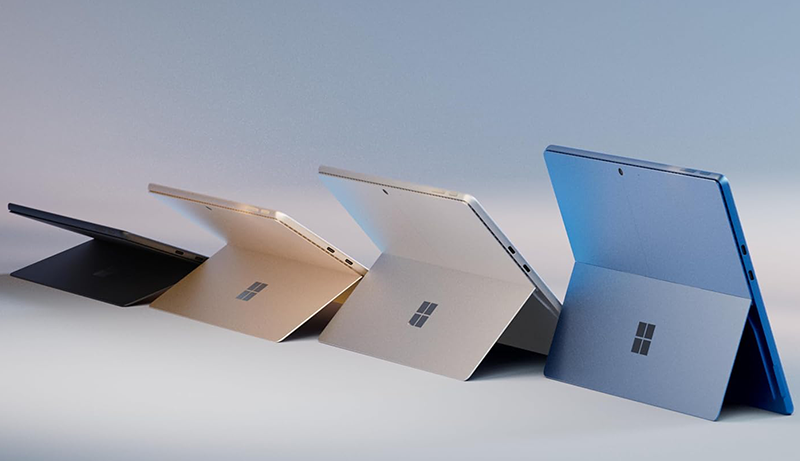
3. Microsoft Surface Pro 2-in-1 (2024)
This device stands out by combining the flexibility of a tablet with the capabilities of a full Windows computer. Its high-resolution touchscreen provides ample space for multitasking, allowing users to run multiple desktop-class applications simultaneously. From document editing and web research to creative work and video calls, it handles complex workflows with ease.
The detachable keyboard and built-in kickstand enable smooth transitions between tablet, laptop, and sketchbook modes. This flexibility makes it well-suited for professionals, students, and creators who need adaptability throughout the day. AI-enhanced features support productivity by improving search, organization, communication, and creative tasks directly within the operating system.
Battery endurance supports extended use, while fast charging minimizes downtime. The device also enhances virtual meetings with intelligent camera and audio features, ensuring clear communication. With support for stylus input, handwritten notes and digital sketches feel natural and precise. Overall, this 2-in-1 solution delivers a strong multitasking experience for users who rely on full desktop software alongside the portability of a tablet.
4. Xiaomi Pad 7 Pro
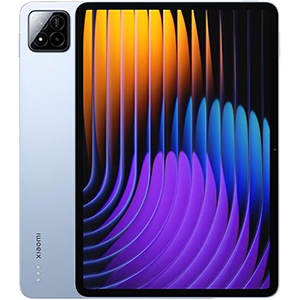
This tablet delivers a strong multitasking experience through a high-resolution display paired with a fast refresh rate. The screen remains smooth and responsive even when switching between multiple applications, making it ideal for productivity, entertainment, and creative work. Its visual clarity and brightness ensure comfortable use for reading, editing, and media consumption.
Performance remains consistent during demanding tasks such as document editing, video playback, and split-screen operation. Multitasking feels fluid, with apps opening quickly and maintaining stability during extended use. The tablet’s audio system enhances video calls and streaming, creating an immersive environment for both work and leisure.
Stylus compatibility supports note-taking, sketching, and precise interaction, while advanced connectivity options allow seamless wireless sharing and external display use. Battery capacity is designed for long sessions, supporting uninterrupted productivity throughout the day. Additional features such as biometric security, smart sensors, and remote-control functionality add convenience to everyday tasks. Overall, this tablet offers a feature-rich multitasking platform that balances performance, display quality, and versatility for modern users.
5. Lenovo Idea Tab Pro
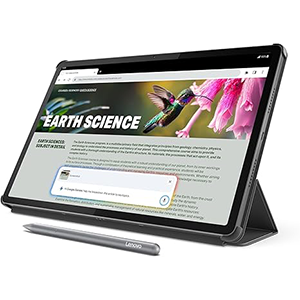
Built with students and everyday multitaskers in mind, this tablet focuses on efficiency, comfort, and intelligent features. The large display provides ample room for split-screen use, making it easy to read study materials while taking notes or attending online lectures. Visual clarity and smooth responsiveness enhance both productivity and entertainment.
Multitasking performance remains reliable during web browsing, document editing, and app switching. Integrated AI assistance helps organize tasks, answer questions, and streamline research, reducing the time spent juggling multiple tools. The included stylus supports natural handwriting and drawing, offering a paper-like experience for notes and creative ideas.
Audio quality enhances learning and media consumption, while the lightweight design makes the tablet easy to carry throughout the day. Battery performance supports long study sessions, and fast charging helps maintain momentum during busy schedules. Thoughtful software features like smart search and eye-comfort modes further improve usability. Overall, this tablet delivers a practical and intelligent multitasking experience tailored for students and users who value simplicity, performance, and portability.
Choosing from the Best Tablet for Multitasking – How to Choose
Selecting the best tablet for multitasking requires more than just picking the latest model. The first factor to consider is display size and quality. A larger screen makes split-screen work, floating windows, and drag-and-drop actions far more comfortable. High resolution and good brightness help reduce eye strain, especially when working long hours with documents, spreadsheets, or creative apps.
Next, focus on processing power and software optimization. Multitasking relies heavily on how well the operating system manages multiple apps simultaneously. Look for tablets that support advanced multitasking features such as resizable windows, app pairing, and external display connectivity. Smooth performance ensures you can switch between tasks without lag or crashes.
Input flexibility is another key consideration. A tablet that supports keyboards, stylus input, or both will significantly improve productivity. Keyboards help with writing and data entry, while a stylus is invaluable for note-taking, drawing, and quick annotations. Seamless palm rejection and handwriting recognition can make a big difference in daily use.
Battery life also plays a crucial role. Multitasking drains power faster than single-app use, so choose a tablet designed to last through extended work or study sessions. Fast-charging support is a bonus, allowing you to quickly power up between tasks.
Don’t overlook connectivity options. Reliable Wi-Fi performance, Bluetooth accessories, and the ability to connect to external monitors or storage devices expand how you can work. This is especially important for professionals who need desktop-like workflows on a tablet.
Finally, consider ecosystem and app availability. A strong app ecosystem ensures you’ll have access to productivity, creativity, and collaboration tools optimized for multitasking. Regular software updates and security features also contribute to long-term usability. By balancing performance, display, battery, input options, and software capabilities, you can confidently choose a tablet that keeps up with demanding multitasking needs.
Best Tablet for Multitasking – FAQs
1. What makes a tablet good for multitasking?
A good multitasking tablet offers a large, high-resolution display, strong performance, and software features like split screen, floating windows, and quick app switching.
2. Is a larger screen better for multitasking?
Yes, larger screens make it easier to view and manage multiple apps at the same time without feeling cluttered.
3. Do I need a keyboard for multitasking?
While not mandatory, a keyboard greatly improves productivity for typing, emails, and document work.
4. Is stylus support important?
Stylus support is useful for note-taking, drawing, marking documents, and creative tasks, especially for students and designers.
5. How important is battery life for multitasking tablets?
Very important. Running multiple apps drains power faster, so longer battery life ensures uninterrupted use.
6. Can tablets replace laptops for multitasking?
For many users, yes. Tablets with advanced multitasking features and accessories can handle most daily productivity tasks.
7. Are software updates important?
Yes, regular updates improve multitasking performance, security, and app compatibility over time.
Conclusion
Choosing the best tablet for multitasking comes down to finding the right balance between performance, display quality, and software capabilities. A tablet designed for multitasking should handle multiple apps smoothly, offer flexible input options, and support long hours of use without interruptions.
Features like split-screen views, stylus compatibility, and keyboard support can transform a tablet into a powerful productivity tool. By focusing on your specific needs—whether work, study, or creative projects—you can select a device that enhances efficiency, organization, and overall digital workflow.


Leave a Reply