
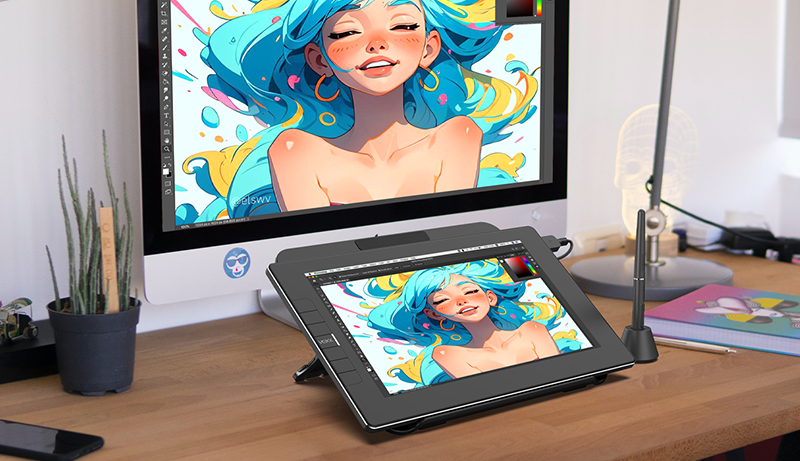
Blender, a versatile 3D design software, covers various aspects of 3D creation like modeling, animation, and rendering. Using a high-quality drawing tablet can significantly enhance your experience, offering precise control for sculpting, texturing, or painting, making it an essential tool for any digital artist.
For those working with Blender, selecting the right drawing tablet is key to boosting productivity and optimizing the creative process. Some artists may opt for a standard pen tablet, while others might prefer a display tablet that enables direct screen interaction.
When choosing a drawing tablet for Blender, it’s important to consider factors like tablet size, pressure sensitivity, pen functionality, and how well it integrates with your workspace and computer setup.
Top pick
Wacom Cintiq 22
Editor’s choice
Apple iPad Pro
Best value
Kamvas Pro 16+
After extensive research and testing, we’ve identified the top drawing tablets that are perfect for use with Blender, focusing on features that enhance your artistic abilities and streamline your workflow.
Here’s our curated list of the best drawing tablets for Blender to elevate your digital art creation experience.
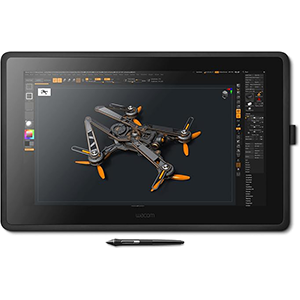
1. Wacom Cintiq 22
We highly recommend the Wacom Cintiq 22 Drawing Tablet for anyone looking to elevate their digital art experience with a premium display and exceptional control.
The Wacom Cintiq 22 is an outstanding choice, ideal for both hobbyists and art students. Its spacious 21.5-inch display provides ample room to work, and the high-resolution screen with anti-glare features helps reduce eye strain during extended sessions. What truly sets it apart is the highly responsive Wacom Pro Pen 2, which offers 8,192 levels of pressure sensitivity, tilt response, and virtually lag-free tracking, ensuring precise and smooth strokes.
Built to last, the tablet features durable, scratch-resistant materials, making it a reliable companion for daily use. It connects easily to your Mac or PC via HDMI and USB cables, offering compatibility across various devices.
However, due to its larger size, the Cintiq 22 may be less portable and somewhat bulkier compared to smaller tablets. Some users might also notice a slight parallax effect, where the cursor appears slightly offset from the pen tip. Additionally, the price may be on the higher side for beginners or those on a budget, but the quality and premium features make it a worthy investment for those serious about enhancing their digital art skills.
In conclusion, the Wacom Cintiq 22 Drawing Tablet offers an impressive combination of display quality, precision, and control. Its features enable artists to bring their creative ideas to life with a natural, paper-like feel. While it has minor drawbacks, they are outweighed by the tablet’s overall performance and value, making it a compelling choice for artists looking to invest in their craft.
2. Apple iPad Pro
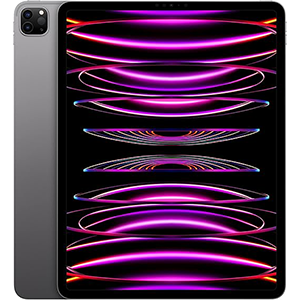
We highly recommend the Apple iPad Pro 12.9-inch for artists who want the ultimate drawing tablet experience with Blender. As a standalone device, it allows you to create artwork anywhere, offering unmatched flexibility.
When testing the Apple iPad Pro 12.9-inch, we were thoroughly impressed by its sleek design and outstanding performance, powered by the advanced M2 chip. The tablet effortlessly handles even the most complex Blender projects, ensuring a fast and seamless workflow.
The 12.9-inch Liquid Retina XDR display is a standout feature, delivering stunning visuals and vibrant colors, making it ideal for creating and editing art. Paired with the Apple Pencil (2nd generation), the drawing experience is enhanced with fluid, responsive, and precise strokes. The ProMotion technology adds to this, making working on the iPad feel incredibly natural.
However, this device comes with a hefty price tag, making it a significant investment. Additionally, the Apple Pencil and Magic Keyboard are sold separately, which can increase the overall cost. While the iPadOS ecosystem offers powerful features, it might not be ideal for those who prefer non-Apple platforms.
In conclusion, if you’re ready to invest in top-tier drawing hardware and are comfortable within the Apple ecosystem, the iPad Pro 12.9-inch is one of the best options for using Blender. Its exceptional performance, stunning display, and excellent compatibility with the Apple Pencil make it a top choice for digital artists.
3. HUION Kamvas Pro 16 Plus
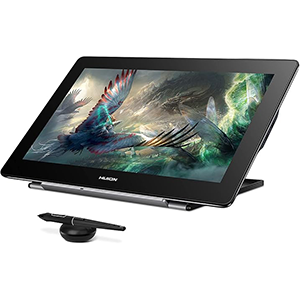
We believe the HUION Kamvas Pro 16 Plus is an excellent choice for those seeking the best drawing tablet for Blender, offering a superb blend of visual quality and advanced pen performance.
The HUION Kamvas Pro 16 Plus impressed us with its remarkable 15.6-inch 4K UHD display, featuring full lamination technology. The IPS panel, coupled with anti-glare glass, delivers clear, detailed images, while the 145% sRGB wide color gamut ensures vibrant, true-to-life colors.
The tablet’s advanced pen performance is another standout feature. Equipped with the battery-free PW517 pen using Huion PenTech 3.0, it offers 8192 levels of pressure sensitivity and ±60° tilt recognition, providing responsive and accurate performance. The etched glass screen adds to the experience, offering a natural, pen-on-paper feel.
We also appreciate the convenient connectivity options via dual USB-C ports. The tablet easily connects to PCs, Macs, and Android devices using the included 3-in-1 HDMI cable or a full-featured USB-C cable and power cable. The HUION Kamvas Pro 16 Plus is compatible with various operating systems and creative software, making it a versatile tool for artists.
However, there are a few minor drawbacks to consider. The package doesn’t include a drawing glove, which might be necessary to prevent your hand from sticking to the screen, so you’ll need to purchase one separately. Additionally, the instructions included in the box are somewhat limited, which could be challenging for those new to the product. Some users have also reported issues with the quality of the cables and buttons.
Despite these minor issues, we confidently recommend the HUION Kamvas Pro 16 Plus for Blender users seeking a high-quality drawing tablet with exceptional visual clarity and advanced pen capabilities.
4. Wacom Intuos Pro Large
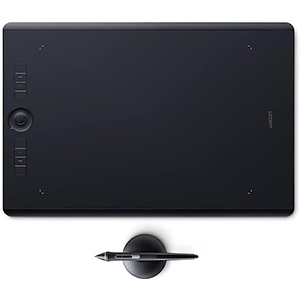
The Wacom Intuos Pro is an outstanding choice for professionals seeking a high-quality drawing tablet for Blender, thanks to its responsive pen and customizable features.
We recently tested the Wacom Intuos Pro Large Bluetooth Graphics Drawing Tablet, and it quickly became our preferred tool for working in Blender. The battery-free Pro Pen 2, with 8192 levels of pressure sensitivity, offers the precision and control essential for designing and editing. The pen feels natural and comfortable, much like a traditional drawing tool, allowing us to fully immerse ourselves in the creative process.
A standout feature of this tablet is its customizable settings. With 8 ExpressKeys and a Touch Ring, you can program your preferred shortcuts, significantly streamlining your workflow. The tablet also supports multi-touch gestures, making it easy to zoom, pan, and navigate through your projects. The Bluetooth connectivity is another plus, helping to keep your workspace clutter-free by eliminating the need for a USB cable.
However, the Wacom Intuos Pro is on the higher end of the price range, which may not fit everyone’s budget. Its large size can also take up a considerable amount of desk space, which might be a drawback for some users. Additionally, many accessories, such as texture sheets and alternative pen nibs, are sold separately, potentially adding to the overall cost if you wish to further customize your drawing experience.
In conclusion, the Wacom Intuos Pro Large Bluetooth Graphics Drawing Tablet is an excellent choice for professionals who value quality and customization in their drawing tools for Blender. While it comes with a premium price tag, its impressive Pro Pen 2 sensitivity and customizable features make it a worthwhile investment.
5. XPPen Artist 13.3 Pro
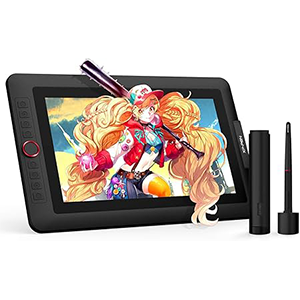
The XP-PEN Artist 13.3 Pro is an excellent choice for artists looking for a high-quality drawing tablet for Blender without breaking the bank.
Our experience with the XP-PEN Artist 13.3 Pro has been highly positive. The fully-laminated 13.3-inch screen provides a distraction-free workspace and virtually eliminates parallax, significantly enhancing the tablet’s accuracy and overall drawing experience.
The tablet’s tilt function, supporting up to 60 degrees, makes it easier to add shading and create smooth transitions between lines without constantly adjusting the brush direction in the software. This feature adds a natural feel to the drawing process.
One of the standout features of the XP-PEN Artist 13.3 Pro is its impressive color gamut. With 88% NTSC (Adobe RGB≧91%, sRGB≧123%) and a 178-degree viewing angle, the screen delivers rich, vibrant colors and vivid images, making it perfect for bringing out the best in creative work.
However, the tablet’s weight of 4.4 pounds can be slightly uncomfortable during extended use. While it offers great performance for advanced and intermediate artists, professionals working on more demanding projects may need a higher-end tablet. Additionally, some users have reported compatibility issues with certain software, though this seems to be a rare occurrence.
Overall, the XP-PEN Artist 13.3 Pro offers exceptional value for its price. For artists working with Blender, it provides a solid blend of functionality and quality, making it a worthwhile investment.
Buying Guide for the Best Drawing Tablet for Blender
When selecting the best drawing tablet for Blender, several key features and factors should be considered. This buying guide highlights the most important aspects to help you make an informed choice.
Display Size and Resolution
Start by considering the display size and resolution. A larger display offers more workspace for your projects but may also be bulkier and more expensive. It’s important to strike a balance between size and affordability. In terms of resolution, higher is better, as it allows for greater detail in your artwork. Aim for a tablet with a minimum resolution of 1920 x 1080 pixels (Full HD).
Pressure Sensitivity and Responsiveness
Pressure sensitivity is crucial in a drawing tablet. Higher pressure sensitivity means the tablet can more accurately detect the pressure applied by the pen, resulting in smoother, more precise strokes. A good tablet should offer at least 2048 levels of pressure sensitivity, though many devices now provide up to 8192 levels for even finer control.
Pen Features and Accessories
The pen’s quality is another vital consideration. Some pens require charging, while others are battery-free, which can be more convenient as you won’t need to worry about charging. Look for a pen with customizable buttons to assign your favorite shortcuts, streamlining your workflow.
Additional accessories like extra pen nibs and a pen holder are also worth considering. These features help extend the life of your pen and ensure it’s always within reach when you need it.
Tablet Connectivity
Review the tablet’s connectivity options, particularly whether it supports USB, wireless connections, or both. A wireless connection can offer more flexibility, but it might not be as responsive as a wired connection. Choose a tablet that aligns with your needs and working style.
Price and Warranty
Finally, consider the cost of the drawing tablet. While high-quality tablets often come with a higher price tag, the investment can be worthwhile in terms of enhanced performance and durability. Additionally, look for a tablet that includes a solid warranty, ensuring you’re covered if any issues arise.
Summary
When choosing the best drawing tablet for Blender, focus on display size and resolution, pressure sensitivity, pen features and accessories, tablet connectivity, and price and warranty. By keeping these factors in mind, you’ll be well-equipped to find the perfect tablet for your creative needs.egrate seamlessly with Blender and your computer system.


Leave a Reply