
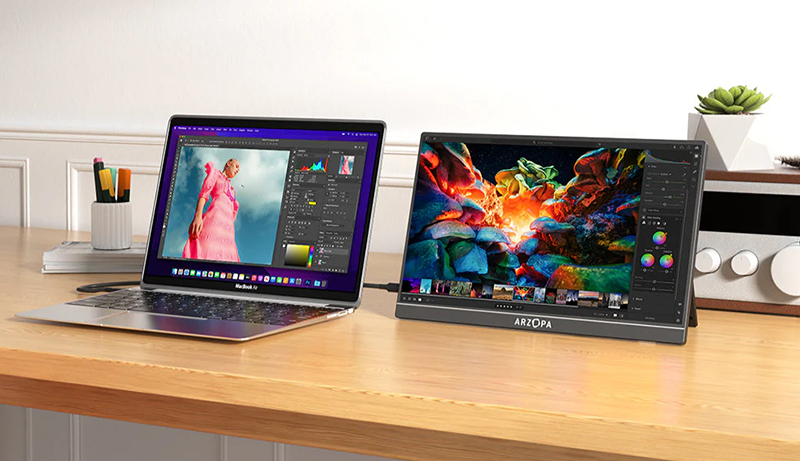
You’ll want a portable laptop monitor that balances sharp visuals, lightweight design, and easy connectivity to enhance your productivity or gaming on the go. Look for features like a 144Hz refresh rate for smooth motion, vibrant Full HD IPS panels for accurate colors, and USB-C ports that handle both power and data through a single cable, reducing clutter in your setup.
Slim, durable builds with adjustable stands or magnetic covers make these displays especially travel-friendly, whether you’re working remotely, studying, or gaming between trips. If portability, color accuracy, and versatility matter most to you, exploring the Best Portable Laptop Monitors will help you quickly identify an option that truly fits your workflow and lifestyle.
ARZOPA 16.1″ 144Hz Portable Gaming Monitor Z1FC
Experience crisp and smooth visuals wherever you go with the ARZOPA 16.1″ 144Hz Portable Gaming Monitor Z1FC. This monitor caters to gamers and professionals who require a vibrant, high-performance display outside traditional setups. Its 16.1-inch IPS screen offers Full HD clarity, delivering sharp images that help improve focus and reduce eye strain during extended use.
The 144Hz refresh rate ensures fluid motion, making fast-paced gaming or dynamic work presentations seamless and enjoyable. Its 106% sRGB color gamut and 300 cd/m² brightness provide vivid colors and clear visibility, even in moderately lit environments. This combination enhances your viewing experience by maintaining color accuracy and detail.
Portability is a key benefit. Weighing only 1.7 pounds and measuring just 0.37 inches thick, this monitor easily fits into your travel bag. The dual USB-C and Mini HDMI ports allow quick and versatile connections to laptops, gaming consoles, or other devices, enabling productivity and entertainment on the move.
Maintenance is straightforward due to its solid build and minimalistic design. While the brightness may fall short in very bright outdoor conditions and it lacks adaptive sync technology, its compact size and high refresh rate balance performance with convenience effectively.
Best for: Gamers and professionals seeking a portable, high-refresh-rate monitor with vibrant visuals for gaming, work, or entertainment on the go.
What We Like:
- Smooth 144Hz refresh rate for fluid motion in games and videos
- Lightweight, ultra-slim design enhances portability
- Dual USB-C and Mini HDMI ports support diverse device connections
Specification:
| Feature | Details |
|---|---|
| Manufacturer | ARZOPA |
| Screen Size | 16.1 inches |
| Resolution | 1920 x 1080 (Full HD) |
| Refresh Rate | 144Hz |
| Color Gamut | 106% sRGB |
| Brightness | 300 cd/m² |
| Panel Type | IPS |
| Weight | 1.7 lb (0.77 kg) |
| Thickness | 0.37 inches (0.94 cm) |
| Connectivity | Dual USB-C, Mini HDMI |
14.2″ Ultra-Thin Portable Laptop Screen Extender Monitor
Experience the freedom to work anywhere with the 14.2″ Ultra-Thin Portable Laptop Screen Extender Monitor. This lightweight companion solves the problem of limited screen space on the go, letting you expand your workspace effortlessly. Its slim 0.17-inch profile and light 1.3-pound build mean it slips easily into your bag without adding bulk.
The vibrant FHD 1920×1080 display with HDR and 300 nits brightness delivers clear visuals that enhance focus and reduce eye strain. A 0-180° rotation feature lets you adjust the screen for the most comfortable viewing angle. This flexibility supports different working environments, from cramped coffee shops to home offices.
Designed to boost productivity by up to 200%, the monitor supports expansion, mirror, and second screen modes. It connects seamlessly to Windows, Mac, Android devices, and gaming consoles via USB-C or HDMI ports. Setup is straightforward, so you can get started quickly without technical complications.
Maintenance is simple—its durable build resists scratches and fingerprints, while the screen can be cleaned with a soft cloth. However, some older laptops may need special cables or adapters, and the 300 nits brightness may be less visible under direct sunlight.
Best for: Professionals and travelers who need a portable, versatile second screen to enhance multitasking and productivity on various devices.
What We Like:
- Sleek, ultra-thin design for easy portability
- High-quality FHD display with HDR for vivid visuals
- Adjustable rotation for ergonomic viewing angles
- Wide compatibility with multiple operating systems and devices
- Simple plug-and-play setup enhances user convenience
Specification:
| Feature | Details |
|---|---|
| Manufacturer | – |
| Screen Size | 14.2 inches |
| Thickness | 0.17 inches |
| Weight | 1.3 pounds |
| Resolution | 1920×1080 (FHD) |
| Brightness | 300 nits |
| Connectivity | USB-C, HDMI |
| Compatibility | Windows, Mac, Android, Gaming Consoles |
KYY 15.6″ Portable FHD USB-C Gaming Monitor
Experience crisp visuals and eye comfort on the go with the KYY 15.6″ Portable FHD USB-C Gaming Monitor. This display offers a vibrant 1920×1080 resolution with HDR and a wide 178° viewing angle, making it ideal for gaming, work, or entertainment. It addresses eye strain by reducing blue light and flickering, helping you stay comfortable during extended use.
Designed for portability, the ultra-slim and lightweight build fits easily into your bag, allowing you to carry a high-quality screen wherever you need it. The smart PU leather cover protects the monitor and conveniently doubles as a stand, making setup quick and stable without extra accessories.
Connecting the monitor is straightforward with USB-C and Mini-HDMI ports, compatible with laptops, smartphones, and gaming consoles like PS4 and Xbox. No driver installation is required, so you can simply plug and play. The built-in speakers add convenience, though external audio devices may be preferred for richer sound.
Maintenance is minimal; the durable screen and cover resist wear during travel. Just wipe the display gently to keep it clean. This monitor is perfect for those who need a versatile, portable solution to enhance productivity and entertainment while reducing eye fatigue.
Best for: Gamers, remote workers, and multimedia users seeking a portable display that combines eye care features with easy connectivity.
What We Like:
- Vibrant 15.6″ FHD IPS display with HDR and wide viewing angles
- Eye-friendly technology that reduces blue light and flicker
- Slim, lightweight design with a protective PU leather cover stand
- Easy plug-and-play via USB-C and Mini-HDMI, no drivers needed
- Built-in speakers for added audio convenience
Specification:
| Feature | Details |
|---|---|
| Manufacturer | KYY |
| Screen Size | 15.6 inches |
| Resolution | 1920 × 1080 (FHD) |
| Display Type | IPS with HDR |
| Viewing Angle | 178° |
| Connectivity | USB-C, Mini-HDMI |
| Weight | Lightweight (exact weight not specified) |
| Cover Material | PU leather |
Lenovo L15 15.6″ Portable Full HD Monitor
Experience enhanced productivity on the move with the Lenovo L15 15.6″ Portable Full HD Monitor. This lightweight display is designed to solve common issues like eye strain and limited screen space during travel or remote work. Its Full HD IPS panel delivers crisp visuals and wide viewing angles, ensuring your content remains clear from any position.
The monitor features flicker-free technology, which helps reduce eye fatigue during long work sessions. Despite weighing under two pounds, it offers a height-adjustable stand for personalized comfort. This thoughtful design supports ergonomic use, promoting better posture and reducing neck strain.
Connectivity is simplified with dual USB-C ports, allowing you to connect seamlessly to various devices. While the 250 nits brightness works well indoors, it may be less effective under direct outdoor sunlight. Maintenance is straightforward—its durable build requires minimal care, making it reliable for daily use.
The compact 15.6″ screen balances portability with sufficient display space, though it may limit extensive multitasking. Overall, the Lenovo L15 monitor enhances your workspace flexibility without compromising on visual quality or comfort.
Best for: professionals and students seeking a portable, high-quality monitor to boost productivity while working remotely or traveling.
What We Like:
- Lightweight design under two pounds for easy portability
- Full HD IPS panel with wide viewing angles for clear visuals
- Flicker-free screen reduces eye strain during extended use
- Height-adjustable stand promotes ergonomic comfort
- Dual USB-C ports enable versatile device connectivity
Specification:
| Specification | Details |
|---|---|
| Manufacturer | Lenovo |
| Screen Size | 15.6 inches |
| Display Type | Full HD IPS |
| Brightness | 250 nits |
| Weight | Under 2 pounds (approx.) |
| Connectivity | Dual USB-C ports |
| Stand | Height-adjustable |
MNN 15.6″ FHD Portable USB-C Gaming Monitor
Experience vibrant visuals and smooth gameplay wherever you go with the MNN 15.6″ FHD Portable USB-C Gaming Monitor. This monitor enhances your gaming and work sessions by delivering crisp Full HD images through a 1920×1080 IPS matte screen. Its wide 178° viewing angle and HDR mode ensure deep contrast and accurate colors, making every detail stand out.
Designed for portability, the ultra-slim and lightweight build fits easily into your bag. The included PU leather cover not only protects the screen but also folds into a stand, allowing flexible landscape or portrait use. This setup helps you maintain productivity or enjoy gaming comfortably in any setting.
The monitor’s dual USB-C ports simplify connectivity, letting you link laptops, consoles, or phones with a single cable. This reduces clutter and speeds up setup, especially useful for those on the move or switching between devices frequently. Blue light reduction and flicker-free technology help reduce eye strain during extended use.
Maintenance is straightforward thanks to the durable screen and protective cover, which keeps the monitor safe from scratches and dust. However, keep in mind that the reliance on USB-C may require adapters for older equipment. Also, the 15.6″ size suits portability but may feel limited for extensive multitasking.
Best for: Gamers, digital nomads, and professionals needing a portable, high-quality monitor with versatile connectivity for gaming, work, and media on the go.
What We Like:
- Bright 15.6″ Full HD IPS screen with HDR and wide viewing angles
- Dual USB-C ports enable quick, single-cable connections
- Lightweight and ultra-slim design with protective PU leather cover stand
- Blue light reduction and flicker-free technology for comfortable long use
Specification:
| Feature | Details |
|---|---|
| Manufacturer | MNN |
| Screen Size | 15.6 inches |
| Resolution | 1920 x 1080 (Full HD) |
| Panel Type | IPS Matte |
| Viewing Angle | 178° |
| Connectivity | Dual USB-C ports |
| Weight | Lightweight (exact weight not specified) |
| Cover Material | PU leather |
KEFEYA 14″ FHD Portable Laptop Screen Extender
Experience effortless productivity wherever you go with the KEFEYA 14″ FHD Portable Laptop Screen Extender. Perfect for remote workers, gamers, and content creators, this second screen helps you multitask and collaborate more efficiently without being tied to a desk. Its crisp 1920×1080 resolution delivers clear visuals that sharpen your workflow.
The portable design features a vibrant 14-inch IPS display with 300-nit brightness, balancing clarity and comfort. Eye-friendly technology reduces strain during extended use, making it easier to focus on work or gaming sessions. The screen rotates 180°, allowing flexible viewing angles tailored to your needs.
Connecting is hassle-free with included Type-C, USB-C, and HDMI cables—no drivers are required for setup. It supports both mirror and extended display modes, so you can expand your workspace or duplicate your screen seamlessly. Weighing just 2.3 pounds, it fits neatly into your mobile setup.
Maintenance is simple; the durable build withstands travel, and the screen’s surface is easy to clean. However, using HDMI input requires an additional USB-A to USB-C cable for power. While brightness is sufficient indoors, visibility in bright outdoor settings may be limited, and the color gamut may not meet professional color-critical demands.
Best for: Professionals and creatives who need a portable, easy-to-use second screen to enhance multitasking and collaboration on the move.
What We Like:
- Sharp 14″ FHD IPS display with eye-friendly features
- Supports multiple devices and display modes with 180° rotation
- Plug-and-play setup with versatile connection options
- Lightweight and travel-friendly design
Specification:
| Feature | Details |
|---|---|
| Manufacturer | KEFEYA |
| Screen Size | 14 inches |
| Resolution | 1920 x 1080 (Full HD) |
| Display Type | IPS |
| Brightness | 300 nits |
| Weight | 2.3 lbs (approx. 1.04 kg) |
| Connectivity | Type-C, USB-C, HDMI |
| Rotation | 180° |
14″ Portable FHD IPS Laptop Screen Extender Monitor
Enhance your workspace wherever you go with the 14″ Portable FHD IPS Laptop Screen Extender Monitor. Designed for professionals and multitaskers, this compact monitor solves the common problem of limited screen space, helping you work more efficiently on the move. Its vibrant Full HD display delivers clear visuals, making multitasking smoother and more comfortable.
The monitor features a 1920×1080 resolution and HDR technology, which together provide sharp images and lifelike colors. It also incorporates low blue light protection to reduce eye strain during extended use. Its portable design includes an adjustable kickstand and 0-180° rotation, allowing you to set up your workspace quickly and comfortably in any environment.
Compatibility is broad, supporting Windows, ChromeOS, Linux, and Type-C smartphones. This versatility allows you to extend your laptop screen to multiple monitors, boosting your productivity significantly. Setup is simple with plug-and-play support via Type-C or HDMI connections.
While the monitor is highly portable, it weighs 6.69 pounds, which is slightly heavier than some ultra-light alternatives. Some devices may require additional power or special cables, especially Macs or laptops lacking HDMI and USB-A ports, which can add a layer of complexity to your setup.
Best for: professionals and multitaskers needing a reliable, portable external monitor to expand their laptop screen and improve productivity on the go.
What We Like:
- Crisp 14″ Full HD IPS display with HDR and eye protection features
- Broad compatibility supporting multiple operating systems and triple monitor setups
- Adjustable kickstand and rotation for flexible, ergonomic positioning
- Easy plug-and-play setup with Type-C and HDMI connections
Specification:
| Feature | Details |
|---|---|
| Manufacturer | Not specified |
| Screen Size | 14 inches |
| Resolution | 1920 x 1080 (Full HD) |
| Brightness | 300 nits |
| Display Type | IPS with HDR |
| Weight | 6.69 pounds (3.04 kg) |
| Connectivity | Type-C, HDMI |
| Compatibility | Windows, ChromeOS, Linux, Type-C phones |
cocopar 15.6″ Portable FHD Monitor with Speakers
Experience enhanced productivity and vivid visuals wherever you go with the Cocopar 15.6″ Portable FHD Monitor with Speakers. This portable screen is designed to extend your workspace or gaming setup effortlessly. Its Full HD IPS display delivers sharp, colorful images, helping you focus better on detailed tasks and multimedia content.
The monitor supports HDR and 85% sRGB, ensuring vibrant and accurate colors. This means your presentations, designs, or games look true to life, improving both work quality and entertainment. The slim 4mm profile and lightweight design make it easy to carry and set up anywhere, so you can maintain productivity on the move.
Connectivity is straightforward with two USB-C ports and a mini HDMI, allowing seamless connection to laptops, gaming consoles, and other devices. The included Smart Stand Case not only protects the screen but also provides adjustable viewing angles, offering comfort during extended use.
While the built-in speakers add convenience by eliminating the need for extra accessories, users seeking premium audio quality might prefer dedicated external speakers. Additionally, devices must support Thunderbolt 3.0/4.0 or USB 3.1 Type C DP ALT-MODE to utilize all features fully. The 60Hz refresh rate suits most tasks but may not meet the demands of competitive gamers.
Best for: Professionals and gamers needing a portable, high-quality second display to enhance productivity and multimedia experiences on the go.
What We Like:
- Vibrant 1080P IPS display with HDR and wide color gamut for clear, sharp visuals
- Multiple input options including dual USB-C and mini HDMI for broad compatibility
- Slim, lightweight design with a protective Smart Stand Case for easy portability
- Built-in speakers offer convenient audio without extra equipment
Specification:
| Feature | Details |
|---|---|
| Manufacturer | Cocopar |
| Screen Size | 15.6 inches |
| Resolution | 1920 x 1080 (FHD) |
| Display Type | IPS with HDR |
| Color Coverage | 85% sRGB |
| Connectivity | 2x USB-C, 1x mini HDMI |
| Refresh Rate | 60 Hz |
| Design Thickness | 4 mm |
| Weight | Lightweight (exact weight not specified) |
| Included | Smart Stand Case, Built-in Speakers |
InnoView 15.6″ FHD Portable Monitor with Speakers
The InnoView 15.6″ FHD Portable Monitor with Speakers is designed to enhance your productivity and entertainment on the go. Its vibrant 1080p IPS display offers clear visuals and wide 178° viewing angles, making it ideal for work, gaming, or streaming. The addition of HDR and low blue light technology helps reduce eye strain during long sessions.
This portable monitor easily connects to laptops, tablets, and gaming consoles through HDMI or USB-C ports. Power pass-through support ensures you can keep your devices charged without extra cables. The durable PU leather cover not only protects the screen but also converts into an adjustable stand, providing versatile viewing angles wherever you are.
Maintenance is straightforward—simply wipe the screen and cover with a soft, dry cloth to keep it clean and scratch-free. While it works well with many devices, optimal performance requires support for Thunderbolt 3.0/4.0 or USB 3.1 Type-C DP ALT-MODE. Some users might experience flickering or restarts, which can usually be resolved with an external power supply.
With a sleek design and practical features, this monitor adapts well to various setups. It’s a reliable companion for professionals, gamers, and travelers seeking a portable solution that delivers consistent performance and ease of use.
Best for: Users who need a versatile, high-quality portable monitor compatible with laptops, tablets, and gaming consoles for work and entertainment.
What We Like:
- Crisp 15.6″ FHD IPS display with HDR and eye-friendly low blue light technology
- Plug-and-play via HDMI or USB-C with power pass-through for convenience
- Durable PU leather cover that doubles as an adjustable, protective stand
- Wide 178° viewing angles for comfortable multi-position use
Specification:
| Feature | Details |
|---|---|
| Manufacturer | InnoView |
| Screen Size | 15.6 inches |
| Resolution | Full HD (1920 x 1080) |
| Display Type | IPS with HDR |
| Viewing Angle | 178° |
| Connectivity | HDMI, USB-C (Thunderbolt 3.0/4.0 or USB 3.1 DP ALT-MODE) |
| Cover Material | PU Leather |
| Weight | Not specified |
Ingnok 15.6″ FHD Portable Monitor with Stand
Experience the convenience of a truly portable display with the Ingnok 15.6″ FHD Portable Monitor with Stand. This ultra-thin monitor solves the common problem of bulky secondary screens by offering a lightweight, travel-friendly solution. Weighing just 1.44 pounds and slimmer than many smartphones, it fits neatly into any mobile workspace.
The vibrant 15.6-inch FHD IPS display enhances your productivity and entertainment with sharp, accurate colors and wide viewing angles. Whether you’re working remotely, gaming, or streaming, the screen delivers clear visuals that reduce eye strain during long sessions. Its adjustable stand allows you to quickly set the perfect viewing angle for comfort and efficiency.
Designed for easy connectivity, the monitor uses a single USB-C cable to connect to laptops, Macs, and gaming consoles. This eliminates clutter and simplifies setup. However, users without USB-C ports might need adapters, which could be an extra consideration.
Maintenance is straightforward due to its durable build and smooth surface, which can be cleaned easily with a soft cloth. While the smaller size may not suit detailed graphic work, it’s perfect for on-the-go tasks and casual use.
Best for: Travelers, remote workers, and gamers seeking a lightweight, portable, and versatile secondary display for enhanced productivity and entertainment on the go.
What We Like:
- Lightweight and ultra-thin for easy portability
- Sharp, true-to-life colors on a 15.6-inch FHD IPS screen
- Adjustable stand for comfortable viewing angles
- Single USB-C cable for quick, clutter-free connections
Specification:
| Feature | Details |
|---|---|
| Manufacturer | Ingnok |
| Screen Size | 15.6 inches |
| Resolution | Full HD (1920 x 1080) |
| Panel Type | IPS |
| Weight | 1.44 lb (0.65 kg) |
| Connectivity | USB-C |
| Stand | Adjustable |
Factors to Consider When Choosing a Portable Monitor for Laptop
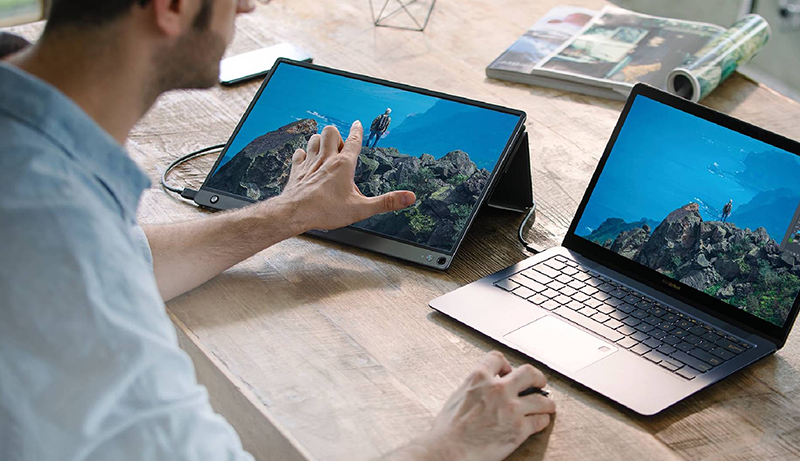
When choosing a portable monitor for your laptop, you’ll want to focus on display quality and how lightweight it is for easy carrying. Make sure it offers the right connectivity options and works smoothly with your devices.
Don’t forget to take into account the refresh rate, as it can make a big difference in your viewing experience.
Display Quality Importance
Although many factors influence your choice of a portable laptop monitor, display quality plays a crucial role in guaranteeing a satisfying visual experience. You’ll want a higher resolution, like 1920×1080 pixels, to get clear, detailed images that reduce eye strain. An IPS panel is your best bet, offering wider viewing angles and more accurate colors compared to TN or VA screens.
Look for a broader color gamut, such as 106% sRGB, so colors appear vibrant and true to life. Brightness levels between 250 and 300 nits are essential if you work in bright or outdoor settings. Plus, features like HDR support can boost contrast and color depth, making your multimedia content look richer and more immersive.
Prioritizing these aspects ensures your portable monitor delivers excellent visuals wherever you go.
Portability and Weight
Display quality sets the foundation for your portable monitor experience, but how easy it is to carry also matters a great deal. A monitor’s weight directly impacts how convenient it is for travel or daily mobile use. You’ll find that models under 2 pounds fit comfortably in backpacks or laptop bags, making them ideal for on-the-go setups.
Ultra-slim designs, especially those less than 0.5 inches thick, add portability without bulk. When choosing, balance size and weight to match your carrying capacity and use case. Opting for a lightweight monitor not only eases transport but also reduces fatigue during long work sessions.
Prioritizing portability guarantees your monitor complements your lifestyle, letting you work or play anywhere without hassle.
Connectivity Options Available
How do you guarantee your portable monitor connects effortlessly to your devices? Start by ensuring it supports common ports like USB-C, HDMI, or Mini HDMI for seamless integration. Look for dual-connection options so you can switch between devices without unplugging cables.
Make sure the USB-C port supports power delivery and data transfer, simplifying connections with modern laptops and smartphones. Check if the monitor needs specific cables or adapters, especially if your laptop has older ports.
Also, prioritize monitors with plug-and-play functionality, so you won’t waste time installing drivers. These connectivity features make your portable monitor versatile and easy to use, letting you focus on work or entertainment without worrying about compatibility hassles or complicated setups.
Compatibility With Devices
When choosing a portable monitor for your laptop, you’ll want to guarantee it fully supports your device’s operating system and connection types. Make sure the monitor is compatible with Windows, Mac, Android, or Linux to avoid any driver or display issues.
Check if its ports—USB-C, HDMI, or Mini HDMI—match those on your laptop for smooth plug-and-play setup. If you prefer a single cable for power and data, confirm your device supports power delivery over USB-C or HDMI.
Also, verify whether the monitor needs special adapters, especially if your laptop lacks full-featured ports. If you plan to connect gaming consoles or smartphones, ensure the monitor supports standards like Thunderbolt 3 or DP ALT-MODE for versatile use across multiple devices.
Refresh Rate Benefits
Although many portable monitors operate at the standard 60Hz refresh rate, choosing one with a higher refresh rate like 120Hz or 144Hz can dramatically enhance your experience by delivering smoother motion and reducing blur. This boost is especially noticeable during fast-paced gaming or video playback, where fluid visuals and reduced input lag give you a clear advantage.
Beyond gaming, a higher refresh rate makes animations and transitions feel more responsive, improving everyday interactions. For professionals working with video editing or content creation, it ensures accurate playback of fast-moving footage and real-time feedback.
Plus, the more natural motion can ease eye strain during long sessions, helping you stay comfortable while you work or play on the go.
Eye Care Features
Because you’ll likely spend hours in front of your portable monitor, choosing one with eye care features is essential to protect your vision and reduce fatigue. Look for models with blue light reduction and flicker-free technology to minimize eye strain during extended use. Monitors that support low blue light modes help safeguard your eyesight, especially during long sessions.
Adjustable brightness and anti-glare coatings allow you to customize your display for different lighting environments, preventing discomfort. HDR support and high contrast ratios enhance visual comfort by improving image clarity and reducing glare. Additionally, an ergonomic design with adjustable tilt and anti-pinch filters enables you to find the most comfortable viewing angle, further promoting eye health.
Prioritizing these features will help you work or play without compromising your vision.
Price and Warranty
How much should you invest in a portable laptop monitor without overspending? Start by comparing prices from different sellers to find the best value, but don’t sacrifice warranty quality. A higher price often means a longer or more detailed warranty, which can save you money and hassle later.
Check the warranty details carefully—does it cover accidental damage or just manufacturing defects? Knowing this can influence your decision. Also, review customer feedback on the manufacturer’s warranty service to see how responsive and helpful they are when issues arise.
Ultimately, balancing price with solid warranty coverage ensures your investment stays protected, letting you work confidently on the go without worrying about unexpected technical problems.
Frequently Asked Questions
How Do Portable Monitors Affect Laptop Battery Life?
Using a portable monitor will drain your laptop’s battery faster because it powers an additional display. The extent of battery drain depends on the monitor’s size, brightness, and connection type. USB-C monitors might draw power directly from your laptop, increasing consumption, while some have their own power source, reducing impact.
To extend battery life, lower the brightness on both screens and consider carrying a portable charger or extra battery pack when you’re on the move.
Can Portable Monitors Be Used With Smartphones or Tablets?
Yes, you can use portable monitors with smartphones or tablets, as long as your device supports video output via USB-C or HDMI. You’ll need the right cables or adapters to connect them.
Just keep in mind that not all smartphones or tablets support external displays, so check your device’s compatibility first. Once connected, the monitor gives you extra screen space, which is great for multitasking or watching videos on the go.
Are Portable Monitors Compatible With Macbooks and Windows Laptops?
Think of portable monitors like universal adapters—they’re designed to fit seamlessly with both MacBooks and Windows laptops. Just like how a Swiss Army knife adapts to various tasks, these monitors connect via USB-C or HDMI, letting you extend your screen effortlessly.
You’ll find most models offer plug-and-play compatibility, so whether you’re team Apple or Windows, you’re covered without hassle or extra drivers.
What Is the Average Lifespan of a Portable Laptop Monitor?
The average lifespan of a portable laptop monitor is typically between 3 to 5 years with regular use. However, this can vary based on how often you use it, its build quality, and how well you maintain it.
If you take good care of your monitor—avoiding drops, excessive heat, and keeping it clean—it can last even longer. Remember, technology also evolves, so you might upgrade before it wears out.
Do Portable Monitors Support Touchscreen Functionality?
Yes, many portable monitors support touchscreen functionality, letting you interact directly with the screen like you would on a tablet. When you choose one, make certain it explicitly states touchscreen support, as not all models have it.
This feature can boost your productivity, especially if you’re sketching, signing documents, or steering through apps on the go. Just check compatibility with your device’s operating system to guarantee smooth use.
Conclusion
Choosing the right portable laptop monitor can boost your productivity and gaming experience on the go. Did you know that over 60% of remote workers say having a second screen improves their efficiency?
Whether you prioritize refresh rate, screen size, color accuracy, or built-in speakers, there’s a perfect option waiting for you among the Best Portable Laptop Monitors, designed to adapt to different work and entertainment needs.
Grab one of these top portable displays and enjoy a smoother, more flexible workflow wherever you are, without sacrificing portability or performance.


Leave a Reply