
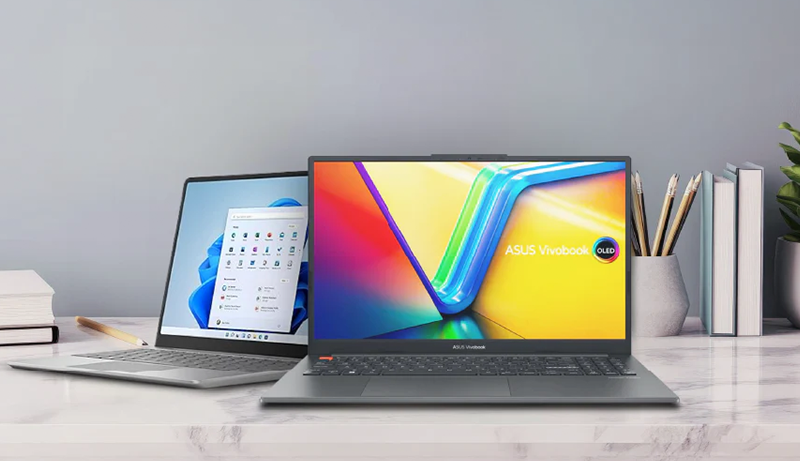
You’ll find impressive budget portable laptops like the HP 14 with Intel Celeron and 4GB RAM for everyday tasks.
Or the Lenovo IdeaPad 3i Chromebook offering 8GB RAM and Full HD display for smooth multitasking.
Models with Ryzen 3 7320U and touchscreen features add versatility without breaking the bank, making this roundup one of the Best Budget Portable Laptops you can consider today.
These lightweight laptops combine solid performance, long battery life, and sleek designs perfect for students or remote work.
Explore the top options to match your needs and style.
HP 14 Laptop Intel Celeron N4020 4GB RAM
The HP 14 Laptop with Intel Celeron N4020 is designed to keep your daily tasks running smoothly without the bulk. Its lightweight frame and slim profile make it easy to carry wherever you go. The 14-inch HD display, framed by a thin 6.5 mm micro-edge bezel, provides clear visuals in a compact design that enhances portability.
This laptop addresses common productivity needs with a dual-core processor and Intel UHD Graphics 600, allowing for smooth 4K video streaming and light gaming. Its 4GB of RAM supports basic multitasking, while 64GB of flash storage offers quick access to your essential files, though larger files may require external storage.
Running on Windows 11 Home, the HP 14 comes pre-installed with the latest features and security updates to keep your system reliable. The included one-year Microsoft 365 subscription adds value by enabling efficient document editing and collaboration right out of the box.
Maintenance is straightforward due to its simple design and durable build, making it a practical choice for students, remote workers, and casual users. While the HD resolution and limited storage are factors to consider, this laptop balances performance and portability for everyday use.
Best for: Students, remote workers, and casual users who need a lightweight, budget-friendly laptop for everyday tasks like browsing, streaming, and basic productivity.
What We Like:
- Slim and portable design with a clear 14-inch HD display.
- Efficient Intel Celeron N4020 processor for smooth multimedia playback.
- Preloaded with Windows 11 Home and includes a one-year Microsoft 365 subscription.
- Compact storage solution with quick access flash memory.
- Easy to maintain and carry for daily use.
Specification:
| Feature | Details |
|---|---|
| Manufacturer | HP |
| Processor | Intel Celeron N4020 |
| RAM | 4 GB |
| Storage | 64 GB Flash |
| Display Size | 14 inches |
| Display Resolution | 1366 x 768 (HD) |
| Graphics | Intel UHD Graphics 600 |
| Operating System | Windows 11 Home |
| Dimensions | Not specified |
| Weight | Not specified |
| Color Options | Not specified |
HP 14″ Portable Laptop with Intel Quad-Core N4120
Experience a laptop designed to meet everyday computing needs without compromise. The HP 14″ Portable Laptop with Intel Quad-Core N4120 is crafted to offer a balance of performance and portability. It is ideal for users who require a dependable device that fits easily into their busy lifestyle.
This laptop’s 14-inch HD BrightView display provides clear visuals while keeping the device lightweight and easy to carry. The Intel Celeron N4120 processor ensures smooth handling of routine tasks like web browsing, document editing, and streaming. With up to 2.6GHz boost speed, it adapts efficiently to your workload.
Equipped with 16GB DDR4 RAM, multitasking becomes seamless, allowing you to switch between applications without lag. The 64GB eMMC storage offers quick access to frequently used files, though it may require external storage for larger projects or extensive software libraries. Windows 11 Home enhances usability with a modern interface and security features.
Connectivity options such as USB-C, HDMI, and RJ-45 ports keep you connected to various peripherals and networks. The sleek silver design is easy to maintain and perfect for students or professionals who need a lightweight machine for productivity on the go.
Best for: Students and professionals needing an affordable, portable laptop for everyday tasks and light multitasking.
What We Like:
- Efficient multitasking with 16GB DDR4 RAM and Intel Celeron N4120 quad-core processor
- Portable 14-inch HD BrightView display suited for mobility
- Multiple connectivity options including USB-C, HDMI, and RJ-45
- Includes Windows 11 Home and 1-year Office 365 subscription
Specification:
| Feature | Details |
|---|---|
| Manufacturer | HP |
| Display Size | 14 inches |
| Processor | Intel Celeron N4120 |
| RAM | 16GB DDR4 |
| Storage | 64GB eMMC |
| Operating System | Windows 11 Home |
| Color | Silver |
| Ports | USB-C, HDMI, RJ-45 |
HP Chromebook 14 Laptop, Intel Celeron, 4GB RAM
Experience a balance of portability and dependable performance with the HP Chromebook 14. This lightweight laptop weighs just 3.24 pounds, making it easy to carry throughout your day. Its slim profile and 14″ HD anti-glare display reduce screen reflections, helping you work or enjoy content comfortably even in bright environments.
Equipped with an Intel Celeron N4120 processor and 4GB of RAM, the Chromebook handles everyday multitasking with ease. Whether you’re managing documents, browsing the web, or streaming videos, it keeps up without slowing down. The Chrome OS ensures your device stays secure and automatically updated, so you can focus on tasks without interruptions.
Battery life extends up to 14 hours, allowing you to work or study without frequent recharging. When you do need power, fast charging gets you back up quickly. Custom-tuned speakers deliver clear audio, enhancing video calls and media playback.
Storage is limited to 64GB eMMC, so it’s best suited for cloud storage or external drives when handling large files. The HD resolution (1366×768) offers decent clarity but may not meet the needs of users seeking higher resolution displays. This Chromebook is designed for users who prioritize mobility and simplicity over heavy processing power or advanced graphics.
Best for: Students, remote workers, and casual users who need a lightweight, portable laptop with reliable performance and long battery life for everyday tasks.
What We Like:
- Lightweight design with anti-glare 14″ display for outdoor visibility
- Long-lasting battery life up to 14 hours with quick recharge
- Secure Chrome OS with automatic updates and vast app access
- Clear audio from custom-tuned speakers enhances calls and media
Specification:
| Feature | Details |
|---|---|
| Manufacturer | HP |
| Dimensions | Slim profile (specific size not provided) |
| Weight | 3.24 lbs |
| Processor | Intel Celeron N4120 |
| RAM | 4GB |
| Storage | 64GB eMMC |
| Display | 14″ HD (1366×768), anti-glare |
| Operating System | Chrome OS |
HP 15.6″ Touchscreen Laptop Ryzen 3 7320U
Experience the convenience of the HP 15.6″ Touchscreen Laptop Ryzen 3 7320U, designed to meet your everyday computing needs with ease. Its responsive HD touchscreen lets you navigate smoothly, making tasks like browsing, streaming, or casual gaming more intuitive. The natural silver finish adds a modern touch, while the lightweight design ensures portability for work or study on the go.
This laptop’s powerful AMD Ryzen 3 7320U processor and 8 GB of LPDDR5 RAM deliver steady performance for multitasking between apps and media. The 128 GB SSD offers fast storage access, helping reduce load times and improve overall responsiveness. AMD Radeon Graphics supports casual gaming and video playback without lag.
Battery life is optimized for long hours away from outlets, and fast charging helps you get back to work quickly. Connectivity is enhanced with Wi-Fi 6, providing reliable internet speeds. The system includes privacy features to keep your data secure and is built using recycled materials, reflecting a commitment to sustainability.
Maintenance is straightforward thanks to the durable build and efficient software setup. Keep in mind, the HD touchscreen resolution is 1366 x 768, which may not suit users needing ultra-sharp visuals. Also, the 128 GB storage may require external options for large files. The device runs Windows 11 Home in S Mode, which limits app installations to the Microsoft Store unless you switch out of S Mode.
Best for: Users seeking a budget-friendly, eco-conscious touchscreen laptop that balances everyday performance with portability.
What We Like:
- Lightweight and eco-friendly design with a sleek silver finish
- Smooth multitasking powered by AMD Ryzen 3 7320U and 8 GB LPDDR5 RAM
- Fast SSD storage ensures quick access to files and applications
- Long battery life paired with fast charging capabilities
- Enhanced connectivity via Wi-Fi 6 and built-in privacy features
Specification:
| Feature | Details |
|---|---|
| Manufacturer | HP |
| Display Size | 15.6 inches |
| Display Type | HD Touchscreen (1366 x 768) |
| Processor | AMD Ryzen 3 7320U |
| RAM | 8 GB LPDDR5 |
| Storage | 128 GB SSD |
| Graphics | AMD Radeon Graphics |
| Operating System | Windows 11 Home in S Mode |
| Weight | 3.52 pounds (1.6 kg) |
| Color | Natural Silver |
Lenovo IdeaPad 3i Chromebook 15.6″ FHD, 8GB RAM
The Lenovo IdeaPad 3i Chromebook offers a practical solution for those looking to balance work and entertainment on the go. Its 15.6-inch Full HD display provides clear, vibrant visuals that enhance everything from document editing to streaming videos. This larger screen size helps reduce eye strain and makes multitasking more comfortable.
Powered by an Intel Celeron N4500 processor and equipped with 8GB of RAM, this Chromebook handles everyday tasks smoothly. Whether you’re browsing, video calling, or using cloud-based apps, it maintains responsiveness without unnecessary delays. The lightweight design makes it easy to carry, supporting productivity wherever you go.
Storage is limited to 64GB eMMC, which encourages efficient file management and use of cloud services to keep your device running fast. The Chrome OS system is designed for simplicity and security, reducing maintenance needs and protecting your data with regular automatic updates. A physical lock slot adds an extra layer of device security.
Battery life extends up to 10 hours, allowing for uninterrupted work or entertainment throughout the day. While the processor isn’t suited for intensive software and the 720p webcam is basic, the IdeaPad 3i Chromebook covers essential functions effectively in a budget-friendly package.
Best for: users needing a lightweight, large-screen Chromebook for daily tasks, streaming, and video conferencing.
What We Like:
- Large 15.6-inch Full HD screen enhances viewing comfort and productivity.
- Long battery life supports all-day use without frequent charging.
- 8GB RAM ensures smooth multitasking and efficient Chrome OS operation.
- Lightweight and portable for easy travel and mobility.
- Chrome OS offers fast startup, automatic updates, and strong security.
Specification:
| Feature | Details |
|---|---|
| Manufacturer | Lenovo |
| Display | 15.6 inches, Full HD (1920×1080) |
| Processor | Intel Celeron N4500 |
| RAM | 8GB |
| Storage | 64GB eMMC |
| Operating System | Chrome OS |
| Battery Life | Up to 10 hours |
| Weight | Approximately 3.75 lbs (1.7 kg) |
| Camera | 720p HD |
NIMO 15.6″ Ryzen 5 Laptop with 16GB RAM
Experience seamless multitasking with the NIMO 15.6″ Ryzen 5 Laptop, designed to keep up with demanding workflows. Its powerful AMD Ryzen 5 processor handles extensive data and creative projects with ease, making it ideal for students, creators, and professionals alike. The laptop’s expandable 16GB RAM ensures smooth performance when running multiple applications simultaneously, reducing lag and improving productivity.
The vibrant 1920×1080 IPS anti-glare display delivers crisp, clear visuals, perfect for detailed work in any lighting condition. Its 85% screen-to-body ratio maximizes viewing space without increasing the device’s footprint, allowing for a compact yet immersive experience. Lightweight at just 3.75 lbs and housed in a sleek blue metal shell, this laptop is highly portable for on-the-go use.
Storage needs are well met with a 512GB SSD, offering fast boot times and ample space for files, while easy upgrade options allow for future expansion. Connectivity is comprehensive, featuring USB-C fast charging, Wi-Fi 6, and Bluetooth 5.2 for reliable, speedy connections. The built-in fingerprint sensor adds a layer of security without sacrificing convenience.
Battery life supports up to 9 hours of continuous use, reducing the need to stay tethered to power outlets during busy days. While the integrated AMD graphics handle everyday tasks well, they may limit performance for intensive gaming or graphic design. The basic 2MP webcam suits standard video calls but may fall short for high-quality conferencing.
Best for: Students, creators, and professionals who require a portable, efficient laptop with strong multitasking capabilities and expandable memory.
What We Like:
- Bright 15.6″ FHD IPS anti-glare display with high screen-to-body ratio
- Expandable 16GB RAM and fast 512GB SSD storage
- Long-lasting 9-hour battery with fast USB-C charging
- Secure and convenient fingerprint sensor
- Lightweight metal chassis for easy portability
Specification:
| Feature | Specification |
|---|---|
| Manufacturer | NIMO |
| Processor | AMD Ryzen 5 |
| Display Size | 15.6 inches |
| Resolution | 1920 x 1080 (FHD) IPS |
| RAM | 16GB (expandable) |
| Storage | 512GB SSD |
| Weight | 3.75 lbs (1.7 kg) |
| Color | Blue Metal Shell |
| Connectivity | USB-C, Wi-Fi 6, Bluetooth 5.2 |
| Battery Life | Up to 9 hours |
| Security Feature | Fingerprint Sensor |
| Webcam | 2MP |
HP 14″ Laptop, Intel N4120, 8GB RAM, Silver
Get reliable performance in a sleek, compact design with the HP 14″ Laptop featuring the Intel N4120 processor and 8GB RAM. This laptop is tailored for those who need a dependable device for daily tasks like browsing, document editing, and video calls. Its lightweight build makes it easy to carry, helping you stay productive whether at home, school, or on the go.
The 14-inch HD BrightView screen offers clear, bright visuals suitable for streaming and working on documents. While the display resolution is 1366 x 768, it balances visual clarity with power efficiency, extending battery life during extended use. The Intel Celeron quad-core processor combined with 8GB DDR4 memory ensures smooth multitasking for everyday applications.
Storage comes in the form of 64GB eMMC, which provides quick boot times and fast access to frequently used files. However, this limited space means you might want to consider additional external storage for larger files or media libraries. Its silver finish complements a practical selection of ports, including HDMI, USB-C, and Ethernet, allowing easy connectivity to peripherals and networks.
Running Windows 11 Home and including a 1-year Office 365 subscription, this laptop supports productivity from the start. Maintenance is straightforward thanks to its durable design and efficient hardware, requiring minimal upkeep to keep it running smoothly.
Best for: Students and professionals seeking a portable, budget-friendly laptop for everyday multitasking and productivity tasks.
What We Like:
- Lightweight 14-inch HD BrightView display delivers clear visuals.
- Intel Celeron N4120 processor with 8GB DDR4 RAM handles daily multitasking smoothly.
- Practical port selection including HDMI, USB-C, and Ethernet for versatile connectivity.
- Quick boot-ups with 64GB eMMC storage and pre-installed Windows 11 Home.
- Includes a 1-year Office 365 subscription to enhance productivity.
Specification:
| Feature | Details |
|---|---|
| Manufacturer | HP |
| Display Size | 14 inches |
| Display Type | HD BrightView (1366 x 768) |
| Processor | Intel Celeron N4120 |
| RAM | 8GB DDR4 |
| Storage | 64GB eMMC |
| Color | Silver |
| Operating System | Windows 11 Home |
| Ports | HDMI, USB-C, Ethernet |
Dell Latitude 3190 2-in-1 Touchscreen Laptop
The Dell Latitude 3190 2-in-1 Touchscreen Laptop (Renewed) is designed for users who need a compact and adaptable device for both work and entertainment. Its 11.6-inch HD touchscreen allows you to switch effortlessly between laptop and tablet modes, making it ideal for multitasking or presentations on the move. This flexibility helps streamline your daily activities by offering a device that adjusts to your needs.
Powered by an Intel N5030 quad-core processor combined with 4GB DDR4 RAM, this laptop manages everyday applications efficiently. Whether you are browsing, working on documents, or using educational software, it maintains smooth performance. The 128GB SSD storage ensures your files and programs open quickly, reducing wait times and improving productivity.
Running Windows 11 Pro, the Latitude 3190 is ready for professional environments, providing security features and compatibility with business applications. Its renewed condition means it has been tested to meet high standards, although it may show minor signs of previous use. Regular maintenance, such as keeping software updated and cleaning ports, will help sustain its performance.
Connectivity options include USB 3.1 ports, HDMI output, and a headphone jack, enabling easy connection to peripherals and external displays. Although the smaller screen size and limited RAM may not suit all users, this laptop offers practical versatility for those prioritizing portability and essential functionality.
Best for: Users seeking a budget-friendly, compact 2-in-1 laptop for everyday tasks, education, and professional use on the go.
What We Like:
- Convertible design with 11.6-inch HD touchscreen for versatile use
- Intel N5030 quad-core processor and 4GB DDR4 RAM support smooth multitasking
- Pre-installed Windows 11 Pro ensures professional-grade features
- Fast 128GB SSD storage improves file access and system responsiveness
- Multiple connectivity ports for easy peripheral integration
Specification:
| Feature | Details |
|---|---|
| Manufacturer | Dell |
| Dimensions | Approximately 11.6-inch screen size |
| Weight | Not specified |
| Processor | Intel N5030 Quad-Core |
| RAM | 4GB DDR4 |
| Storage | 128GB SSD |
| Operating System | Windows 11 Pro |
| Connectivity | USB 3.1, HDMI, Headphone jack |
| Condition | Renewed |
Lenovo IdeaPad Slim 3 Chromebook 14″ 2024
Experience the perfect blend of portability and performance with the Lenovo IdeaPad Slim 3 Chromebook 14″ 2024. Designed to keep you productive wherever you go, this Chromebook offers a lightweight build that fits easily into your daily routine. Its sleek Abyss Blue chassis is not only stylish but also durable, making it an ideal companion for students and professionals on the move.
The 14-inch HD display provides clear visuals that enhance your viewing experience for work and entertainment. Coupled with Waves MaxxAudio® speakers, it delivers crisp sound quality, ensuring your calls and media playback are always clear. Powered by the MediaTek Kompanio 520 processor with 4GB RAM, it handles everyday multitasking smoothly, helping you stay efficient without unnecessary delays.
Battery life is a key feature, offering up to 13.5 hours on a single charge. This means fewer interruptions and more time to focus on what matters. Connectivity options like WiFi 6 and USB-C ensure fast, reliable connections and easy device integration. Built-in privacy features such as a camera shutter and mute key add an extra layer of security during virtual meetings.
Maintenance is simple with Chrome OS, which updates automatically to keep your device running smoothly. While the 4GB RAM and 64GB storage suit general users well, heavy multitasking or large file storage may require additional solutions. The HD screen resolution meets basic needs but may not satisfy those seeking ultra-high definition visuals.
Best for: Students and professionals needing a lightweight, stylish Chromebook that balances performance, portability, and security for daily tasks.
What We Like:
- Lightweight and durable Abyss Blue design for easy portability
- Long battery life up to 13.5 hours supports extended use
- Privacy-focused features including camera shutter and mute key
- Clear HD display paired with enhanced audio quality
- Fast connectivity with WiFi 6 and USB-C ports
Specification:
| Feature | Details |
|---|---|
| Manufacturer | Lenovo |
| Display Size | 14 inches |
| Weight | 2.87 lbs (1.3 kg) |
| Processor | MediaTek Kompanio 520 |
| RAM | 4GB |
| Storage | 64GB |
| Color | Abyss Blue |
| Battery Life | Up to 13.5 hours |
| Connectivity | WiFi 6, USB-C |
Factors to Consider When Choosing Portable Laptops on a Budget
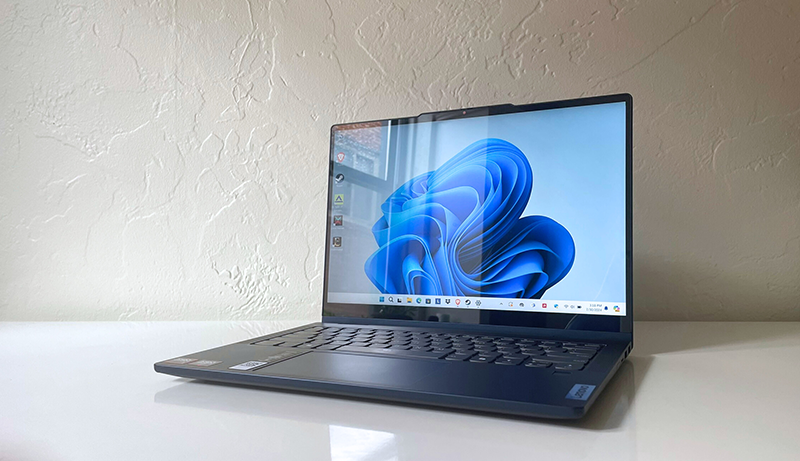
When choosing a budget portable laptop, you need to focus on key factors like processor performance, memory, and storage to guarantee smooth operation. Don’t forget to check the display quality and battery life since they affect your daily use and mobility.
Also, consider the laptop’s weight and portability to make carrying it around effortless.
Processor Performance
Although budget laptops come with limitations, choosing the right processor can considerably impact your device’s speed and multitasking ability. The processor is the heart of your laptop, determining how fast it handles tasks. Entry-level or mid-range options like Intel Celeron or AMD Ryzen 3 are common in budget models, ideal for everyday use but less suited for heavy applications.
Opt for a processor with multiple cores—quad-core models handle multitasking better, letting you run several programs smoothly. Check the base and turbo clock speeds measured in GHz; higher speeds typically mean faster task execution. For a balance between power efficiency and performance, processors like the Intel N4020 or AMD Ryzen 3 deliver reliable operation without breaking your budget.
Memory and Storage
Two key factors to prioritize in budget portable laptops are memory and storage, as they directly affect your device’s speed and capacity. Aim for at least 8GB of RAM if you plan to multitask; 4GB works for basic use but may slow down with multiple apps.
For storage, 128GB or more is ideal if you store lots of files or media, while 64GB suits light users. Choose laptops with Solid State Drives (SSDs) for faster boot times and quicker data access. While eMMC storage is cheaper and slower, it still handles everyday tasks well.
Also, consider models with upgradable memory and storage so you can boost performance later, extending your laptop’s usefulness without buying a new one.
Display Quality
Since you’ll likely spend a lot of time looking at your laptop screen, choosing one with a high-quality display matters. Aim for a Full HD (1920×1080) resolution to enjoy sharper images and clear text, making everyday tasks easier on your eyes. Look for anti-glare screens—they cut down reflections and reduce eye strain, especially if you work in bright environments.
Micro-edge bezels maximize screen space, giving you an immersive viewing experience without increasing the laptop’s size. Brightness is key too; displays with 250 nits or more ensure good visibility outdoors or in well-lit rooms. Finally, check color accuracy and gamut coverage—45% NTSC or higher means richer colors, great if you watch videos or do light creative work.
Prioritize these features to get the best display quality on a budget.
Battery Life
When choosing a budget portable laptop, battery life plays a crucial role in keeping you productive throughout the day without constant recharging. Budget laptops typically offer 4 to 8 hours of battery life, which may be less than premium models but still sufficient for most tasks. To maximize your laptop’s uptime, look for devices with power-efficient processors and display technologies, as these can extend battery longevity.
Also, consider the battery’s capacity, measured in mAh or Wh, since a higher capacity means longer use between charges. Fast charging technology is another feature to prioritize— it lets you quickly restore power during short breaks, helping you stay connected and productive even when time is tight. Balancing these factors ensures you get the best battery life within your budget.
Portability and Weight
Although performance and battery life are important, you’ll find that portability and weight greatly impact your everyday experience with a budget laptop. Choosing a lighter laptop, ideally under 3 pounds, makes it easier to carry around, especially if you travel frequently. Opt for models with 13 or 14-inch screens, as they tend to be more compact and lightweight than larger options.
Slim designs with micro-edge bezels also help reduce bulk, enhancing portability. Plus, laptops crafted from eco-friendly materials like recycled plastics or aluminum not only lighten the load but also support sustainability. Keep in mind, lighter laptops often offer better battery efficiency, so you can work longer without hunting for a charger.
Prioritizing portability guarantees your budget laptop fits seamlessly into your mobile lifestyle.
Connectivity Options
To stay productive and connected on the go, your budget laptop needs a solid range of connectivity options. Make sure it has multiple ports like USB-A, USB-C, HDMI, and Ethernet to link various devices and peripherals easily. Built-in Wi-Fi and Bluetooth are essential for wireless connection with networks and accessories.
Look for the latest wireless standards, such as Wi-Fi 6, to enjoy faster, more stable internet access. Don’t forget to check video outputs like HDMI or DisplayPort to connect external displays smoothly. An SD card reader or similar memory card slot is a bonus for quick data transfer and expansion.
Prioritizing these features ensures your portable laptop meets all your connectivity needs without breaking the bank.
Operating System Choices
Since your budget portable laptop’s operating system shapes its performance and usability, choosing the right one is essential. Windows 11 offers a familiar interface and broad software compatibility, perfect if you need access to various applications. Chrome OS, on the other hand, is lightweight and secure, optimized for web-based tasks, helping your budget laptop run smoothly with quick boot times.
If customization appeals to you, Linux distributions provide open-source flexibility with lower hardware demands. Be mindful that some budget laptops use proprietary or simplified OS versions, which might limit functionality but boost ease of use and battery life.
Your choice affects software availability, security, and overall experience, especially on lower-powered devices, so consider your daily needs carefully before deciding.
Frequently Asked Questions
How Long Does the Battery Typically Last on These Budget Laptops?
You can typically expect these budget laptops to last around 6 to 8 hours on a full charge, depending on your usage. If you’re doing basic tasks like web browsing or word processing, the battery might stretch even longer.
However, running heavy applications or streaming video will drain it faster. To maximize battery life, adjust screen brightness and close unnecessary apps. This way, you’ll get the most out of your laptop throughout the day.
Are These Laptops Compatible With External Monitors and Peripherals?
Like a trusty Swiss Army knife, these laptops are versatile and definitely compatible with external monitors and peripherals. You’ll find HDMI, USB-C, or DisplayPort connections on most models, letting you easily hook up to bigger screens, keyboards, mice, and more.
Just double-check the specs before buying to make certain the ports meet your needs. With the right adapters, you can expand your workspace without breaking the bank or sacrificing portability.
What Kind of Warranty Coverage Comes With These Budget Laptops?
You’ll usually get a one-year limited warranty with these budget laptops, covering hardware defects and malfunctions. Some brands offer extended warranty options at extra cost, so you can consider adding that for more peace of mind.
Be sure to check if accidental damage protection is included or available, especially if you’re often on the go. Overall, the warranty covers repairs or replacements but won’t cover user damage or software issues.
Can These Laptops Handle Basic Photo and Video Editing Tasks?
Yes, these laptops can handle basic photo and video editing tasks smoothly. You’ll find they come equipped with decent processors and enough RAM to run popular editing software like Adobe Photoshop Elements or iMovie without much lag.
While they might struggle with heavy, professional-grade projects, they’re perfect for casual editing, social media content creation, or quick adjustments on the go. Just don’t expect top-tier performance for intensive work.
How Easy Is It to Upgrade the RAM or Storage on These Models?
Upgrading the RAM or storage on these laptops is generally straightforward, but it depends on the model. Most budget portable laptops offer easy access to storage slots, so you can swap or add an SSD without hassle.
RAM upgrades can be hit or miss—some models have soldered memory, meaning you’ll be stuck with the original amount. Always check the specific laptop’s service manual or reviews before buying to guarantee easy upgrades.
Conclusion
Choosing the perfect budget portable laptop doesn’t have to feel like searching for a needle in a haystack. With options like HP’s versatile models and Lenovo’s sleek Chromebooks, you’re sure to find a device that fits your needs without breaking the bank, earning its spot among the Best Budget Portable Laptops available.
Remember, it’s not just about specs—it’s about what works best for you. So, take the leap, and let your next laptop be the reliable sidekick you’ve been waiting for!


Leave a Reply