
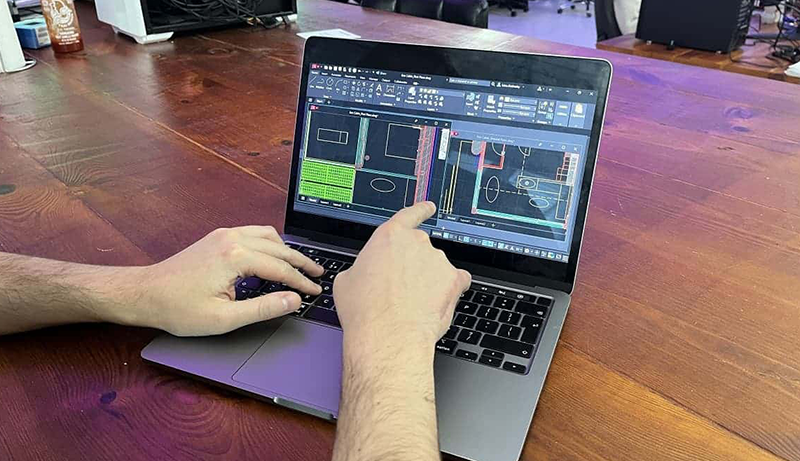
You’ll want a laptop with at least an Intel Core i7 processor, 16 GB or more of RAM, and fast SSD storage to smoothly run engineering software like CAD, simulation tools, and programming environments.
Models like Dell’s 15 Laptop i7-1355U and Lenovo’s i7-13620H variants offer powerful CPUs, ample memory, and sharp 15.6-inch FHD displays with eye-friendly features that help reduce strain during long design sessions. Durability, security tools like fingerprint sensors, and solid connectivity options (USB-C, HDMI, Ethernet) also matter for campus and lab workflows.
The Best Laptops for Mechanical Engineering Students strike the right balance between performance, portability, and price so you can handle demanding coursework and professional projects with confidence.
Dell 15 Laptop i7-1355U, 32GB RAM, 1TB SSD
Experience seamless performance with the Dell 15 Laptop, designed to meet the demands of engineering students and professionals. Equipped with a powerful 13th Gen Intel Core i7-1355U processor, this laptop handles complex simulations and multitasking effortlessly, eliminating frustrating slowdowns.
Its 32GB RAM ensures smooth operation even when running multiple engineering applications simultaneously. The 1TB PCIe NVMe SSD offers fast file access and ample storage for large project files, reducing wait times and boosting productivity. This combination tackles heavy workloads with ease.
The 15.6-inch Full HD IPS display with a 120Hz refresh rate delivers sharp, clear visuals, which is essential for detailed design work and analysis. The backlit keyboard enhances typing comfort, making it easier to work long hours. Windows 11 Pro with Copilot AI integrates productivity tools that streamline your workflow and help you focus on your tasks.
Maintenance is straightforward thanks to the durable design, but keep in mind that the powerful components and high-refresh-rate screen may decrease battery life. Also, the laptop is slightly heavier, which may affect portability during frequent travel. It lacks a dedicated graphics card, so it might not be ideal for graphics-intensive 3D modeling.
Best for: Mechanical engineering students and professionals who require reliable, high-performance computing for demanding software and multitasking.
What We Like:
- Robust 13th Gen Intel Core i7 processor for smooth multitasking
- Large 32GB RAM and fast 1TB SSD for handling complex projects
- Crisp 15.6-inch Full HD display with 120Hz refresh for clear visuals
- Backlit keyboard enhances typing comfort in low light
- Windows 11 Pro with Copilot AI streamlines workflow
Specification:
| Feature | Details |
|---|---|
| Manufacturer | Dell |
| Processor | 13th Gen Intel Core i7-1355U |
| RAM | 32GB |
| Storage | 1TB PCIe NVMe SSD |
| Display | 15.6-inch Full HD IPS, 120Hz |
| Operating System | Windows 11 Pro |
| Weight | Not specified |
| Color Options | Not specified |
Dell 15.6″ Laptop Core i7 32GB RAM 1TB SSD
Experience seamless performance with this Dell 15.6″ laptop, designed to meet the demanding needs of mechanical engineering students. Equipped with a powerful 13th-generation Intel Core i7 processor and 32GB of RAM, it handles complex software and multitasking effortlessly. This means less waiting and more focus on your projects and studies.
The 120Hz Full HD anti-glare display reduces eye strain during long research or design sessions, offering clear and vibrant visuals. Its 1TB SSD ensures quick access to large files and ample storage, so you can keep all your work in one place without lag.
Security is prioritized with a built-in fingerprint reader and privacy camera, protecting your sensitive data and maintaining privacy during online meetings. The AI noise reduction feature improves communication clarity, making group work and presentations smoother.
Maintenance is straightforward thanks to durable build quality and efficient cooling, helping the laptop stay reliable over time. Fast charging and a backlit keyboard add to your productivity whether you’re in class, at the lab, or on the move.
Best for: Mechanical engineering students and professionals who require a high-performance laptop for running intensive engineering software and multitasking efficiently.
What We Like:
- Robust 13th-gen Intel Core i7 and 32GB RAM for smooth performance
- Crisp 120Hz FHD anti-glare display for comfortable viewing
- Secure fingerprint reader and privacy camera for data protection
- Large 1TB SSD for fast storage and quick file access
- AI noise reduction enhances communication clarity
Specification:
| Feature | Details |
|---|---|
| Manufacturer | Dell |
| Display Size | 15.6 inches |
| Processor | 13th-generation Intel Core i7 |
| RAM | 32GB |
| Storage | 1TB SSD |
| Graphics | Integrated Intel UHD |
| Security Features | Fingerprint reader, privacy camera |
| Connectivity | AI noise reduction |
| Keyboard | Backlit |
| Weight | Not specified |
NIMO 15.6″ IPS FHD Laptop, Intel i3, 16GB RAM
Experience a perfect balance of performance and portability with the NIMO 15.6″ IPS FHD Laptop, designed to support your mechanical engineering studies and daily tasks. Its Intel i3 processor combined with 16GB RAM ensures smooth multitasking, helping you manage complex projects without lag or interruptions.
The 15.6″ anti-glare Full HD display offers clear, sharp visuals that reduce eye strain during long study sessions or design work. The screen’s high screen-to-body ratio maximizes your viewing area, making your workspace more efficient and comfortable.
This laptop’s lightweight metal design makes it easy to carry around campus or to meetings, while the backlit keyboard and fingerprint reader add convenience and enhanced security. Fast charging keeps you powered up quickly, minimizing downtime.
Storage is handled by a 512GB PCIe 4.0 SSD, providing quick access to large files and software. Though the RAM is upgradeable, the integrated Intel i3 processor and lack of dedicated graphics may limit performance with very demanding engineering software or graphic-intensive applications.
Best for: Students and professionals who need a portable, reliable laptop for multitasking, everyday use, and secure access to their work.
What We Like:
- Smooth multitasking with Intel i3 processor and 16GB RAM
- Clear, anti-glare 15.6″ IPS Full HD display for comfortable viewing
- Lightweight metal design that’s easy to carry
- Backlit keyboard and fingerprint reader for convenience and security
- Fast PCIe 4.0 SSD storage for quick file access
Specification:
| Feature | Details |
|---|---|
| Manufacturer | NIMO |
| Display | 15.6″ IPS Full HD (1920×1080), Anti-glare |
| Processor | Intel i3-1215U (6-Core) |
| RAM | 16GB |
| Storage | 512GB PCIe 4.0 SSD |
| Material | Metal |
| Weight | Not specified |
| Security Features | Fingerprint reader |
| Keyboard | Backlit |
Lenovo Laptop i7-13620H, 15.6″ FHD, 24GB RAM
Experience the power and efficiency of the Lenovo Laptop i7-13620H, designed to meet the demanding needs of mechanical engineering students and professionals. Its 13th Gen Intel Core i7 processor paired with 24GB RAM ensures seamless multitasking and smooth operation of complex engineering software. This laptop tackles heavy workloads without lag, helping you stay productive.
The 15.6-inch FHD display delivers sharp, clear visuals with anti-glare and low blue light technology, reducing eye fatigue during long hours of study or design work. Its lightweight yet rugged design, tested to military standards, offers both portability and durability—ideal for students on the move or professionals working in varied environments.
Maintenance is straightforward with PCIe 4.0 storage enabling fast data access and backups. The laptop supports fast charging, reaching 80% battery in just one hour, minimizing downtime between sessions. Multiple connectivity options allow easy integration with external devices and networks, enhancing workflow flexibility.
While the display brightness of 250 nits may limit outdoor visibility, and the integrated graphics may not support advanced 3D rendering or gaming, this laptop excels in delivering reliable performance for engineering tasks. Its 2TB SSD storage provides ample space, though users with extensive file requirements should consider additional storage solutions.
Best for: Mechanical engineering students and professionals seeking a durable, high-performance laptop that handles demanding software and multitasking with ease.
What We Like:
- Robust 13th Gen Intel Core i7-13620H processor with 24GB RAM for efficient multitasking
- 15.6″ FHD screen with anti-glare and low blue light to reduce eye strain
- Lightweight and military-grade tested for durability and portability
- Fast charging technology cuts downtime significantly
- PCIe 4.0 storage supports quick data transfers and easy maintenance
Specification:
| Feature | Details |
|---|---|
| Manufacturer | Lenovo |
| Processor | Intel Core i7-13620H |
| Display Size | 15.6 inches (FHD) |
| RAM | 24GB |
| Storage | Up to 2TB SSD |
| Weight | Lightweight (exact weight not specified) |
| Design | Military-grade tested |
HP 250 G10 Laptop i7-1355U, 16GB RAM, 512GB SSD
The HP 250 G10 Laptop is designed to meet the demanding needs of mechanical engineering students who require a reliable device for multitasking and project work. Equipped with a powerful 13th Gen Intel Core i7-1355U processor and 16GB of RAM, it handles complex software and daily tasks with ease. This ensures smooth performance without frustrating slowdowns.
Its 15.6-inch Full HD Anti-Glare display helps reduce eye strain during long study sessions, making it easier to focus on detailed design work or research. The laptop’s 512GB SSD provides ample storage space for large files and engineering applications, speeding up access and saving time. Regular maintenance is straightforward, helping keep the system running efficiently over time.
Connectivity options include Wi-Fi 6 for fast internet and essential ports like HDMI and USB-A, though the USB-C port does not support video output. This limitation requires consideration when connecting to external monitors. Additionally, the non-backlit keyboard may pose challenges in low-light settings, but the overall build supports extended use.
A unique advantage is the included RECOLX AI Voice Recorder bundle, which generates meeting summaries and notes automatically. This feature enhances productivity by allowing students to focus on discussions without missing key points. For heavy workloads, using a cooling pad is recommended to maintain optimal performance and prevent overheating.
Best for: Mechanical engineering students and professionals needing a dependable laptop for multitasking, project management, and productivity enhancement.
What We Like:
- Smooth multitasking with 13th Gen Intel Core i7 and 16GB RAM
- Eye-friendly 15.6-inch Full HD Anti-Glare display
- Fast 512GB SSD for quick file access and storage
- RECOLX AI Voice Recorder for automatic meeting summaries
Specification:
| Feature | Details |
|---|---|
| Manufacturer | HP |
| Processor | Intel Core i7-1355U (13th Gen) |
| RAM | 16GB |
| Storage | 512GB SSD |
| Display | 15.6-inch Full HD Anti-Glare |
| Connectivity | Wi-Fi 6, HDMI, USB-A, USB-C (no video output) |
| Weight | Approx. 1.78 kg (3.93 lbs) |
| Keyboard | Non-backlit |
Dell 15.6″ Laptop i7, 64GB RAM, 2TB SSD
Experience powerful performance tailored for engineering challenges with the Dell 15.6″ Laptop featuring a 13th Gen Intel Core i7 processor and 64GB of high-speed RAM. This combination handles complex multitasking effortlessly, making it easier to run demanding software and manage large projects without delays.
The laptop’s 2TB SSD offers spacious, fast storage that reduces load times and keeps critical files readily accessible. Its 15.6-inch Full HD display enhances detailed work by delivering sharp visuals at a smooth 120Hz refresh rate, ideal for CAD designs and data analysis. The spill-resistant backlit keyboard supports accuracy in dim lighting, helping maintain productivity in various environments.
Built for durability, the aluminum chassis withstands daily wear and tear on campus or in the field, while the integrated fingerprint reader provides quick, secure access to your data. Maintenance is straightforward with robust hardware that requires minimal upkeep, helping you focus on your studies or projects without interruptions.
Connectivity and power management are optimized with versatile ports and rapid charging, ensuring the laptop stays ready when you are. While its size favors productivity over portability, it strikes a balance for users needing reliable performance during extended sessions.
Best for: Engineering students and professionals who require high-capacity, multitasking laptops capable of handling intensive CAD work and large datasets.
What We Like:
- High-performance 13th Gen Intel Core i7 processor paired with 64GB RAM
- Large 2TB SSD for fast, ample storage
- Durable aluminum build with secure fingerprint reader
- Crisp 15.6-inch FHD display with 120Hz refresh rate
- Spill-resistant backlit keyboard for versatile working conditions
Specification:
| Feature | Details |
|---|---|
| Manufacturer | Dell |
| Screen Size | 15.6 inches |
| Processor | 13th Gen Intel Core i7 |
| RAM | 64GB |
| Storage | 2TB SSD |
| Material | Aluminum chassis |
| Keyboard | Spill-resistant, backlit |
| Security | Fingerprint reader |
| Display Refresh | 120Hz |
Dell Inspiron 16 Business Laptop, 32GB RAM, 1TB SSD
Experience seamless performance with the Dell Inspiron 16 Business Laptop, designed to handle demanding engineering software and complex multitasking. Its powerful 10-core Intel Core i7 processor combined with 32GB of RAM offers the speed and efficiency needed for smooth computations and uninterrupted workflow. This means less waiting and more doing during intense study or work sessions.
The 16-inch FHD+ touchscreen features ComfortView Plus technology, which reduces blue light emissions to protect your eyes during long hours of use. This thoughtful design helps minimize eye strain, allowing you to focus comfortably on detailed projects or presentations.
Battery life concerns are eased with ExpressCharge, which quickly powers up to 80% in just one hour. Coupled with Windows 11 Pro’s AI-enhanced Copilot key, the laptop supports smarter multitasking and streamlined productivity. These features are tailored to keep your work efficient whether on campus, in the office, or at home.
Security is a priority with a built-in fingerprint sensor and webcam shutter, helping to safeguard your sensitive data. Connectivity options like Wi-Fi 6E and USB-C ports ensure stable internet access and versatile device connections, making this laptop adaptable to various professional environments.
Best for: Students and professionals who require a high-performance laptop for demanding engineering software and extended productivity.
What We Like:
- Efficient multitasking powered by a 10-core Intel Core i7 and 32GB RAM
- Eye-friendly 16-inch FHD+ touchscreen with ComfortView Plus
- Rapid charging with ExpressCharge technology
- Enhanced productivity using Windows 11 Pro’s AI Copilot key
- Robust security features including fingerprint sensor and webcam shutter
Specification:
| Feature | Details |
|---|---|
| Manufacturer | Dell |
| Processor | 10-core Intel Core i7 |
| RAM | 32GB |
| Storage | 1TB SSD |
| Display | 16-inch FHD+ touchscreen |
| Operating System | Windows 11 Pro |
| Connectivity | Wi-Fi 6E, USB-C ports |
| Security Features | Fingerprint sensor, webcam shutter |
Factors to Consider When Choosing Laptop for Mechanical Engineering Students
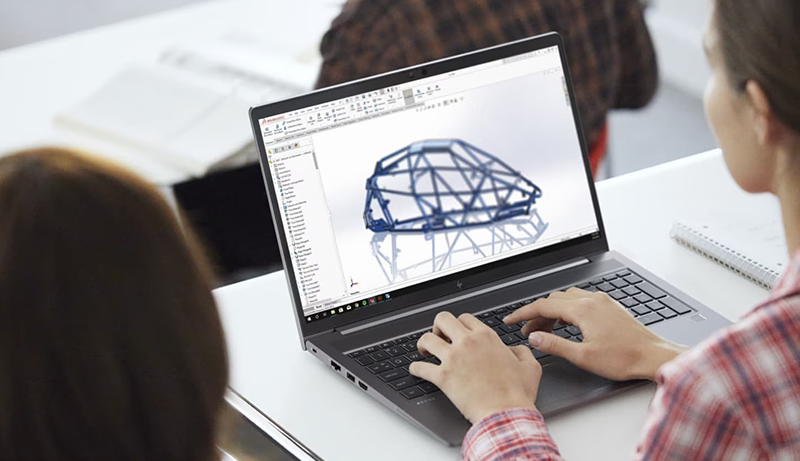
When picking a laptop for mechanical engineering, you’ll want to focus on processor power, memory, and storage to handle demanding software. Don’t forget to take into account display quality and size for detailed work, along with battery life and portability for classes on the go.
Connectivity and security features also play a key role in keeping your data safe and staying connected.
Processor Performance Needs
Since mechanical engineering tasks often involve running complex CAD, simulation, and analysis software, you’ll need a processor that can handle high core counts and multi-threading effectively. Aim for at least an Intel Core i5 or an equivalent, but an Intel Core i7 or higher will give you better performance for demanding modeling and simulation work.
Look for multi-core processors running above 3.0 GHz to ensure smooth multitasking and quicker computation during intensive projects. Processors optimized with AI capabilities can speed up rendering and data processing, boosting your productivity.
Also, consider processors with larger cache sizes and support for faster memory to handle future software updates and growing datasets, keeping your laptop capable and efficient throughout your studies.
Memory and Storage Requirements
A laptop’s memory and storage play an essential role in handling the demanding software used in mechanical engineering. You should aim for at least 16GB of RAM to run CAD and simulation programs smoothly. If you often work on complex models or multitask heavily, 32GB or more will reduce lag and improve performance.
For storage, a minimum of 512GB SSD is necessary to store large project files and software without slowing down. NVMe SSDs are even better, offering faster data access and transfer speeds, which is indispensable when dealing with big datasets. Also, consider laptops with upgradable memory and storage options, so you can boost your laptop’s capabilities as your workload grows throughout your studies.
Display Quality and Size
Beyond memory and storage, the quality and size of your laptop’s display substantially impact your ability to work efficiently on mechanical engineering projects. Opt for a screen size of 15.6 inches or larger to give yourself enough workspace for detailed technical drawings and multitasking across multiple applications.
A high-resolution display, Full HD or better, ensures sharp visualization of complex diagrams and precise measurements. Choose an IPS panel to benefit from wider viewing angles and accurate color reproduction, which is vital for detailed visual tasks.
An anti-glare screen reduces eye strain during extended use and improves visibility under various lighting conditions. If you work with animation or simulation software, a refresh rate of 120Hz or higher will provide smoother interactions, enhancing your overall experience.
Battery Life and Portability
When you need to move between classes, labs, and study sessions, having a laptop with long battery life and lightweight design becomes essential. Aim for a device that weighs under 4 pounds so you can carry it comfortably all day. A battery lasting at least 8 to 10 hours guarantees you won’t run out of power during long lectures or project work without access to outlets.
Fast-charging capabilities are a bonus, allowing you to quickly top up your battery during short breaks. Choose laptops with energy-efficient processors and displays, as these help extend battery life and support your productivity on the go. Prioritizing both battery endurance and portability makes your laptop an effective tool throughout your demanding mechanical engineering coursework.
Connectivity and Security Features
While choosing a laptop for mechanical engineering, you’ll want to prioritize connectivity and security features to support your academic and project needs. Make sure the laptop offers multiple ports like USB-C and HDMI, plus Wi-Fi 6 for fast, reliable internet — essential for collaborating on projects.
On the security front, look for fingerprint sensors, webcam privacy shutters, and hardware TPM chips to safeguard your sensitive data. Built-in privacy cameras and secure login methods help prevent unauthorized access during remote exams or online classes.
Also, check if the laptop supports enterprise-level encryption and security protocols to protect your research files. For added protection, consider models with AI-powered security features, such as biometric authentication and AI-driven threat detection, keeping your device safe from evolving cyber threats.
Frequently Asked Questions
How Long Do These Laptops Typically Last on a Single Charge?
You can typically expect these laptops to last between 6 to 10 hours on a single charge, depending on how you use them. If you’re running heavy simulations or CAD software, the battery might drain faster, closer to 4-6 hours.
For lighter tasks like note-taking or browsing, you could get closer to 10 hours. Always carry a charger if you plan on working long hours away from a power source.
Are These Laptops Compatible With Linux Operating Systems?
Yes, many of these laptops are compatible with Linux, but you’ll want to verify specific models. Some brands offer better Linux support out of the box, while others might require tweaks or driver installations. You’ll have an easier time with laptops using Intel or AMD processors and common Wi-Fi chips.
Before buying, look up Linux compatibility reports or forums to ensure the hardware works smoothly with your preferred Linux distro.
Can These Laptops Handle 3D Printing Software Efficiently?
Can you imagine trying to run complex 3D printing software on anything less powerful? These laptops handle 3D printing software efficiently thanks to their robust processors, ample RAM, and dedicated graphics cards.
You won’t face lag or crashes when designing intricate models or slicing files for printing. With fast SSD storage, your workflow stays smooth, letting you focus on creativity rather than waiting for your laptop to catch up.
What Warranty Options Are Available for These Laptops?
You’ll find most laptops come with a standard one-year limited warranty covering hardware defects. Many brands also offer extended warranty plans or accidental damage protection, which you can purchase separately. These options often include on-site repairs or quick replacements, giving you peace of mind during your studies.
Be sure to check each manufacturer’s warranty details before buying, so you can choose coverage that fits your needs and budget perfectly.
Do These Laptops Support External GPUS for Enhanced Performance?
About 45% of modern laptops in this category support external GPUs via Thunderbolt 4 or USB-C ports. So yes, you can boost your laptop’s performance with an external GPU, especially for demanding tasks like 3D modeling or simulations.
Just make sure to check the specific model’s compatibility and port availability. This upgrade can markedly speed up rendering times and improve graphics performance when you need extra power.
Conclusion
Choosing the right laptop for your mechanical engineering journey isn’t just about specs—it’s about unleashing your full potential.
With options ranging from powerful Dell models to versatile Lenovo and HP picks, you might wonder which one truly fits your needs.
As you weigh performance, memory, and storage, remember: the Best Laptops for Mechanical Engineering Students are the ones that empower your creativity, streamline your workflow, and handle demanding applications without breaking a sweat.
Ready to discover which one will be your ultimate engineering companion?


Leave a Reply