
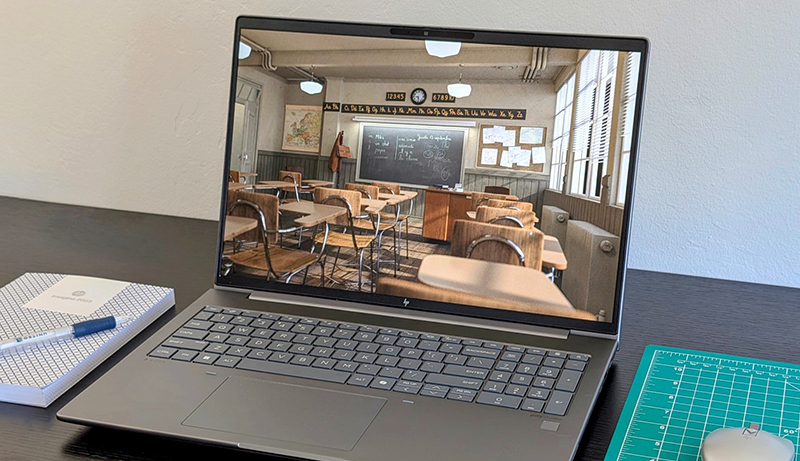
If your work involves editing 4K videos, running complex simulations, or rendering 3D graphics, you’ll need a powerful workstation laptop. These machines handle demanding tasks like 4K–8K video editing, CAD, 3D animation, and data analysis with ease.
Unlike regular laptops, which are suited for browsing, emailing, and light tasks, workstation laptops come with multi-core processors, solid-state drives, ECC memory, and advanced graphics. Though costlier than casual or gaming laptops, they offer unmatched performance and portability.
Once limited to desktop setups, modern workstations now come in laptop form, making them mobile, efficient, and convenient for professionals on the go.
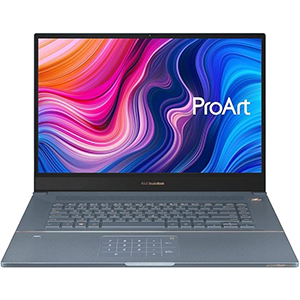
StudioBook Pro X
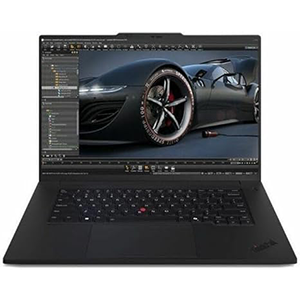
ThinkPad P1 Gen7
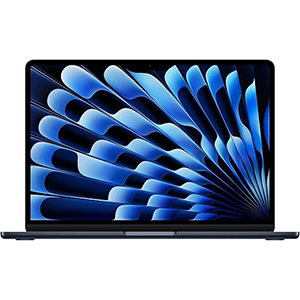
2025 MacBook Air
Below, we’ve selected some of the best workstation laptops with essential details to help you choose the right one.
1. ASUS ProArt StudioBook Pro X
Asus has established itself as a leading name in the electronics industry, and this workstation laptop stands out as a premium choice for professionals. Designed for heavy workloads and precise video editing, it comes equipped with a powerful GPU that delivers exceptional performance.
One of its most notable features is the innovative ScreenPad 2.0—an interactive secondary touch screen located in the touchpad area. This versatile tool supports app navigation, handwriting input, quick keys, numeric entry, and slide viewing, making multitasking more efficient.
The laptop boasts a sleek, space grey design with a comfortable weight, making it both stylish and portable. It offers gigabit-class connectivity and a variety of ports, including USB-C Thunderbolt, an SD 4.0 card reader, and a Kensington Lock for added security.
Additionally, it features convenient hotkeys—F9, F10, F11, and F12—that allow quick locking of the system, as well as disabling the camera and microphone during video calls, enhancing privacy. With its 180-degree hinge and four-sided nano-edged display, this workstation is a versatile and high-performing option for engineers, creators, and power users seeking efficiency and portability in one device.
2. Lenovo ThinkPad P1 Gen 7
The Lenovo ThinkPad P1 Gen 7 strikes an excellent balance between power, portability, and value, making it a strong choice for a wide range of professional needs.
Powered by the Intel Core Ultra 7 155H and Nvidia RTX 1000 Ada Generation GPU, it delivers impressive performance for demanding tasks such as video editing, 3D rendering, and complex simulations. Despite not being the most powerful CPU in its class, it is well-optimized to handle intensive workloads efficiently.
One of its standout features is its exceptional battery life, lasting over 17 hours under light use—well above average for workstation laptops. Even under heavy workloads, it maintains solid performance on battery power, making it highly practical for professionals on the move.
The ThinkPad P1 Gen 7 also offers extensive connectivity, including USB Type-A, USB Type-C, HDMI, an SD card reader, and a 3.5mm audio jack, ensuring compatibility with a wide range of peripherals. With multiple configuration options available, users can tailor it to their specific needs.
Its sleek, modern design, high build quality, and portability make it a dependable choice for those who need both performance and mobility in a workstation laptop.
3. Apple 2025 MacBook Air
The Apple MacBook Air 13 (M4, 2025) is a compact yet powerful laptop that delivers impressive performance for creative professionals. Capable of running demanding applications like Adobe Premiere Pro and Blender with ease, it offers excellent value—priced even lower than its M3 predecessor. This model feels reminiscent of the groundbreaking M1 Air, providing years of reliable performance even in the base configuration.
With a slim 0.44-inch profile and a weight of just 2.7 pounds, the MacBook Air 13 is exceptionally portable, fitting easily into almost any bag. Its design makes it perfect for creators and professionals who need a high-performance laptop on the go. The bright Liquid Retina display, smooth typing experience, and unmatched build quality make it equally suitable for everyday use and high-intensity workloads.
The M4 chip delivers up to four times the GPU performance of earlier models, ensuring quick loading times and smooth multitasking. Combined with exceptional battery life—lasting well over a full day—it’s a reliable companion for travel, work, and creative projects. Seamlessly integrating with Adobe software and offering effortless setup, it stands out as a balanced choice for performance, portability, and value.
4. ASUS 2025 ProArt PX13
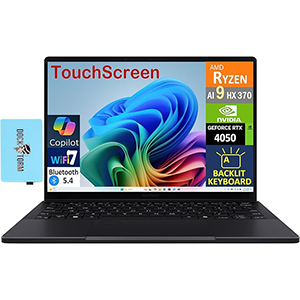
The Asus ProArt PX13 is a stylish and versatile 2-in-1 creator laptop that delivers impressive performance at an excellent value, all while running on the full Windows 11 operating system. Designed for creative professionals, it excels at handling demanding applications like Adobe Photoshop and Premiere Pro, making it a reliable companion for content creation on the go.
Equipped with an AMD Ryzen AI 9 processor and a discrete Nvidia RTX 4050 GPU, it offers the flexibility to handle both creative and gaming workloads. With Nvidia’s studio drivers, the RTX 4050 performs exceptionally well for most professional tasks, even if it’s not a full workstation-class card. This balance of power and affordability makes it an ideal option for creators seeking strong performance without exceeding their budget.
Its 2-in-1 convertible design adds to its versatility, allowing it to function as both a laptop and a tablet for different work scenarios. Compact and portable, the Asus ProArt PX13 combines processing power, creative flexibility, and the advantages of a full Windows environment, making it an excellent choice for professionals and creators who value performance and adaptability.
5. Apple 2024 MacBook Pro
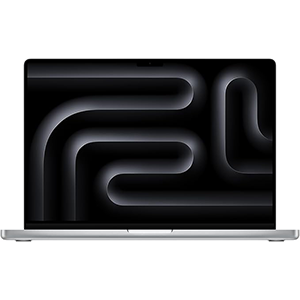
The MacBook Pro 16 (M4 Max, 2024) is one of the most powerful workstation laptops available, combining exceptional performance, premium build quality, and remarkable battery life of nearly 21 hours. Powered by Apple’s advanced M4 Max chipset, it handles the most demanding creative and professional workloads with ease, from 8K video editing to complex 3D rendering. Users can also configure it with an even more powerful CPU and GPU combo for additional performance headroom, making it a top choice for power users.
Its mini-LED Liquid Retina XDR display delivers stunning visuals with incredible brightness and vibrant color accuracy, perfect for content creation and media consumption. The MacBook Pro 16 excels at running multiple heavy applications simultaneously without lag, ensuring a smooth and responsive workflow. Apple’s refined macOS interface adds to its ease of use, while the laptop’s premium design reflects its high-end performance.
With a crystal-clear display, robust stereo sound, and unmatched processing power, the MacBook Pro 16 offers a complete package for professionals who demand top-tier performance, extended battery life, and an exceptional viewing experience—all in a sleek, portable form factor.
Choosing the Best Workstation Laptop – Buying Guide
Workstation laptops are built for professionals who require exceptional performance, reliability, and the ability to run resource-intensive applications. Unlike standard consumer laptops, workstations are designed to handle demanding tasks such as 4K–8K video editing, 3D modeling, CAD work, data analysis, and complex simulations. Selecting the right workstation laptop can be challenging, as it involves balancing performance, portability, and budget. Here’s what you should consider before making a purchase.
Processor (CPU)
The CPU is the heart of a workstation laptop. Look for powerful multi-core processors like Intel Core i7/i9, Intel Xeon, or AMD Ryzen 7/9 and Threadripper models. For professional workloads, higher clock speeds and more cores translate into faster rendering, smoother simulations, and improved multitasking. If your work involves extremely demanding computational tasks, prioritize CPUs with higher core counts and strong single-thread performance.
Graphics Card (GPU)
For tasks such as 3D rendering, animation, and video editing, a powerful GPU is essential. Workstation laptops often come with professional-grade GPUs like Nvidia RTX A-series (formerly Quadro) or AMD Radeon Pro. These offer better stability, optimized drivers, and higher precision for professional software. However, high-end consumer GPUs like Nvidia RTX 40-series can also perform exceptionally well for creative workloads, especially when paired with Nvidia Studio drivers.
Memory (RAM)
Adequate RAM is crucial for smooth multitasking and handling large files. For most professionals, 16GB is the minimum, but 32GB or more is recommended for demanding applications like CAD, 3D modeling, or editing high-resolution video. Some workstations support ECC (Error-Correcting Code) memory, which improves stability and reduces data corruption risks—important for mission-critical projects.
Storage
Fast storage ensures quick boot times, rapid file access, and smoother workflows. Solid-State Drives (SSDs) are a must-have, preferably NVMe for the highest speeds. A minimum of 512GB is recommended, but professionals working with large media files may need 1TB or more. Some workstations offer multiple storage slots for expansion.
Display Quality
Since many professional tasks involve visual precision, a high-quality display is essential. Look for laptops with at least Full HD resolution, though 4K panels are ideal for detailed work. IPS or OLED displays with high brightness, accurate color reproduction (100% sRGB, AdobeRGB, or DCI-P3), and factory calibration are preferred for creative tasks.
Battery Life
While performance is the priority, battery life still matters for mobile professionals. Workstation laptops typically consume more power, but some modern models offer impressive efficiency, lasting an entire workday under moderate loads.
Build Quality and Portability
A sturdy chassis, comfortable keyboard, and effective cooling system are vital. Portability is important if you travel frequently—thin-and-light workstations can still deliver powerful performance without excessive bulk.
Connectivity
Ensure the laptop has the ports you need, such as USB-C/Thunderbolt, HDMI, SD card reader, and Ethernet. Multiple ports are essential for connecting external monitors, storage devices, and peripherals.
Conclusion
Choosing the best workstation laptop requires evaluating your workflow, software requirements, and mobility needs.
A well-balanced workstation should have a powerful CPU, capable GPU, ample RAM, fast storage, and a high-quality display.
While high-end models can be costly, investing in the right machine ensures faster work, higher productivity, and long-term reliability—making it an essential tool for professionals who demand top-tier performance.


Leave a Reply