
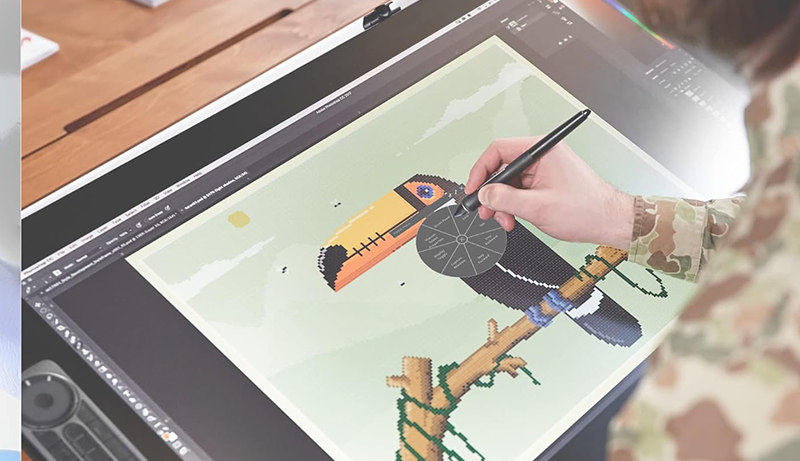
If you’re just starting out or exploring digital sculpting as a hobby, a budget-friendly, small Wacom tablet is a great place to begin. A used Wacom Intuos is a solid choice—it’s a professional-grade tablet that’s been trusted by artists for years. In fact, at the VFX studio where I work, we still use the Intuos 3, released back in 2004. It offers more than enough pressure sensitivity for most ZBrush needs.
If you’re thinking about getting a tablet with a built-in screen, Huion offers some reliable and affordable options starting at a few hundred dollars. That said, I personally prefer screenless tablets—when sculpting in 3D, having your hand block part of the screen can be distracting.
Many artists rave about Wacom Cintiq tablets, largely because they’re the premium, high-end option. While they are excellent devices, you don’t need to spend thousands of dollars unless you’re deeply committed to your craft and know exactly what you’re looking for.
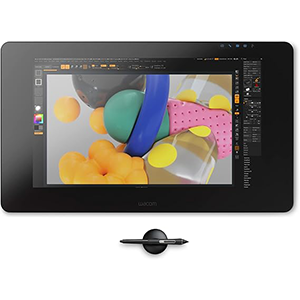
Cintiq Pro 24
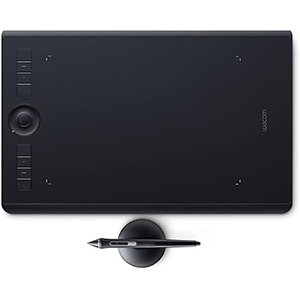
Intuos Pro
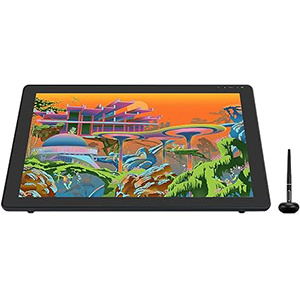
Kamvas 22 Plus
Keep in mind: a pricier tablet won’t magically make your ZBrush work better. Many top-tier artists use compact, budget-friendly tablets and create incredible work.
To help you get started, we’ve put together a list of the best drawing tablets for ZBrush—whether you’re a beginner or a seasoned sculptor—so you can find the right tool to unleash your creativity.
1. Wacom Cintiq Pro 24
After extensive hands-on use, we can confidently say the Wacom Cintiq Pro 24 (DTK2420K0) delivers an outstanding and immersive drawing experience. With 8,192 levels of pressure sensitivity, the pen responds with exceptional precision, allowing for natural, expressive strokes that closely mimic the feel of drawing on paper. This tablet is especially well-suited for artists who work with fine details and demand maximum control.
One of the standout features of the Cintiq Pro 24 is its stunning 4K display (3840×2160 resolution) paired with 99% Adobe RGB color accuracy. Colors appear vibrant and true-to-life, making it an ideal choice for color-critical work. The etched glass surface not only reduces glare but also adds a subtle texture that enhances pen-to-screen feedback, making it comfortable for long creative sessions.
While the Cintiq Pro 24 excels in many areas, it’s not without minor drawbacks. Some users may find the fan noise noticeable in quieter settings, and slight backlighting inconsistencies may occur under certain conditions. However, these are relatively minor and don’t significantly detract from the overall user experience.
The premium price may be a consideration for some, but for serious artists and professionals, the investment is well justified.
Wacom Cintiq Pro 24 offers an exceptional blend of advanced pen performance, a breathtaking 4K display, and professional-grade features. Despite a few minor issues, it remains one of the best choices for artists looking for a high-end, immersive drawing tablet.
2. Wacom Intuos Pro Medium
The Wacom Intuos Pro Medium is a standout drawing tablet for artists seeking precision and control in ZBrush. Featuring the ultra-responsive Pro Pen 2 with 8,192 levels of pressure sensitivity and excellent tilt support, it delivers a natural drawing experience that closely mimics pen on paper—ideal for detailed sculpting work.
The tablet’s customizable ExpressKeys, Touch Ring, Radial Menus, and pen side switches offer quick access to essential shortcuts, significantly boosting workflow efficiency. Its multi-touch surface makes navigating, zooming, and panning intuitive and fluid, enhancing overall productivity.
While the Intuos Pro is priced higher than many alternatives, its professional-grade build and performance more than justify the investment. Beginners may face a slight learning curve, but the long-term benefits are substantial once mastered.
One small drawback is the separate purchase of texture sheets, which allow users to adjust the surface feel—from smooth to rough—but they can add to the overall cost.
Overall, the Wacom Intuos Pro Medium is an excellent choice for both serious hobbyists and professionals. With wireless connectivity, superior pen responsiveness, and robust customization, it’s a powerful tool that elevates your ZBrush sculpting experience.
3. HUION Kamvas 22 Plus
The HUION Kamvas 22 Plus is a 21.5-inch QLED drawing tablet designed for artists and designers seeking a large, immersive workspace and a natural drawing feel. Its full-laminated screen with etched glass reduces glare and enhances surface texture, offering a pen-on-paper experience that improves precision and control. The advanced etching technique also makes the screen more resistant to wear and corrosion, ideal for long-term use.
One of the standout features is its impressive display quality, delivering vibrant colors, deep contrast, and a crisp resolution right out of the box. Users consistently praise the tablet’s color accuracy and image clarity, making it suitable for both 2D art and 3D sculpting. The tablet supports USB-C connectivity and is compatible with Mac, Windows, Linux, and Android, offering broad flexibility for different workflows.
Setup is generally straightforward with easy-to-install drivers. However, while the battery-free pen performs well in applications like Photoshop, some users have reported inconsistent functionality or driver issues in specific use cases.
Despite minor concerns, the Kamvas 22 Plus stands out as a high-value, budget-friendly alternative to more expensive display tablets. With solid build quality and a professional-grade screen, it’s a compelling option for serious digital artists.
4. Wacom Intuos Small
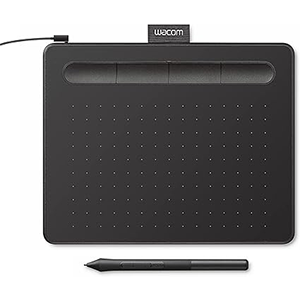
The Wacom Intuos Small Graphics Tablet is an excellent entry-level option for artists exploring digital sculpting in ZBrush. Its compact, lightweight design makes it ideal for portability and small workspaces, while still offering a reliable and responsive drawing experience. With 4 customizable ExpressKeys, users can easily set up shortcuts for commonly used ZBrush functions, improving workflow efficiency.
The Pro Pen offers 4,096 levels of pressure sensitivity, which, while lower than some high-end tablets, is still sufficient for detailed sculpting and smooth brush transitions in ZBrush. The tablet’s active area is relatively small, which may be limiting for large, sweeping motions, but many artists appreciate its portability and minimal footprint, especially when desk space is limited.
Setup is quick and simple. The tablet connects via USB and is compatible with Windows, macOS, Android, and even Chromebook systems. Some users report successful use with Linux as well. The included software bundle and training resources also make it a good value for beginners.
While the build quality and nib durability receive mixed feedback, the Wacom Intuos Small remains a cost-effective, beginner-friendly option for getting started in ZBrush and other digital art applications. It’s a practical tool to develop your skills without a significant upfront investment.
5. XPPen StarG640
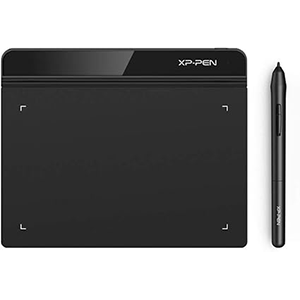
The XP-PEN StarG640 is a budget-friendly, ultra-portable drawing tablet that delivers solid performance for ZBrush users, especially beginners or artists on the go. With a 6×4 inch active area and a battery-free stylus, it offers a hassle-free drawing experience without the need for constant charging. The stylus is responsive and works well in ZBrush, making it a practical tool for sculpting and basic digital workflows.
One of the tablet’s key strengths is its versatility. It supports a variety of applications beyond ZBrush, including Microsoft Office, Zoom, and Xsplit, making it a useful addition for online teaching, meetings, and remote work. Its slim, lightweight design further enhances portability.
That said, the smaller working area might feel restrictive for users who prefer larger gestures or more space to work. Driver installation can be a bit tricky, but the tablet performs smoothly once properly set up. Some users also report compatibility issues when using the tablet alongside a mouse, which may be inconvenient for certain workflows.
Despite these minor drawbacks, the StarG640 is a reliable and affordable entry-level tablet, ideal for digital sculpting, general use, and anyone looking for a compact, battery-free solution.
Buying Guide Best Drawing Tablets for ZBrush
Choosing the right drawing tablet for ZBrush involves more than just picking the most expensive model. To help you make an informed decision, here’s a breakdown of the most important factors to consider:
Size and Resolution
Tablet size and screen resolution play a big role in comfort and precision. Larger tablets allow for broader strokes and better control, especially for detailed sculpting. High-resolution displays offer clearer, more accurate visuals, which can be crucial when fine-tuning your work.
Pressure Sensitivity
Pressure sensitivity determines how well your tablet responds to variations in stylus pressure. For ZBrush users, this is essential for sculpting with detail and nuance. Look for a tablet with at least 2,048 levels of pressure sensitivity, though many modern models offer 8,192 levels for superior control.
Tablet-to-Screen Mapping
Accurate 1:1 tablet-to-screen mapping ensures your stylus movements translate precisely on-screen. Many tablets also include programmable buttons, radial menus, and touch rings to streamline your ZBrush workflow.
Wired vs. Wireless Connectivity
Wired tablets tend to offer a more stable connection and faster response times, while wireless models provide greater freedom of movement. Choose based on your setup and working style.
Price and Value
Drawing tablets range from entry-level to high-end professional devices. Determine which features matter most to you—such as size, pen performance, or display quality—and choose a tablet that fits your needs and budget. Remember, a higher price often brings enhanced build quality, better support, and more advanced features.
Frequently Asked Questions
How does the Wacom Intuos Pro Medium compare to XP-Pen tablets for ZBrush?
The Wacom Intuos Pro Medium is highly regarded for its precision and reliability in ZBrush. With 8,192 levels of pressure, multi-touch input, and customizable keys, it offers a premium sculpting experience. XP-Pen tablets, on the other hand, are more budget-friendly and still offer impressive performance, though they may lack some of Wacom’s polish and long-term durability. Wacom remains the go-to for professionals, but XP-Pen is a strong contender for those on a tighter budget.
Why is a tablet better than a mouse for ZBrush sculpting?
Drawing tablets offer pressure sensitivity and stylus tilt functionality, providing a much more natural and accurate sculpting experience than a mouse. They also promote ergonomic comfort, helping reduce strain over long sessions. This results in improved control, faster workflow, and better creative output.
Are there good budget tablets for beginners using ZBrush?
Absolutely. Tablets like the Wacom Intuos and Wacom One are excellent entry-level options. They include battery-free pens with 4,096 pressure levels and are highly portable. While they may lack the advanced features of premium models, they provide everything a beginner needs to get started with digital sculpting in ZBrush.


Leave a Reply