
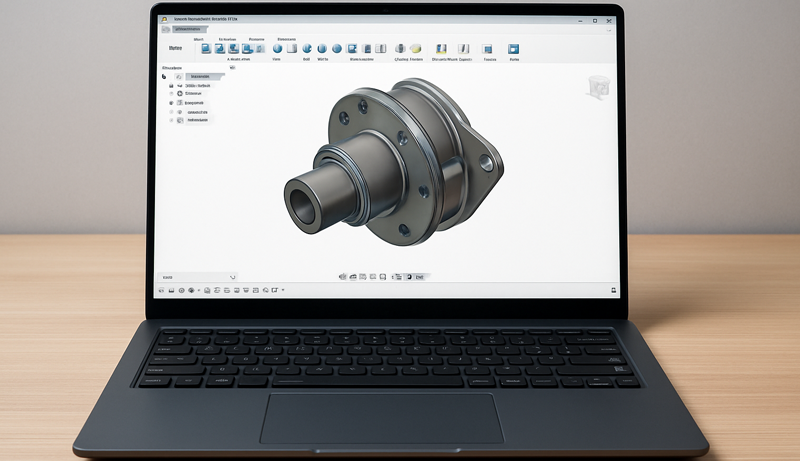
In today’s digital era, technology is the backbone of creativity, especially for professionals working with powerful design software like Fusion 360. Since this software demands robust hardware, selecting the right laptop is not just a preference—it’s a necessity. Not every laptop can meet Fusion 360’s requirements, making it essential to choose a device that delivers both power and reliability.
This guide is designed to help you find the best laptop for Fusion 360, ensuring smooth performance and maximizing your creative workflow. We’ll explore the key factors you need to consider, including processing power, graphics capabilities, memory and storage, display size and quality, portability, and battery life.

Creator 17

MacBook Pro

Blade 15
Finally, we’ll share top laptop recommendations across different budgets, so you can pick the one that perfectly matches your needs and investment.
1. MSI Creator 17
The MSI Creator 17 stands out as a powerhouse laptop built to handle demanding applications like Fusion 360 with ease. At its core, it is powered by the 11th Gen Intel Core i7 processor, offering the speed and efficiency required for complex design projects. Complementing its strong CPU performance is the NVIDIA GeForce RTX 3070 GPU, which delivers supercharged graphics essential for rendering detailed 3D models and ensuring smooth workflows.
One of the defining strengths of the Creator 17 is its advanced cooling system. Featuring three fans, six heat pipes, and ultra-thin 0.1mm fan blades, the Cooler Boost Technology ensures optimal thermal dissipation, keeping the laptop stable during intensive sessions. This attention to cooling makes it an ideal companion for professionals who rely on uninterrupted performance.
Connectivity is another area where the Creator 17 excels. With Wi-Fi 6E, users benefit from smooth and reliable internet performance, even in crowded environments. Additionally, its support for up to 40 Gbps data transfer speeds offers a seamless experience when moving large files—a significant advantage for creators.
Adding to its appeal, the Creator 17 boasts a vibrant 4K anti-glare display that enhances visual accuracy and detail, making it perfect for precision-driven design tasks.
2. Apple MacBook Pro
The Apple MacBook Pro 16-inch is a powerful and dependable choice for running Fusion 360, offering an ideal balance of performance, security, and efficiency. Powered by the 2023 M3 Max chip with a 14-core CPU and 30-core GPU, it delivers outstanding speed and responsiveness for handling demanding design tasks. Its macOS platform provides a stable and optimized environment, making it especially suitable for professionals who require reliability in their workflow.
One of the MacBook Pro’s greatest strengths is its seamless integration within the Apple ecosystem. With effortless connectivity across iPhone, iPad, and macOS, professionals benefit from a smooth and interconnected experience, perfect for multitasking and managing projects across devices.
The 16.2-inch Liquid Retina XDR display is another standout feature, offering exceptional sharpness, brightness, and color accuracy. This level of visual quality is invaluable for detailed 3D modeling, rendering, and other creative applications where precision matters.
With its combination of cutting-edge hardware, remarkable display, and optimized software environment, the MacBook Pro 16-inch delivers premium performance for Fusion 360 users. Its fast charging, energy efficiency, and user-friendly design further solidify it as one of the best high-end laptops for design professionals.
3. Razer Blade 15
The Razer Blade 15 is a powerful and versatile laptop that makes an excellent choice for Fusion 360 users who prioritize processing power and graphics performance. Designed with creators and gamers in mind, it combines speed, efficiency, and premium build quality in a sleek package. At its heart is the 13th Gen Intel Core i7 processor, delivering exceptional performance for handling complex calculations, simulations, and rendering tasks that Fusion 360 demands.
Graphics are powered by the NVIDIA GeForce RTX 4060, ensuring smooth performance when working with heavy 3D models and providing excellent visual fidelity. This makes the Blade 15 particularly well-suited for both professional design projects and graphics-intensive applications. Users also appreciate its vivid display with great colors and viewing angles, enhancing the overall creative experience.
The Razer Blade 15 is also designed with multitasking in mind, enabling seamless performance when running Fusion 360 alongside other applications. Its build quality is consistently praised, combining durability with a premium feel that adds to its value for money.
One trade-off, however, is its weight. At 4.54 pounds, it’s heavier than many ultraportables, which may be a consideration for professionals who need a highly mobile workstation. Still, for raw power and capability, it stands out as a top choice.
4. Acer Predator Helios 300

The Acer Predator Helios 300 is a strong all-around laptop that balances performance, design, and value, making it a solid option for Fusion 360 users. Built with a fast Intel Core i7 processor, it provides reliable performance for demanding tasks such as simulations, calculations, and rendering within Fusion 360. Its hardware optimization ensures smooth workflows, minimizing bottlenecks when running multiple programs or heavy design processes.
As a gaming laptop, the Predator Helios 300 is also praised for its ability to handle intensive graphics without operating issues, delivering smooth speeds with no noticeable stuttering or delays during startup. Users appreciate its sleek design, strong build quality, and impressive graphics output. The 144 Hz refresh rate and 300-nit brightness further enhance the visual experience, offering fluid motion and vivid details ideal for 3D modeling.
Feedback on heat management and sound quality is mixed, with some praising its cool performance and quiet operation, while others report thermal throttling and louder fan noise during heavy gaming or rendering. At 5.51 pounds, it is on the heavier side, making portability a consideration. However, for those who prioritize raw performance, screen quality, and reliable hardware optimization, the Predator Helios 300 proves to be a dependable choice for Fusion 360.
5. ASUS TUF F15

The ASUS TUF Gaming F15 is a durable and performance-focused laptop that offers excellent value for users who want a reliable machine for both gaming and design work in Fusion 360. Powered by the 11th Gen Intel Core processor and paired with NVIDIA GeForce GTX 1650 graphics, it provides the processing power and visual performance needed for running CAD applications smoothly. The 144Hz narrow-bezel IPS display adds to the experience, delivering fluid visuals when working with 3D models or handling moderate rendering tasks.
Durability is a standout feature of the TUF Gaming F15. Built to withstand heavy use, it includes a patented Anti-Dust Cooling (ADC) system that helps extend its lifespan by maintaining thermal efficiency. The backlit gaming keyboard also adds both functionality and style, designed for long-term reliability.
Users praise the laptop’s performance in handling Windows 11, its quick boot times, and its solid build quality—with one even noting it survived a car accident. The display quality receives positive feedback, while sound performance gets mixed opinions, ranging from adequate to overly loud. At its price point, the TUF Gaming F15 stands out as a solid budget-friendly choice for Fusion 360, especially for beginners or those seeking a dependable secondary workstation.
Buyer’s Guide: Choosing the Best Laptop for Fusion 360
Fusion 360 is a powerful CAD, CAM, and CAE software used by designers and engineers to manage complex projects, simulations, and manufacturing processes. Because of its demanding requirements, choosing the right laptop is critical to achieving smooth performance. Below are the key factors to consider when buying a laptop for Fusion 360.
Processor
Like most CAD programs, Fusion 360 is heavily CPU-dependent and relies on single-thread performance. A high clock-speed processor is essential for modeling and simulation. Beginners can start with a 64-bit, quad-core CPU (such as AMD Ryzen or Intel i5/i7), while professionals should invest in an 8-core or higher processor for long-term performance and handling larger projects.
RAM
Memory is vital for multitasking and working on complex assemblies. Beginners may manage with 8GB, but 16GB is the realistic minimum for smooth creative work. For professional workflows or running multiple programs alongside Fusion 360, 32GB or more is ideal.
Storage
Fusion 360 projects demand fast storage to prevent bottlenecks. A minimum of 512GB SSD is recommended, though gaming laptops with up to 2TB SSDs offer the best balance of speed and capacity for large design files.
Display
A high-quality display improves precision in modeling and visualization. A 15- to 17-inch screen with Full HD (1920×1080) is standard, while 4K panels provide enhanced detail. Gaming laptops often include high refresh rates and brighter displays (up to 300 nits or more), useful for 3D modeling and simulations.
Graphics Card
While Fusion 360 is more CPU-heavy, a dedicated GPU significantly improves viewport performance, shadows, textures, and rendering speed. A dedicated NVIDIA GeForce or AMD Radeon card with at least 1–4GB VRAM is recommended, though integrated graphics can handle lighter projects.
Ports & Connectivity
Consider your workflow requirements. USB Type-A and Type-C ports are standard, while HDMI enables external displays. An Ethernet port ensures stable wired connectivity, especially important for cloud-based projects.
Portability & Battery Life
For mobile professionals, portability and battery life are key. A travel-friendly laptop with at least 6–9 hours of runtime is recommended. Gaming laptops often provide this balance, though they may be heavier than ultrabooks.
Benefits of Touchscreen Laptops for Fusion 360
Touchscreen laptops offer a more natural and intuitive way to interact with 3D models. They improve responsiveness, reduce input errors, and make sketching, prototyping, and editing feel more fluid compared to relying solely on a keyboard and mouse. For users working on creative simulations, CNC, or industrial design, a touchscreen can enhance productivity and design precision.
Common Issues & Solutions
Overheating – Fusion 360 can be demanding, leading to high power consumption and heat. Check system activity, close unnecessary threads, and optimize cooling.
Crashes – Fusion 360 may freeze or crash if left inactive or due to hardware limits. Submitting a crash report and updating drivers can help resolve recurring issues.
Slow Performance – Causes include poor internet connectivity, cache overload, or interference from other software. Clearing cache, restarting Fusion 360, or upgrading hardware often fixes the problem.
FAQs
- Does Fusion 360 use GPU? It relies more on CPU, though a GPU improves rendering and viewport performance.
- Do I need a graphics card? Not always, but a dedicated GPU is recommended for complex projects.
- Why is Fusion 360 slow? Common reasons include cache issues, poor internet, or limited hardware resources.
- Is Fusion 360 CPU or GPU heavy? Primarily CPU-heavy—invest in a high-performance processor first.
- What’s the future of Fusion 360? Bright. It is used across industries from manufacturing to aerospace (even NASA uses it).
Conclusion
When choosing a laptop for Fusion 360, prioritize CPU performance, sufficient RAM, and fast storage. A 16GB RAM setup is suitable for most users, while 32GB or more is ideal for professionals handling large projects or multitasking. A good display, dedicated GPU, and strong cooling system further enhance the experience. Ultimately, your choice should align with your workload complexity and mobility needs—whether that’s a lightweight ultrabook for travel or a powerful gaming laptop for advanced 3D design.


Leave a Reply