
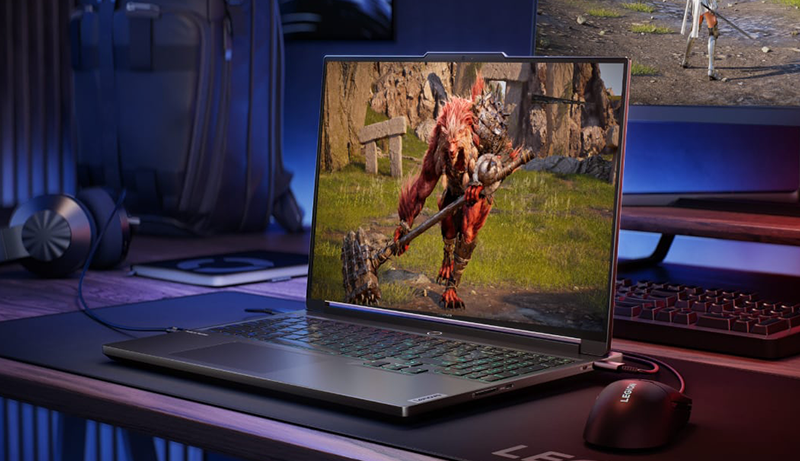
Are you thinking of buying the Best Laptop for Unreal Engine 5? Then this guide will help you find the ideal device to handle your creative and technical demands. Unreal Engine 5 is a powerhouse for real-time 3D creation, requiring exceptional graphics capability, speed, and reliability. Whether you’re designing hyper-realistic environments, animating characters, or testing gameplay mechanics, your laptop must deliver consistent performance without overheating or lag.
Modern laptops for Unreal Engine 5 combine cutting-edge GPUs, advanced cooling systems, and ultra-fast displays to keep up with demanding workflows. These machines are built for developers, designers, and game creators who need workstation-level power in a portable design. From stunning OLED or QHD+ displays to efficient cooling and robust build quality, these laptops are engineered to handle everything from rendering cinematic visuals to compiling massive projects.
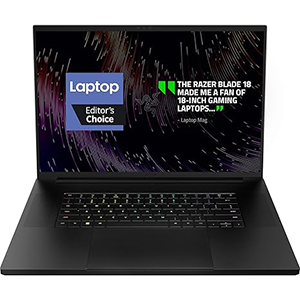
Razer Blade 18
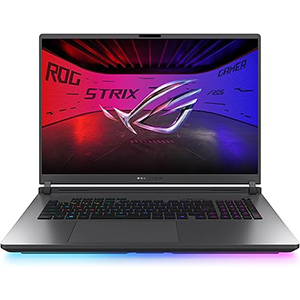
ROG Strix G18
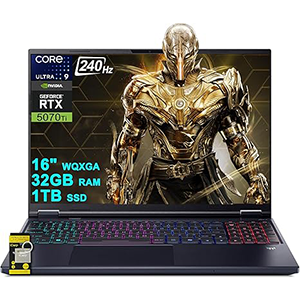
Helios Neo 16S
In this guide, we’ve selected the top-performing laptops that bring together performance, portability, and creative efficiency. Each of these options is fine-tuned to manage Unreal Engine 5’s heavy rendering requirements while providing immersive visual fidelity and fluid multitasking. Dive in to discover which laptop will best elevate your next Unreal Engine project.
1. Razer Blade 18
The Razer Blade 18 stands as a true desktop replacement designed for creators and developers pushing Unreal Engine 5 to its limits. Its expansive 18-inch QHD+ display delivers exceptional clarity and smooth motion, making it ideal for real-time rendering and complex scene editing. The vibrant color accuracy ensures your creations look stunning and precise, from intricate textures to cinematic lighting.
The laptop’s ultra-efficient cooling system with a large vapor chamber and tri-fan setup maintains consistent performance, even during long sessions of 3D rendering or simulation. Crafted from precision CNC aluminum, it exudes premium quality and durability while remaining surprisingly portable for its size.
This machine also offers top-tier graphical performance, effortlessly handling ray tracing and advanced shading effects demanded by Unreal Engine 5. Combined with a fast refresh rate, every movement on-screen feels fluid and responsive. The Blade 18’s versatility allows you to transition seamlessly between development, animation, and gaming. With professional-grade visuals and a refined design, it’s built for those who want the best blend of performance, aesthetics, and power.
2. ASUS ROG Strix G18
The ASUS ROG Strix G18 redefines creative performance, making it an excellent choice for those working within Unreal Engine 5’s demanding environment. Its large 18-inch Nebula display brings lifelike clarity and smooth visuals, ensuring your scenes and environments render with perfect detail. The fast refresh rate enhances responsiveness during real-time editing and gameplay testing.
The Strix G18’s cooling technology stands out, employing an advanced vapor chamber and Tri-Fan system that keep internal temperatures low under heavy loads. This ensures stable performance while running complex builds or long render sessions. The durable chassis and sleek design add a professional flair, suitable for both studio and mobile development work.
Enhanced with customizable RGB lighting, the laptop offers both personality and practicality—allowing you to switch between creative work and professional presentations seamlessly. The immersive audio system complements its visual performance, providing an engaging experience when testing cinematic sequences. Whether you’re compiling blueprints, adjusting lighting effects, or developing entire levels, the Strix G18 delivers the responsiveness and reliability Unreal Engine 5 demands.
3. Acer Predator Helios Neo 16S
The Acer Predator Helios Neo 16S combines advanced performance with a stunning OLED display, making it perfect for Unreal Engine 5 creators who prioritize visual precision. Its 16-inch screen offers rich color reproduction and incredible contrast, ensuring every pixel of your design shines with accuracy and depth. The 240Hz refresh rate provides ultra-smooth motion, ideal for animation and dynamic environment work.
Engineered with cutting-edge cooling technology, the Helios Neo 16S maintains peak performance even during long hours of rendering or high-poly modeling. The slim design balances power and portability, allowing developers to take their projects anywhere without sacrificing capability.
Connectivity options are extensive, enabling seamless integration with peripherals, external displays, and storage solutions for large project files. With AI-enhanced graphics technology and superior display quality, this laptop supports next-level realism in lighting, textures, and reflections—critical for Unreal Engine 5’s Lumen and Nanite features.
Overall, the Predator Helios Neo 16S stands out as a reliable powerhouse, balancing speed, thermal efficiency, and premium display performance. It’s an ideal choice for creators seeking professional results in a flexible, mobile form factor.
4. Lenovo Legion 5i
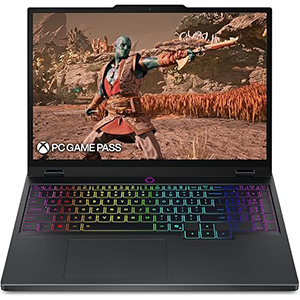
The Lenovo Legion 5i is a refined and capable machine built for developers and gamers working with Unreal Engine 5. Its 15-inch OLED PureSight display delivers deep contrast, vivid colors, and ultra-smooth motion—ideal for visualizing complex 3D environments and cinematic effects. Whether sculpting detailed assets or testing gameplay, every detail appears crisp and accurate.
Designed for efficient cooling, the Legion 5i’s advanced system keeps the laptop whisper-quiet during intensive rendering or simulation tasks. The AI Engine+ technology intelligently optimizes performance, ensuring higher frame rates and faster project compilation times. Its balanced build quality and clean design make it suitable for both professional and creative environments.
This laptop’s combination of mobility and visual excellence makes it a practical choice for students, developers, and digital artists who want high-end performance without sacrificing portability. It’s built to handle Unreal Engine 5’s heavy graphical loads while maintaining steady output for extended sessions. With immersive visuals, efficient cooling, and enhanced AI features, the Legion 5i proves to be a strong performer for next-generation creative workflows.
5. MSI GF63 Thin
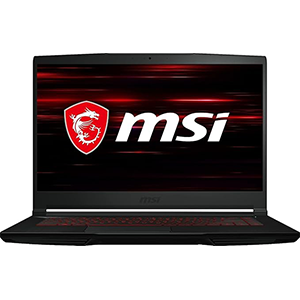
The MSI GF63 Thin offers an entry point into Unreal Engine 5 development without compromising essential performance. Its lightweight design and solid build make it a practical choice for creators and students needing a dependable laptop for 3D modeling, texture work, or light scene rendering. The 15.6-inch display delivers clear visuals and smooth motion, ideal for design previews and gameplay testing.
Despite its slim profile, this laptop delivers capable graphical performance, handling moderate Unreal Engine projects efficiently. The cooling system works well to maintain stability, allowing for longer creative sessions without major throttling. It’s designed with portability in mind, giving you the flexibility to create and test projects wherever you go.
The overall experience feels responsive and balanced, supporting tasks like level design, asset editing, and basic rendering with ease. While it may not target large-scale production environments, it’s a reliable companion for learning, prototyping, and small to mid-size projects. The MSI GF63 Thin embodies practicality—compact, efficient, and ready to handle creative workloads on the move.
Choosing from the Best Laptops for Unreal Engine 5
When selecting the Best Laptop for Unreal Engine 5, it’s essential to prioritize the components and features that align with your creative workflow. Unreal Engine 5 is a demanding development platform that relies heavily on graphical performance, memory bandwidth, and thermal management. The right laptop will depend on how you plan to use it—whether for design, programming, rendering, or testing gameplay mechanics.
GPU Power and Performance
The most important factor is the graphics card. Unreal Engine 5 uses advanced features like Lumen, Nanite, and ray tracing, which require powerful GPUs to render efficiently. Opt for a laptop with an RTX 40-series or equivalent GPU to ensure smooth real-time previews and faster rendering times.
Display Quality
A high-resolution display with excellent color accuracy is crucial for visual work. QHD, OLED, or mini-LED panels with a wide color gamut (such as 100% DCI-P3) will give you lifelike visuals and precise color grading. A higher refresh rate also enhances responsiveness during development and testing.
Cooling and Thermal Design
Rendering and compiling projects generate significant heat. Look for laptops with advanced cooling systems—vapor chambers, multiple fans, or liquid metal—to maintain stable performance under heavy loads.
Portability vs. Power
If you travel frequently, consider a lightweight model that balances performance and mobility. Larger laptops, on the other hand, deliver superior cooling and performance but are less portable.
Expandability and Connectivity
Choose a laptop that allows memory or storage upgrades to accommodate future project growth. Multiple USB-C, HDMI, and SD card ports are useful for connecting peripherals and transferring large assets efficiently.
Build Quality and Reliability
Unreal Engine workflows demand consistent performance. A sturdy chassis, reliable keyboard, and long-lasting battery contribute to a smoother creative process.
By balancing these key factors, you can find the ideal laptop that meets both your creative and technical needs—ensuring optimal performance when bringing your Unreal Engine 5 projects to life.
FAQ – Best Laptop for Unreal Engine 5
1. Do I need a gaming laptop for Unreal Engine 5?
Yes. Unreal Engine 5 is highly demanding, and gaming laptops with powerful GPUs and advanced cooling systems are best suited for it.
2. Is 16GB RAM enough for Unreal Engine 5?
While 16GB can run smaller projects, 32GB or more is recommended for smooth multitasking and complex scene rendering.
3. Does Unreal Engine 5 work better with NVIDIA or AMD GPUs?
NVIDIA GPUs are generally preferred due to superior driver optimization, ray tracing, and DLSS support.
4. What display type is best for Unreal Engine 5 development?
A QHD or OLED display with high color accuracy (DCI-P3 100%) ensures precise visuals for design and lighting work.
5. Can I use Unreal Engine 5 on a laptop instead of a desktop?
Absolutely. Modern high-end laptops offer desktop-level performance, making them ideal for portable game development and design.
Conclusion
Choosing the Best Laptop for Unreal Engine 5 depends on your creative goals and workload intensity. Whether you’re a developer, 3D artist, or student, these laptops deliver the performance and display quality needed to handle UE5’s advanced features.
From stunning visuals to efficient cooling and top-tier graphics, each model provides a strong foundation for seamless real-time creation. With the right setup, you can push the limits of your imagination and bring cinematic worlds to life—anytime, anywhere.


Leave a Reply