
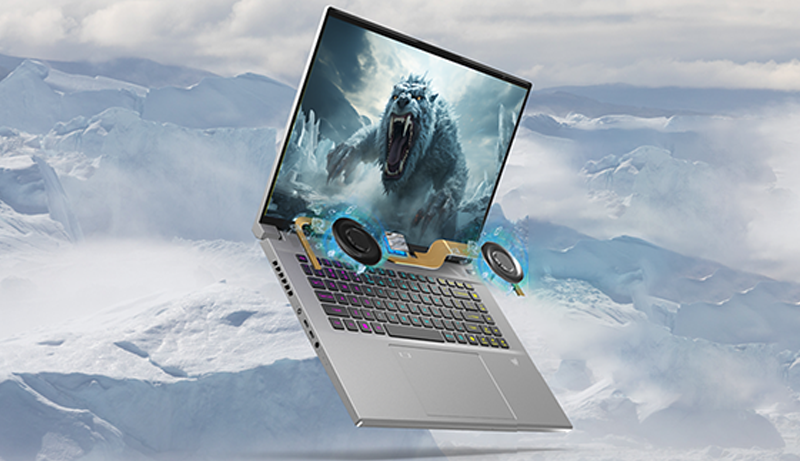
Roblox is more than just a game—it’s a platform for creativity, social interaction, and immersive entertainment. To truly enjoy it, having the right laptop makes all the difference. A smooth frame rate, sharp visuals, and stable connectivity can elevate gameplay and allow you to explore different worlds without interruptions.
The best laptops for Roblox balance performance, display quality, and portability so you can play comfortably whether at home or on the go. Some are built with advanced cooling systems for longer sessions, while others focus on lightweight design for convenience. High refresh-rate screens ensure fluid motion, while durable builds make them reliable for both gaming and everyday tasks.
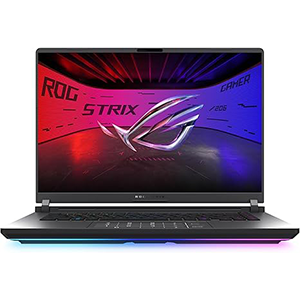
Strix G16 (2025)
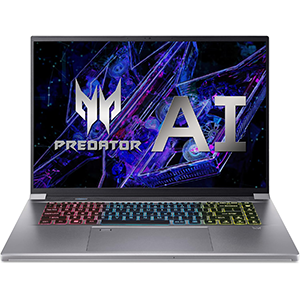
Triton Neo 16
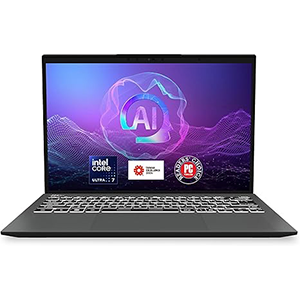
MSI Prestige 13
If you want a device that not only runs Roblox seamlessly but also supports streaming, content creation, or multitasking, the right choice can serve as both a gaming hub and a productivity tool.
1. ASUS ROG Strix G16 (2025)
This gaming laptop is designed for speed, fluid graphics, and reliable performance during long Roblox sessions. Its large 16-inch display with high refresh rate creates a smooth and visually engaging experience, ensuring that movements feel natural and responsive. The build is solid and stylish, giving it a premium look while also supporting durability for frequent use.
One of its standout qualities is the cooling system, which efficiently regulates temperature even during extended play, reducing the likelihood of thermal slowdown. Compared to older gaming models, this system feels more refined and less intrusive, letting you focus on the game itself. Setting up the laptop is relatively straightforward, though experiences vary from user to user. Once up and running, the system handles demanding tasks effortlessly, making it suitable not only for Roblox but for more graphically intense titles as well.
The combination of design, smooth gameplay, and cooling efficiency makes this laptop a well-rounded option for anyone who values both aesthetics and performance. Whether you are exploring creative worlds in Roblox or switching to other applications, the machine maintains speed and stability with ease.
2. Acer Predator Triton Neo 16
This model blends creator-level display quality with gaming performance, making it an appealing option for Roblox players who also enjoy streaming, design, or content creation. Its 16-inch screen features vivid colors and sharp resolution, enhancing the detail in every Roblox world.
The high refresh rate further improves responsiveness, offering a fluid and engaging experience. Build quality is another strong aspect, with a sturdy and professional design that balances style with functionality. When it comes to performance, it handles high settings without much issue, although noise levels can vary—some sessions are whisper quiet, while other times the cooling fans kick in more audibly.
Heat resistance is generally well managed, allowing for comfortable play without excessive overheating. While its gaming capability receives mixed impressions, it remains a capable machine for Roblox and other modern titles. The laptop also stands out for its battery performance, which supports longer sessions away from the charger.
With its AI-driven optimizations and balance between gaming and creative potential, this laptop is a versatile tool. It’s a great choice for players who not only want smooth Roblox gameplay but also need a powerful display and build for multitasking or digital projects.
3. MSI Prestige 13 AI+ Evo
This lightweight model emphasizes portability while still offering strong performance, making it a good fit for Roblox players who want mobility without sacrificing speed. At just over two pounds, it is one of the lightest gaming-capable laptops available, making it easy to carry around for school, travel, or casual gaming on the go.
Its compact 13.3-inch OLED display delivers vibrant colors, deep blacks, and sharp visuals, making every Roblox environment more immersive. Despite its smaller size, the laptop runs quickly and smoothly thanks to its advanced hardware configuration, ensuring seamless navigation and gameplay.
Battery performance varies depending on use, but it generally holds up well for moderate gaming and productivity tasks. Some users may find tradeoffs in terms of syncing or additional features, but the core experience remains positive. Its sleek design and premium build quality give it a professional look that works just as well in an office setting as in a gaming environment.
Overall, it is a fast, stylish, and highly portable option for Roblox players who value convenience and display quality. If you need a laptop that doubles as both a business device and a gaming companion, this one fits that balance perfectly.
4. Razer Blade 15 Base (2020)
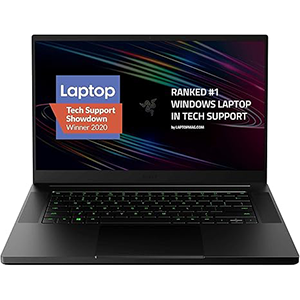
This model has become a recognizable choice in the gaming laptop category thanks to its sleek aluminum body and stylish design. With a 15.6-inch screen offering a high refresh rate, it ensures smooth Roblox gameplay and other fast-paced titles. The backlit keyboard stands out with customizable lighting effects, creating a vibrant atmosphere during late-night sessions. In terms of gaming, it delivers strong performance, handling Roblox and many demanding games without major difficulties.
However, its long-term durability receives mixed impressions. Some find it reliable, while others notice performance drops after months of use. Heat management is another area where it divides opinion, as the fans can get loud under load and the chassis heats up significantly during extended gaming. Battery life is not its strongest suit, often requiring frequent charging for uninterrupted sessions.
Despite these points, the laptop remains a stylish and powerful option, especially for players who want both appearance and gaming performance. Its slim profile and sturdy build make it attractive to those seeking a machine that looks as good as it plays. For Roblox players who prioritize style and display smoothness, it can still be an exciting option despite its tradeoffs.
5. Lenovo LOQ Gaming Laptop
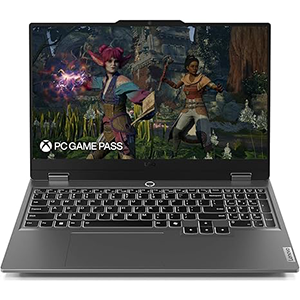
This laptop is tailored for both gaming and everyday use, providing a balanced experience that works well for Roblox enthusiasts. Its 15.6-inch screen ensures clarity and responsiveness, supporting frame rates over 100 FPS, which translates into smooth and enjoyable gameplay. The design is modern and sleek, appealing to those who like a stylish yet practical machine.
Boot times are notably fast, getting you into games or tasks within seconds of powering on. Performance remains consistent across gaming and desktop use, giving it a versatile edge. While its weight and battery life generate mixed impressions—some find it portable enough, while others consider it heavy—it remains a dependable performer overall.
The system is well-optimized for Roblox and similar games, offering reliable speed without unnecessary complications. Beyond gaming, it’s a solid everyday laptop for browsing, productivity, or streaming. With its efficient performance and straightforward usability, this model is especially appealing to those new to gaming laptops.
If you’re looking for a dependable machine that offers strong gaming capabilities without unnecessary complexity, it stands out as an excellent starter option that balances performance, design, and accessibility.
How to Choose the Best Laptop for Roblox
Selecting the best laptop for Roblox involves balancing performance, display quality, portability, and durability. Since Roblox is a flexible platform that doesn’t demand the most powerful hardware, you don’t necessarily need the latest high-end gaming machine. However, a capable laptop ensures smoother gameplay, especially if you want to run the game at higher settings or multitask with streaming and content creation.
Performance: should be a top consideration. A laptop with a modern graphics card and efficient cooling system provides smoother visuals and prevents lag. Roblox benefits from dedicated graphics, though even advanced integrated solutions can perform well depending on the settings. Look for machines with high refresh-rate screens, as this allows motion to feel fluid, making games more enjoyable.
Display quality: is another key factor. A sharp resolution combined with vibrant colors enhances the Roblox experience, especially in user-generated worlds filled with creativity and detail. Larger displays provide an immersive view, but compact screens may be better for portability.
Portability: matters for players who move around frequently. Lightweight laptops make it easier to play Roblox in different locations, such as at school, during travel, or at a café. On the other hand, bulkier gaming laptops may offer more powerful cooling and durability.
Battery life: is also worth noting. While gaming typically reduces battery runtime, choosing a laptop with efficient power management ensures you can still enjoy Roblox without constantly being plugged in.
Build quality: should not be overlooked. A sturdy design ensures the laptop can withstand everyday use. Features like customizable keyboards, advanced cooling, and sleek aesthetics may also enhance the overall gaming experience.
Ultimately, the best laptop for Roblox depends on your priorities. If you want a portable option, a thin and lightweight laptop may be ideal. If immersive visuals and long sessions matter more, a larger gaming laptop with robust cooling is a better choice. Consider your balance between gaming performance, portability, and additional features to make the right decision.
Frequently Asked Questions (FAQ)
Q1: Do I need a gaming laptop to play Roblox?
Not necessarily. While gaming laptops offer better performance and smoother visuals, many modern non-gaming laptops can run Roblox at lower settings.
Q2: What screen size is best for Roblox?
It depends on preference. Larger screens (15–16 inches) provide immersion, while smaller ones (13 inches) are more portable.
Q3: Is a high refresh-rate screen important for Roblox?
Yes. A refresh rate of 120Hz or higher ensures smoother gameplay, making movements and animations feel more natural.
Q4: Can I use a Roblox laptop for other games?
Absolutely. Most laptops that run Roblox smoothly can also handle other games, though performance varies based on graphics requirements.
Q5: How important is cooling for Roblox laptops?
Cooling is crucial for longer sessions. Efficient cooling prevents overheating, maintains consistent performance, and extends hardware lifespan.
Conclusion
Choosing the best laptop for Roblox means finding the right balance between performance, display quality, and convenience.
While Roblox is not the most demanding game, having a capable laptop ensures smooth gameplay and an enjoyable experience. Whether you prefer a lightweight device for portability, a high-refresh screen for responsiveness, or a solid build for durability, there are options to fit every preference.
Beyond Roblox, these laptops also serve as versatile machines for work, streaming, and other games. By focusing on performance, display, and reliability, you can ensure your laptop supports creativity and fun in every Roblox world.


Leave a Reply