
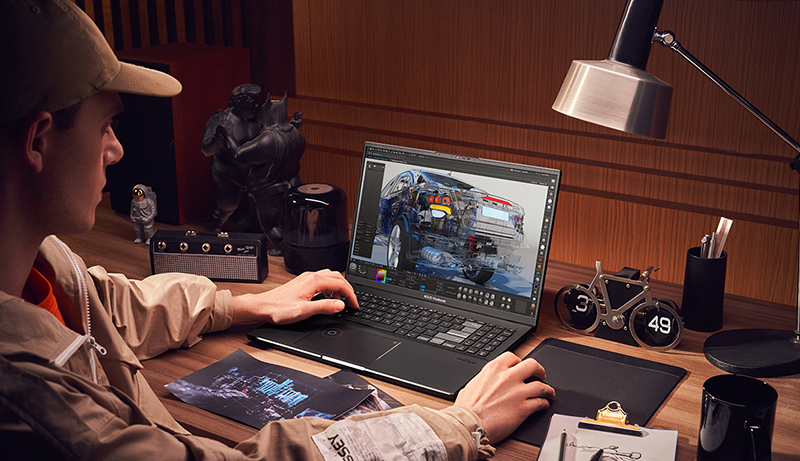
Planning to upgrade your workstation in 2025? If you’re an architect or designer, having a reliable laptop is more important than ever. From real-time visualizations and 3D renderings to photo editing, you need a device that offers strong performance, ample storage, and powerful graphics.
With remote work still going strong, investing in a laptop that can handle demanding tasks is essential. Fortunately, this year brings an impressive range of new laptops and mobile workstations designed specifically for creative professionals. Whether you’re after speed, graphics power, or storage, there’s a model that fits your workflow.
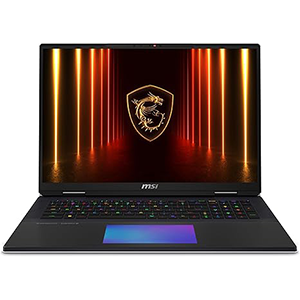
Titan 18 HX AI
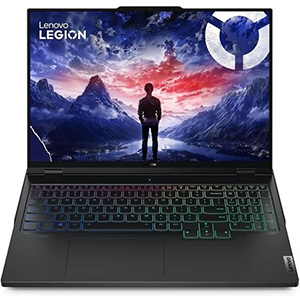
Legion Pro 7i
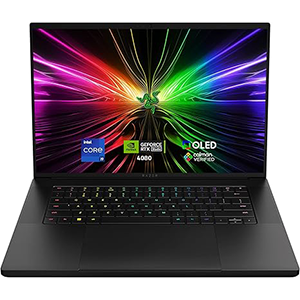
Razer Blade 16
Here’s our carefully curated list of the best laptops for architects and designers in 2025.
1. MSI Titan 18 HX AI
The MSI Titan 18 HX AI stands out as one of the most advanced laptops available for architects and designers in 2025. Built with future-ready technology, it offers unmatched upgradability, allowing professionals to expand its capabilities as project demands increase. This ensures long-term reliability and performance, making it an excellent choice for architects working on complex and evolving projects.
One of its biggest highlights is the massive 18-inch UHD+ MiniLED display with a 120Hz refresh rate. The panel delivers exceptional brightness, sharpness, and color accuracy, making it perfect for architectural modeling, detailed design reviews, and photorealistic rendering. Whether working on BIM models, immersive visualizations, or intricate 3D environments, the clarity and precision of the display provide a truly professional edge.
Performance is kept consistent with an advanced cooling system that prevents overheating during extended workloads. This makes it ideal for long design sessions or continuous rendering tasks without interruptions. Connectivity is also a strong point, thanks to the inclusion of Thunderbolt 5 and Wi-Fi 7, ensuring rapid data transfers and seamless wireless networking.
MSI Titan 18 HX AI is a portable powerhouse designed to handle demanding creative workflows while staying flexible for future needs.
2. Lenovo Legion Pro 7i
The Lenovo Legion Pro 7i is a top-tier laptop designed for professionals who require exceptional performance, especially architects working with complex tasks. Its powerful components make it an ideal choice for demanding workflows like 3D modeling, rendering, and BIM applications. Whether you’re creating detailed designs or handling intricate architectural projects, this laptop delivers seamless, high-speed performance.
Featuring a 16-inch QHD+ display with a 240Hz refresh rate, the Legion Pro 7i ensures sharp, smooth visuals, making it perfect for managing and presenting design work with precision. The large screen size provides ample space for multitasking and detailed project management.
In addition, the laptop comes with an advanced cooling system that maintains optimal performance even during long working sessions. This feature helps prevent overheating, ensuring that the device remains reliable throughout intensive work periods.
For architects seeking a balance between power and usability, the Legion Pro 7i stands out as a versatile option in Lenovo’s premium lineup. It’s a great choice for those who need a dependable and efficient machine to handle their most demanding architectural tasks. For users requiring even more advanced capabilities, the Legion 9i offers an alternative with cutting-edge features.
3. Razer Blade 16
The Razer Blade 16 is a high-end gaming laptop that offers an exceptional blend of power and efficiency, making it a solid choice for architects needing a powerful, yet compact device. Its impressive 16-inch OLED QHD+ 240Hz display provides stunning visuals, with vibrant colors and smooth performance, perfect for handling intricate architectural designs or presenting detailed projects.
Designed to tackle demanding tasks like 3D modeling, rendering, and simulations, the Blade 16 ensures seamless, precise performance. The advanced vapor chamber cooling system keeps the laptop running at peak efficiency, even during extended work sessions, preventing overheating and maintaining high performance.
Its sleek design combines both style and functionality, providing a professional edge that architects will appreciate. The laptop’s build quality is strong, offering durability for everyday use while remaining lightweight enough for easy portability.
Overall, the Razer Blade 16 is a refined and powerful choice for architects who need a reliable laptop that can handle complex tasks without sacrificing style or performance. Whether managing large-scale projects or creating intricate designs, it offers the performance required to meet demanding workflows in a more portable form.
4. Apple 2024 MacBook Pro
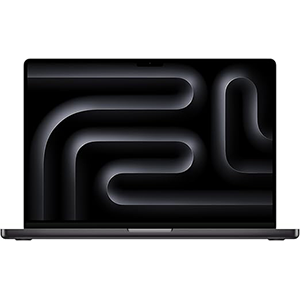
The 2024 MacBook Pro is a top-tier choice for architects who prefer Apple’s ecosystem, delivering powerful performance for demanding tasks. Whether you’re working on 3D rendering, compiling large-scale projects, or managing intensive workflows, this laptop can handle it with ease. For those with more advanced needs, there’s an even more powerful option available.
The 16.2-inch Liquid Retina XDR display offers stunning brightness and excellent color accuracy, ideal for precise design work and detailed presentations. The MacBook Pro is also optimized for seamless integration with essential design tools like Adobe Creative Cloud and Microsoft 365, enhancing productivity. It also works well with other Apple devices, thanks to its intuitive ecosystem.
With long-lasting battery life and a durable, sleek design, this MacBook Pro is built for professionals on the go. Its lightweight construction makes it easy to carry, while its performance ensures that it can manage complex tasks without any hiccups. Whether you’re creating intricate designs or presenting high-quality work, this laptop delivers the power and efficiency needed to support your architectural projects.
Overall, the 2024 MacBook Pro is a reliable and high-performance choice for architects who value a smooth, efficient workflow and the benefits of a connected ecosystem.
5. HP ZBook Fury G10
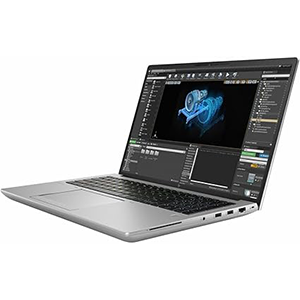
The HP ZBook Fury 16 G10 Mobile Workstation is designed to meet the needs of architects requiring top-tier performance. It excels in handling demanding tasks such as 3D modeling, rendering, and large-scale BIM projects with ease, thanks to its powerful computational and graphical capabilities.
The 16-inch display offers sharp visuals and precise color accuracy, making it ideal for architects working on detailed designs. Its robust build ensures reliability and durability, prioritizing performance for intensive tasks over portability.
This workstation is equipped with enterprise-grade security features and a wide range of connectivity options, ensuring that professionals can work efficiently and securely. It is tailored for those who need desktop-level power in a mobile format, providing the versatility needed for on-the-go work without compromising on performance.
The ZBook Fury 16 G10 is perfect for architects who require a powerful, reliable, and secure workstation for managing large-scale projects. Its advanced graphics and fast performance make it a dependable tool for complex architectural workflows, making it an excellent choice for professionals in the field. Whether you’re designing intricate models or handling resource-heavy applications, this mobile workstation delivers the performance you need.
Best Laptop for Architecture 2025 Buying Guide
When selecting a laptop for architecture, it’s crucial to find one that offers a balance of performance, portability, and display quality. Architects typically work with demanding software like AutoCAD, Revit, Rhino, and 3D modeling applications that require powerful processors, high-quality graphics, ample storage, and an excellent display. Here’s a guide to help you choose the best laptop for architectural work.
Processor (CPU)
The processor is the heart of any computer, and for architects, it needs to be powerful enough to handle heavy rendering tasks, complex calculations, and multitasking. Opt for at least an Intel Core i7 or AMD Ryzen 7 processor, but ideally, you should consider an Intel Core i9 or AMD Ryzen 9 for even better performance, especially for tasks like 3D rendering and simulations.
Architectural software can be very resource-intensive, so you want a CPU with multiple cores (preferably 6 or more) to ensure smooth performance when working with large-scale models or rendering complex scenes. The higher the processor speed (measured in GHz), the faster your laptop can process tasks.
Graphics Card (GPU)
A dedicated graphics card is vital for rendering 3D models and running CAD software. Look for laptops with an NVIDIA GeForce RTX or Quadro series GPU. These graphics cards provide the power needed for smooth rendering and real-time visualization of 3D models, which is essential for architectural work.
For serious professionals, the NVIDIA RTX 3060 or higher (RTX 4080 or Quadro series) is recommended for a smooth experience, especially when dealing with high-end rendering software like Revit or Rhino.
Display Quality
Architects rely heavily on visual accuracy and detail, so a laptop with an excellent display is a must. A Full HD (1920×1080) resolution is the minimum, but opting for a 4K or QHD display (2560×1600) will provide sharper details and allow you to see designs in more clarity.
In addition to resolution, the color accuracy of the display is crucial. Look for laptops with an IPS panel for better color reproduction and viewing angles. For professional design work, consider laptops that offer 100% sRGB or Adobe RGB color gamut coverage, which ensures accurate color representation, an essential aspect of architectural design.
Memory (RAM)
Architectural software requires substantial memory, especially when working with large files or multitasking with several applications. A minimum of 16GB of RAM is essential for most architectural tasks, though 32GB or even 64GB of RAM will be ideal if you frequently work with large projects or run demanding software.
Storage
Storage capacity is another key consideration. SSD (Solid State Drive) storage is highly recommended as it offers faster read/write speeds, which directly impacts the laptop’s overall speed and performance. For smooth performance and fast file access, choose a laptop with at least 512GB SSD, though 1TB is preferable for storing large files like models, blueprints, and rendering projects.
Portability
While performance is essential, architects often need a laptop that can be easily carried around. If you’re frequently on the go, look for a model that balances performance with portability. A laptop weighing between 4-5 pounds is manageable, though lighter models may sacrifice performance. Consider a 15-inch or 16-inch laptop for the best combination of screen real estate and portability.
Battery Life
Architects often need to work on-site or away from power outlets. Long battery life is critical, especially if you need to work on large projects for extended periods. Look for laptops that offer at least 8 hours of battery life under normal usage. Keep in mind that high-end laptops with powerful CPUs and GPUs might have shorter battery life when performing demanding tasks like rendering.
Connectivity and Ports
As an architect, you’ll need a range of ports to connect to external devices like monitors, hard drives, and other peripherals. Make sure the laptop has USB-A and USB-C ports, an HDMI port for external monitors, and an SD card reader for easy file transfers. Thunderbolt 3 or 4 ports are a plus, offering fast data transfer speeds.
Conclusion
The best laptop for architecture depends on your specific needs, but key factors to consider include processor power, graphics performance, display quality, and portability. Laptops with high-end processors (Intel i7/i9 or AMD Ryzen 7/9), dedicated GPUs, 16GB or more RAM, and SSD storage are ideal for running demanding design software. Display quality is also critical for accuracy, so prioritize laptops with high-resolution screens and excellent color accuracy.
Ultimately, choosing the best laptop for architectural work is about balancing performance with portability and ensuring that the machine can handle your design workflows efficiently. Top contenders include high-end models from brands like MSI, Apple, Razer, Lenovo, and HP, all of which offer excellent options for architecture professionals.


Leave a Reply