
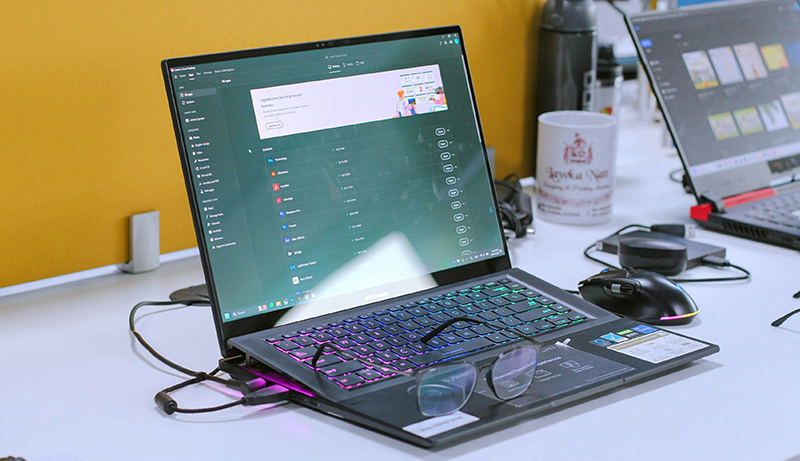
Choosing the right laptop for creative work in 2026 is about more than raw power—it’s about consistency, color accuracy, and smooth performance across demanding applications. If your workflow depends on photo editing, video production, graphic design, or motion graphics, you need a machine that can keep up without slowing your creativity.
Modern laptops now combine efficient processors, advanced graphics, and stunning displays that make long creative sessions more comfortable and productive. Battery life also matters, especially for creators who work on the go and need reliable performance away from a desk. Memory capacity and fast storage ensure seamless multitasking, letting you switch between projects effortlessly.
This guide to Best Laptops for Adobe Creative Cloud focuses on what truly matters for creators: balanced performance, visual clarity, and long-term reliability. Keep reading to discover what features make a laptop a true creative companion and how to choose one that fits your workflow perfectly.
Apple MacBook Air 13-inch M4 Chip (2025)
Experience seamless creativity with the Apple MacBook Air 13-inch M4 Chip (2025). Designed for those who demand power and portability, this laptop tackles intensive Adobe Creative Cloud tasks without slowing down. Its 13.6-inch Liquid Retina display brings your projects to life with stunning clarity and support for 1 billion colors, helping you see every detail precisely.
The M4 chip is engineered for smooth multitasking and fast processing, allowing you to edit photos, render videos, and manage complex layers with ease. You can maintain focus on your work rather than system lag, enhancing your productivity whether you’re at home, in the studio, or on the move.
Battery life extends up to 18 hours, so you won’t be tethered to a power outlet during long creative sessions. The laptop’s lightweight design complements its portability, making it effortless to carry. Its integration with the Apple ecosystem simplifies workflows, while built-in privacy features keep your data secure.
Maintenance is straightforward due to its solid-state design, minimizing the need for frequent hardware upkeep. However, connectivity is limited to two Thunderbolt 4 ports, which might require adapters for multiple devices. Also, the lack of a dedicated graphics card may affect performance in highly graphics-intensive applications.
Best for: Creative professionals and multitaskers seeking a portable, high-performance laptop with excellent display quality and seamless Apple ecosystem integration.
What We Like:
- Vibrant 13.6-inch Liquid Retina display with 1 billion colors for detailed visuals.
- Efficient Apple M4 chip supports smooth multitasking and creative software.
- Long-lasting battery life up to 18 hours for uninterrupted work.
- Lightweight and portable design ideal for on-the-go creativity.
- Strong privacy features and Apple ecosystem compatibility.
Specification:
| Feature | Details |
|---|---|
| Manufacturer | Apple |
| Display Size | 13.6 inches |
| Processor | Apple M4 Chip |
| Battery Life | Up to 18 hours |
| Ports | Two Thunderbolt 4 |
| Weight | Not specified |
| Color Options | Not specified |
Apple 2025 MacBook Air 15-inch M4 Laptop
The Apple 2025 MacBook Air 15-inch M4 Laptop redefines what a thin and light laptop can do. It meets the needs of creative professionals who require a blend of portability and power. The M4 chip delivers smooth performance for demanding Adobe Creative Cloud tasks, helping you work faster and more efficiently.
Its 15.3-inch Liquid Retina display offers vivid colors and True Tone technology, ensuring your color work is precise and reliable. This makes it ideal for photographers, designers, and video editors who depend on accurate visuals. Despite its large screen, the laptop remains remarkably light at just 3.32 pounds, making it easy to carry throughout your day.
Multitasking is seamless thanks to 24GB of unified memory and a 10-core CPU/GPU, which handle rendering and complex workflows without lag. The battery supports up to 18 hours of use, and fast charging keeps you productive without long interruptions. Features like Touch ID, MagSafe 3, and Thunderbolt 4 ports enhance convenience and workflow security.
Maintenance is straightforward with macOS optimization, and the durable design withstands everyday use. However, the 512GB SSD may require external storage for large media files, and having only two Thunderbolt 4 ports could limit connectivity options without adapters.
Best for: Creative professionals and power users who need a portable, powerful laptop with a large, color-accurate display.
What We Like:
- Powerful M4 chip with 10-core CPU/GPU and 24GB unified memory for smooth multitasking
- Bright 15.3-inch Liquid Retina display with True Tone and P3 wide color
- Long battery life up to 18 hours with fast charging support
- Lightweight design at just 3.32 pounds for easy portability
- Convenient features like Touch ID and MagSafe 3 for secure, fast access
Specification:
| Feature | Details |
|---|---|
| Manufacturer | Apple |
| Display Size | 15.3 inches |
| Display Type | Liquid Retina with True Tone and P3 wide color |
| Processor | Apple M4 chip (10-core CPU/GPU) |
| Memory | 24GB unified memory |
| Storage | 512GB SSD |
| Weight | 3.32 pounds (1.51 kg) |
| Ports | 2 x Thunderbolt 4, MagSafe 3 |
| Battery Life | Up to 18 hours |
Apple 2025 MacBook Air 13″ M4 Laptop Sky Blue
Experience the perfect blend of style and performance with the Apple 2025 MacBook Air 13″ M4 Laptop in Sky Blue. Its vibrant 13.6-inch Liquid Retina display brings your creative projects to life, offering sharp details and rich colors that enhance your workflow. Whether designing, editing, or multitasking, this laptop delivers smooth performance powered by the efficient M4 chip.
Designed for productivity on the move, the MacBook Air’s ultralight design means you can take it anywhere without hassle. With up to 18 hours of battery life, it supports long workdays or study sessions without frequent charging. This makes it ideal for users who need reliable performance across various locations.
Security and connectivity are seamlessly integrated. The Touch ID feature offers quick and secure access, while the 12MP Center Stage camera ensures clear video calls. Versatile ports including Thunderbolt 4 and Wi-Fi 6E keep you connected to high-speed networks and multiple devices, although support for only two external displays may limit some multitasking setups.
Maintenance is straightforward thanks to Apple’s robust design, though the laptop’s RAM and storage are not upgradeable, which could affect future needs. The Sky Blue finish adds a modern flair, but may not suit those preferring traditional laptop colors.
Best for: Students, professionals, and creators needing a lightweight, high-performance laptop with excellent display quality and versatile connectivity for on-the-go productivity.
What We Like:
- Bright 13.6-inch Liquid Retina display with support for 1 billion colors
- Long-lasting battery life up to 18 hours for all-day use
- Secure Touch ID and high-quality 12MP Center Stage camera
- Multiple connectivity options including Thunderbolt 4 and Wi-Fi 6E
Specification:
| Feature | Details |
|---|---|
| Manufacturer | Apple |
| Display Size | 13.6 inches |
| Processor | M4 Chip |
| Battery Life | Up to 18 hours |
| Weight | Ultralight design |
| Color Options | Sky Blue |
| Camera | 12MP Center Stage |
| Connectivity | Thunderbolt 4, Wi-Fi 6E |
Dell 15.6″ FHD Laptop, Intel Core i3, 8GB RAM
Experience reliable performance with the Dell 15.6″ FHD Laptop, designed to meet everyday computing needs with ease. Its Intel Core i3 processor and 8GB RAM provide a smooth experience for lighter creative tasks and general use. This laptop helps you stay productive without overcomplicating your workflow.
The vibrant 15.6-inch full HD display with a 120Hz refresh rate ensures clear and smooth visuals, reducing eye strain during extended work sessions. Dell’s ComfortView technology further enhances comfort, making it easier to focus on your projects for longer periods. The ergonomic design supports comfortable typing, improving your overall user experience.
Storage is fast and spacious with a 512GB SSD, allowing quick access to files and applications. This setup minimizes waiting times and keeps your work flowing efficiently. The Intel UHD Graphics handles basic editing tasks well, though it’s best suited for entry-level creative work rather than heavy video editing or 3D rendering.
Maintenance is straightforward, as the laptop’s components are optimized for smooth operation without demanding frequent updates or upgrades. However, the 8GB RAM and integrated graphics limit multitasking and performance in more demanding creative software.
Best for: Students, casual creators, and professionals seeking an affordable laptop for light design work and everyday productivity.
What We Like:
- Sharp 120Hz FHD display reduces eye strain
- Fast 512GB SSD for quick file access
- Comfortable ergonomic design for long use
- Reliable Intel Core i3 processor for basic tasks
- Lightweight and portable for everyday mobility
Specification:
| Feature | Details |
|---|---|
| Manufacturer | Dell |
| Display | 15.6 inches FHD (120Hz) |
| Processor | Intel Core i3 |
| RAM | 8GB |
| Storage | 512GB SSD |
| Graphics | Intel UHD Graphics |
| Weight | Approx. 4.0 lbs (1.81 kg) |
Lenovo V15 Gen 4 Business Laptop, 16GB RAM, 512GB SSD
Experience dependable performance tailored for the demands of modern professionals with the Lenovo V15 Gen 4 Business Laptop. Designed to streamline your daily tasks, this laptop helps you tackle multitasking challenges effortlessly, making your workflow smoother and more efficient. Its robust build supports reliable operation for extended use, reducing downtime and maintenance needs.
Equipped with an Intel Core i5-13420H processor and 16GB of RAM, the laptop ensures responsive performance for business applications and creative software like Adobe Creative Cloud. The 15.6″ Full HD display offers clear visuals, perfect for presentations and document reviews, though it may not meet the needs of users requiring advanced color precision.
Storage is ample with a 512GB SSD, delivering quick data access and enough space to keep essential files and applications within easy reach. The inclusion of multiple ports, such as USB Type-C, HDMI, and RJ45, enables seamless connection to various devices and networks, enhancing productivity and reducing setup complexity.
Designed for business users, the V15 Gen 4 includes practical features like a numeric keypad and a built-in webcam, supporting efficient data entry and virtual meetings. While these components are functional, they focus on essentials rather than advanced enhancements, keeping the device straightforward and easy to maintain.
Best for: Professionals and small business users needing a reliable, mid-range laptop with strong multitasking performance and versatile connectivity for everyday productivity.
What We Like:
- Responsive Intel Core i5 processor paired with 16GB RAM supports smooth multitasking.
- Fast 512GB SSD storage balances speed and ample capacity.
- Multiple connectivity ports enable flexible device and network integration.
- Practical numeric keypad and webcam support essential business tasks.
- Full HD display enhances clarity for general use and presentations.
Specification:
| Feature | Details |
|---|---|
| Manufacturer | Lenovo |
| Display Size | 15.6 inches |
| Processor | Intel Core i5-13420H |
| RAM | 16GB |
| Storage | 512GB SSD |
| Operating System | Windows 11 Pro |
| Graphics | Integrated Intel UHD Graphics |
| Ports | USB Type-C, HDMI, RJ45 |
| Weight | Approx. 1.7 kg (3.75 lbs) |
ASUS Laptop i5 24GB RAM 1TB SSD Windows 11
Experience seamless creativity and productivity with the ASUS Laptop featuring an Intel Core i5 processor and 24GB RAM. This laptop is designed to keep you moving without compromise. Its lightweight build and vivid 14-inch FHD display deliver clear visuals while staying highly portable.
The powerful 13th Gen Intel Core i5-1334U combined with ample RAM enables smooth multitasking, so you can run Adobe Creative Cloud apps and other software effortlessly. The 1TB SSD ensures quick access to your files and reduces load times, helping you stay focused on your projects.
Maintenance is straightforward with Windows 11 Pro, offering regular updates and security features like facial recognition to protect your data. Fast charging minimizes downtime, keeping you productive throughout your day whether at home, in the office, or on the go.
While the 14-inch screen balances portability and clarity, users who require larger displays for detailed editing might find it limiting. Battery life up to 8 hours supports most daily tasks but may require recharging during extended use. The integrated HD webcam covers basic video needs but may fall short for high-end conferencing requirements.
Best for: Creatives, students, and professionals seeking a lightweight, efficient laptop for multitasking and content creation on the move.
What We Like:
- Lightweight and portable 14-inch FHD display for clear visuals anywhere
- Strong 13th Gen Intel Core i5 processor with 24GB RAM for smooth multitasking
- Large 1TB SSD offers fast storage and quick file access
- Windows 11 Pro with facial recognition boosts security and ease of use
- Fast charging keeps the laptop ready for extended productivity
Specification:
| Feature | Details |
|---|---|
| Manufacturer | ASUS |
| Processor | Intel Core i5-1334U |
| RAM | 24GB |
| Storage | 1TB SSD |
| Display Size | 14 inches |
| Display Resolution | Full HD (FHD) |
| Operating System | Windows 11 Pro |
| Weight | 3.69 lbs (1.67 kg) |
| Webcam | HD 720p |
ASUS VivoBook S 15 OLED Laptop i5-12500H
Experience vibrant visuals and smooth performance with the ASUS VivoBook S 15 OLED Laptop i5-12500H. This laptop is designed to elevate your creative workflow with its 15.6-inch FHD OLED display, offering rich colors and sharp details that make every project come to life. Its brightness and color accuracy help reduce eye strain while enhancing your viewing experience.
Powered by the Intel Core i5-12500H processor and Intel Iris Xe graphics, it handles everyday creative tasks and multitasking with ease. The 8GB RAM and fast 512GB PCIe 4.0 SSD ensure quick responsiveness, allowing you to switch between apps without delay. Its slim aluminum chassis adds portability and durability, making it easy to carry for work or study.
The laptop’s Thunderbolt 4 ports provide fast data transfer and versatile connectivity options, while AI noise-canceling technology improves communication during virtual meetings. Maintenance is straightforward thanks to its compact design, although the onboard RAM limits upgrade possibilities, which may affect future performance needs.
This ASUS VivoBook model is ideal for users who want a vibrant OLED screen and responsive performance without the bulk. It suits casual creatives and multitaskers who prioritize display quality and efficient computing in a stylish package.
Best for: Creatives and casual users needing a vivid OLED display and responsive performance for light design work and multitasking.
What We Like:
- Sharp 15.6-inch FHD OLED display with vivid colors and high brightness
- Efficient Intel Core i5-12500H with Intel Iris Xe graphics for smooth operation
- Slim, lightweight aluminum design for easy portability
- Thunderbolt 4 ports for fast connectivity
- AI noise-canceling technology for clearer calls
Specification:
| Feature | Details |
|---|---|
| Manufacturer | ASUS |
| Display Size | 15.6 inches |
| Display Type | FHD OLED |
| Processor | Intel Core i5-12500H |
| Graphics | Intel Iris Xe |
| RAM | 8GB (partly onboard) |
| Storage | 512GB PCIe 4.0 SSD |
| Chassis Material | Aluminum |
| Weight | Approximately 3.75 lbs (1.7 kg) |
| Ports | Thunderbolt 4 |
Apple 2025 MacBook Pro 14.2″ M5 Chip
The Apple 2025 MacBook Pro 14.2″ with the M5 chip redefines performance for creative professionals. It tackles demanding Adobe Creative Cloud projects with ease, thanks to its powerful 10-core CPU and GPU. The 16-core Neural Engine enhances AI-driven workflows, making complex tasks smoother and faster.
Its 14.2-inch Liquid Retina XDR display delivers vibrant colors and sharp detail, perfect for precise design and video editing. With 1600 nits peak brightness and ProMotion technology at 120Hz, visuals stay fluid and true to life. This screen ensures your creative work looks its best under any lighting condition.
Connectivity is versatile with Thunderbolt 4, HDMI, and MagSafe 3 ports, supporting multiple devices and external displays. The MacBook Pro offers long battery life, so you can work uninterrupted throughout the day. macOS, optimized for Apple Silicon, provides seamless integration across Apple devices and strong privacy controls.
Maintenance is straightforward, with a durable build designed for everyday use. Though slightly heavier than ultraportables, it balances portability with powerful hardware. Its macOS environment suits users focused on multimedia and productivity within the Apple ecosystem.
Best for: Creative professionals and power users who demand superior performance, outstanding display quality, and smooth integration for multimedia projects.
What We Like:
- Efficient 10-core CPU/GPU and 16-core Neural Engine for intensive, AI-enhanced tasks
- Bright, color-accurate 14.2-inch Liquid Retina XDR with ProMotion 120Hz
- Wide port selection including Thunderbolt 4, HDMI, and MagSafe 3
- All-day battery supports long, uninterrupted work sessions
Specification:
| Feature | Details |
|---|---|
| Manufacturer | Apple |
| Display Size | 14.2 inches |
| Processor | M5 chip, 10-core CPU/GPU |
| Neural Engine | 16-core |
| Ports | Thunderbolt 4, HDMI, MagSafe 3 |
| Operating System | macOS optimized for Apple Silicon |
| Battery Life | All-day |
| Weight | Slightly heavier than ultraportables |
HP 14 Laptop Intel Celeron 4GB RAM 64GB Storage
Experience reliable everyday computing with the HP 14 Laptop, designed to keep you productive without the bulk. Its lightweight and slim profile means you can easily carry it wherever your day takes you. The 14-inch HD display offers clear visuals, helping you stay focused on tasks without straining your eyes.
Powered by the dual-core Intel Celeron processor, this laptop handles basic computing needs smoothly. Whether it’s browsing, document editing, or light Adobe Creative Cloud work, it balances performance and efficiency. The integrated Intel UHD Graphics 600 ensures visuals remain crisp for casual multimedia use.
Storage and memory are tailored for simplicity. The 64GB storage is ideal for essential files, while the 4GB RAM supports everyday multitasking. For heavier workloads or larger media files, external storage options can easily complement this setup. Windows 11 and a one-year Microsoft 365 subscription come pre-installed to enhance your workflow and keep you connected.
Maintenance is straightforward thanks to the compact design and durable build. The HD resolution offers a good balance between quality and power consumption, making this laptop suitable for users focused on basic creative projects without demanding processing power.
Best for: Students and professionals needing a portable, budget-friendly laptop for light productivity and entry-level creative tasks.
What We Like:
- Slim, portable design with a clear 14-inch HD screen
- Efficient Intel Celeron dual-core processor for everyday use
- Pre-installed Windows 11 and Microsoft 365 subscription
- Smooth visuals with Intel UHD Graphics 600
- Simple maintenance and easy portability
Specification:
| Feature | Details |
|---|---|
| Manufacturer | HP |
| Processor | Intel Celeron N4020 |
| RAM | 4GB |
| Storage | 64GB |
| Display | 14-inch HD (1366 x 768) |
| Graphics | Intel UHD Graphics 600 |
| Operating System | Windows 11 |
| Dimensions | Approx. 12.76 x 8.86 in |
| Weight | ~3.24 lbs (1.47 kg) |
Apple MacBook Pro 2024 with M4 Pro Chip
Experience a laptop that transforms demanding creative tasks into smooth, effortless workflows. The Apple MacBook Pro 2024 with the M4 Pro chip is crafted to handle intensive Adobe Creative Cloud projects without lag or slowdown. Its powerful processor ensures complex designs and multitasking run seamlessly, boosting your productivity.
The 14.2-inch Liquid Retina XDR display presents your work with stunning clarity and vibrant colors. With up to 1600 nits peak brightness, it brings out fine details, making it ideal for precision design and video editing. This display quality reduces eye strain during long creative sessions.
Equipped with 24GB of unified memory and a 1TB SSD, the MacBook Pro supports fast data access and smooth operation across multiple apps. The laptop’s design balances power with portability, though it is heavier than lighter models, reflecting its robust hardware. macOS optimizes Adobe apps, ensuring stability and strong privacy protection.
Maintenance is straightforward with macOS, requiring minimal user intervention to keep the system running efficiently. The long-lasting battery allows you to work unplugged for extended periods, ideal for professionals on the move.
Best for: Creative professionals and power users needing a high-performance laptop for intensive Adobe Creative Cloud tasks and complex workflows.
What We Like:
- Smooth multitasking with M4 Pro chip for demanding creative software
- Brilliant 14.2-inch Liquid Retina XDR display with high brightness and color accuracy
- Long battery life supports extended productivity without frequent recharging
- macOS integration enhances app performance and privacy
- Large unified memory and fast SSD ensure quick data handling
Specification:
| Feature | Details |
|---|---|
| Manufacturer | Apple |
| Display Size | 14.2 inches |
| Display Type | Liquid Retina XDR |
| Peak Brightness | Up to 1600 nits |
| Memory | 24GB unified memory |
| Storage | 1TB SSD |
| Processor | M4 Pro chip |
| Operating System | macOS |
| Weight | Heavier than smaller laptops (exact weight not provided) |
Factors to Consider When Choosing Laptop for Adobe Creative Cloud
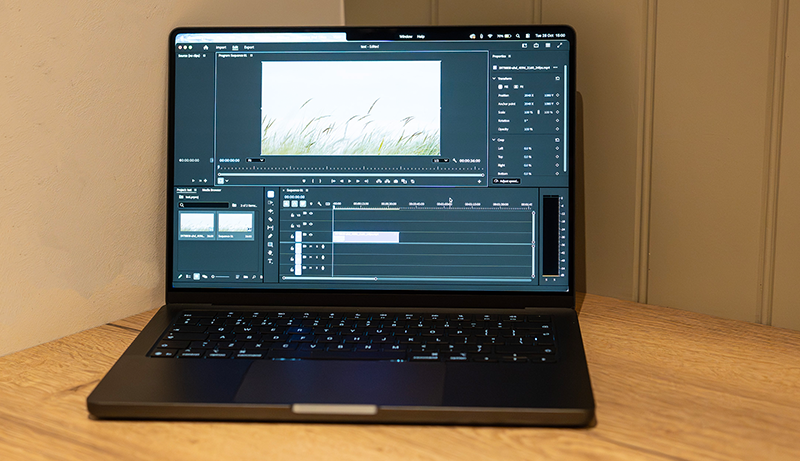
When selecting a laptop for Adobe Creative Cloud, you’ll want to prioritize processor power and RAM capacity to handle demanding tasks smoothly. Don’t overlook display quality and graphics performance since they directly impact your creative work’s accuracy and speed.
Finally, evaluate storage options to guarantee you have enough space for large project files and fast access.
Processor Power
How much processor power do you really need for Adobe Creative Cloud? Aim for a CPU with at least 6 cores to boost multitasking and speed up rendering. A base clock of 3.0 GHz or higher guarantees smooth performance during demanding tasks like video editing and graphic design.
Modern processors with hardware-accelerated multimedia engines—like Intel’s Iris Xe or Apple’s Neural Engine—greatly improve efficiency in your creative workflow. Multi-threaded processors help Adobe apps run seamlessly, cutting down lag during intensive editing. Finally, choosing the latest generation CPUs, such as Intel’s 13th Gen or Apple’s M4 series, assures you benefit from the newest performance enhancements, making your creative projects faster and more fluid.
Prioritize processor power to keep your work efficient and hassle-free.
RAM Capacity
Since Adobe Creative Cloud apps demand significant memory, choosing the right RAM capacity is essential for smooth performance. You’ll want at least 16GB of RAM to handle professional-level editing, design, and multimedia production without hiccups.
If your work involves large files or high-resolution media, consider 24GB or more to prevent slowdowns and speed up rendering times. Having more RAM also lets you multitask efficiently, running multiple Adobe apps simultaneously without lag.
While 8GB might cover basic tasks, it won’t cut it for complex projects. Plus, upgrading RAM extends your laptop’s lifespan by keeping pace with future software demands.
Prioritize laptops with ample RAM to ensure your workflow stays fast and responsive throughout your creative process.
Display Quality
Although selecting a laptop with powerful specs is essential, you also need a high-quality display to get the most out of Adobe Creative Cloud. A 4K or higher resolution screen guarantees sharper images and detailed editing, letting you work with precision. Look for displays supporting wide color gamuts like P3 or Adobe RGB for accurate color representation—vital for creative projects.
Peak brightness of 600 nits or more enhances visibility and color accuracy, especially in bright or HDR environments. OLED or Liquid Retina panels offer superior contrast and deeper blacks, making your visuals pop. Additionally, features like True Tone and anti-reflective coatings help maintain consistent colors and reduce eye strain during long editing sessions, so you can stay comfortable and productive.
Graphics Performance
When selecting a laptop for Adobe Creative Cloud, why does graphics performance matter so much? A powerful GPU with dedicated VRAM ensures smooth rendering and real-time editing, essential for demanding tasks in apps like Premiere Pro and After Effects. You’ll want hardware that supports features like ray tracing and HDR to enhance visual effects and manage complex workflows efficiently.
Also, choose graphics compatible with Adobe’s hardware acceleration to maximize speed. Recent architectures—Intel Iris Xe, AMD Radeon, or Apple’s M4 and M5 chips—offer significant boosts in processing power for graphic-intensive tasks. Pairing these with a display that supports wide color gamuts like P3 or DCI-P3 will help you achieve accurate colors and fine details, making your creative projects truly shine.
Storage Options
Because Adobe Creative Cloud projects involve large files and complex assets, you’ll want a laptop with ample, fast storage to keep your workflow smooth. Aim for at least 512GB of SSD storage to handle your projects without a hitch. If you frequently work with high-resolution images, videos, or intricate designs, consider models offering 1TB or more.
Prioritize laptops equipped with fast NVMe SSDs, which cut down load times and boost performance when saving, retrieving, or editing files. To expand capacity and maintain flexibility, look for laptops supporting external storage via Thunderbolt or USB-C. Choosing the right storage type and speed directly impacts how efficiently you can manage your Creative Cloud assets and guarantees your creative process remains uninterrupted.
Battery Longevity
If you rely on Adobe Creative Cloud for your projects, you need a laptop with strong battery longevity to keep up with your creative demands. Longer battery life lets you work through extended editing, designing, or rendering sessions without constantly hunting for a power outlet. Aim for devices offering up to 18 hours of battery life to guarantee seamless creative flow, especially when you’re on the move.
A high-capacity battery paired with energy-efficient hardware helps maintain peak performance while running demanding Adobe apps. Additionally, fast-charging capabilities are essential—they quickly restore your battery, minimizing downtime and letting you dive back into your work. Prioritizing battery longevity ensures you stay productive and creative, no matter where inspiration strikes.
Port Availability
Battery longevity keeps you powered through long creative sessions, but having the right ports guarantees you can connect all your essential devices without hassle. Make sure your laptop offers multiple USB-C, Thunderbolt, or HDMI ports to hook up external monitors, drawing tablets, or other peripherals key to your workflow.
You’ll want a variety of ports to connect external drives, SD card readers, and audio equipment without relying on adapters. Don’t overlook a dedicated headphone/microphone jack for clear audio recording and editing. Prioritize laptops with high-speed data transfer capabilities to handle large files smoothly, avoiding workflow interruptions.
Choosing a laptop with versatile port options enhances productivity and flexibility, making your Adobe Creative Cloud experience seamless and efficient.
Operating System Compatibility
When choosing a laptop for Adobe Creative Cloud, you’ll want to contemplate which operating system best fits your workflow and preferences. Adobe Creative Cloud runs smoothly on both macOS and Windows, so pick the platform you’re most comfortable with. macOS devices like the MacBook Air and MacBook Pro offer seamless integration and optimized performance, especially with Apple Silicon chips.
On the other hand, Windows laptops from brands like Dell, Lenovo, and ASUS also handle Creative Cloud apps well, as long as they meet Adobe’s minimum system requirements. Make sure your operating system is updated to the latest version supported by Adobe to avoid compatibility issues. Also, check for proper drivers, hardware acceleration, and sufficient RAM and processor speed for the best experience with Creative Cloud.
Frequently Asked Questions
How Do I Optimize Adobe Creative Cloud Performance on Older Laptops?
You can optimize Adobe Creative Cloud on older laptops by closing unnecessary apps to free up RAM and disabling background processes. Lower the app’s preview resolution and use proxies for video editing to reduce strain.
Make sure your software and drivers are updated, and increase your laptop’s virtual memory if possible. Also, consider upgrading your RAM or switching to an external SSD for faster file access.
These steps help keep performance smooth.
Can I Use External GPUS With These Laptops for Better Adobe Performance?
Yes, you can use external GPUs with many laptops to boost Adobe Creative Cloud performance. Just make sure your laptop has a Thunderbolt 3 or 4 port for the best connection. Using an eGPU can considerably speed up rendering, video editing, and other graphics-intensive tasks.
Keep in mind, though, not all laptops support eGPUs, so check compatibility before investing. It’s a great way to extend your laptop’s creative power without buying a new machine.
What Are the Best Laptop Accessories for Adobe Creative Cloud Users?
Think of your workflow as a well-oiled machine—having the right accessories keeps it running smoothly. You’ll want a color-accurate external monitor for precise edits, a pressure-sensitive stylus or graphic tablet to enhance creativity, and a reliable external SSD to speed up file transfers.
Don’t forget a comfortable mouse designed for precision and a sturdy laptop stand to improve ergonomics. These tools will boost your Adobe Creative Cloud experience markedly.
How Does Color Accuracy Impact Adobe Creative Cloud Work on These Laptops?
Color accuracy directly impacts how true your designs and edits look on screen, ensuring your work matches real-world colors. When you use Adobe Creative Cloud, precise color representation helps you avoid costly mistakes and rework.
If your laptop’s display isn’t accurate, your final output might look off on other devices or in print. So, you’ll want a laptop with high color accuracy to maintain consistency and professionalism in your creative projects.
Are There Any Recommended Cooling Solutions for Intensive Adobe Tasks?
You should definitely consider using a high-quality cooling pad or an external fan to keep your laptop’s temperature down during intensive Adobe tasks. Many creators also recommend elevating your laptop to improve airflow underneath.
If your laptop supports it, adjusting fan curves through software can help keep things cool. Don’t forget to clean your vents regularly—dust buildup can seriously reduce cooling efficiency and cause throttling during long editing sessions.
Conclusion
Choosing the best laptops for Adobe Creative Cloud is like picking the perfect brush for your masterpiece—it shapes how vividly your ideas come to life. Whether you lean toward Apple’s sleek M4 and M5 chips or prefer the versatility of Dell and Lenovo, make sure your device keeps up with your creative flow.
Don’t let lag or limits clip your wings; choose a laptop that lets your imagination soar without bounds. Your next big creation deserves nothing less.


Leave a Reply