
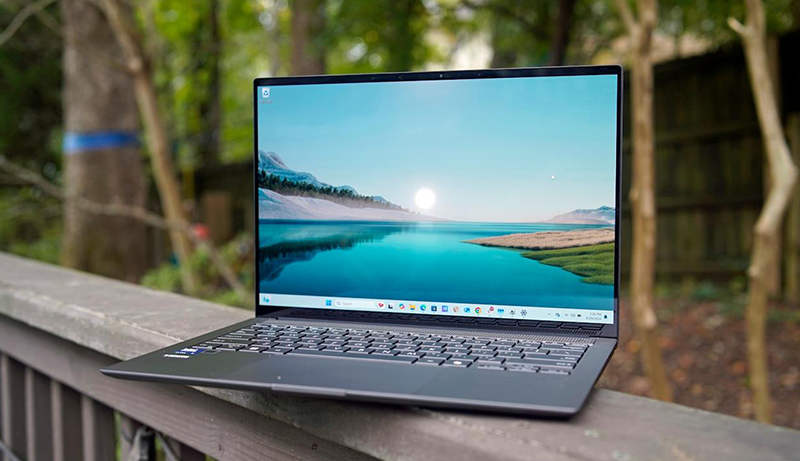
You’ll want a laptop with at least 8GB of RAM, a fast SSD, and a bright Full HD display to handle your coursework and multitasking in college in 2026.
Models like the Lenovo ThinkPad E16 Gen 2 or an ASUS laptop with an Intel i5 and 24GB RAM offer strong performance and durability for demanding projects, while slim options like the HP Ultra Slim keep things portable and easy to carry between classes.
Reliable connectivity and robust security features also matter for smooth remote learning and collaboration. When researching the Best Windows Laptops for College, focus on finding the perfect balance of power, portability, and features to meet your academic needs.
Lenovo ThinkPad E16 Gen 2 Business Laptop
Experience seamless productivity with the Lenovo ThinkPad E16 Gen 2, designed to power through your busiest days. This laptop addresses the common challenge of balancing speed and battery life, thanks to its Intel Core Ultra 5 125U processor with AI-assisted technology. Whether you’re managing complex projects or multitasking across apps, it keeps performance smooth and efficient.
The large 32GB DDR5 RAM and speedy 1TB PCIe NVMe SSD ensure you have ample space and memory to handle demanding software without slowdowns. Its 16-inch anti-glare display delivers clear visuals, reducing eye strain during extended use. Connectivity is simple with Thunderbolt 4 and USB-C ports, making it easy to plug in external devices or displays for enhanced workflow.
Built to last, this laptop meets MIL-STD 810H standards, offering durability for various environments, from campus to office. Maintenance is straightforward, with upgrade options primarily focused on memory and storage, helping you keep the device relevant over time. However, the integrated Intel graphics might limit high-end gaming or intensive 3D design work, and the 300-nit screen brightness may be less effective outdoors.
The ThinkPad E16 Gen 2 runs Windows 11 Pro with AI Copilot, providing a user-friendly interface tailored for study, design, and remote work. Its robust design and smart features make it a reliable companion for professionals and students alike.
Best for: Students and professionals needing a durable, efficient laptop for multitasking, design work, and remote collaboration.
What We Like:
- Efficient Intel Core Ultra 5 125U processor with AI-enhanced performance
- Large 32GB DDR5 RAM combined with fast 1TB SSD storage
- Durable build meeting MIL-STD 810H standards for reliability
- Versatile connectivity with Thunderbolt 4 and USB-C ports
Specification:
| Feature | Specification |
|---|---|
| Manufacturer | Lenovo |
| Processor | Intel Core Ultra 5 125U |
| RAM | 32GB DDR5 |
| Storage | 1TB PCIe NVMe SSD |
| Display | 16-inch anti-glare, 300 nits |
| Graphics | Integrated Intel graphics |
| Operating System | Windows 11 Pro with AI Copilot |
| Dimensions | Not specified |
| Weight | Not specified |
Lenovo IdeaPad 1 Student Laptop, Intel Dual Core
Step into your academic journey with the Lenovo IdeaPad 1 Student Laptop, designed to meet everyday student demands without compromise. This laptop handles multiple tasks smoothly, thanks to its Intel Celeron N4500 dual-core processor paired with a substantial 20GB RAM. It ensures you can run your study apps and browse efficiently without frustrating slowdowns.
Storage worries are alleviated with a combination of a 1TB PCIe NVMe SSD and a 128GB eMMC drive, offering fast data access and plenty of space for assignments and multimedia. The 15.6-inch Full HD IPS display provides clear, anti-glare visuals, making long study sessions easier on the eyes, even in moderately lit environments.
The IdeaPad 1 comes with Windows 11 Home pre-installed, along with a full year of Office 365, so you have the latest productivity tools ready at hand. Connectivity options like Wi-Fi 6, USB-C, and an SD card reader add flexibility, supporting both academic and entertainment needs.
While the processor suits lightweight tasks, it may struggle with demanding software or intensive gaming. The display’s 250 nits brightness is sufficient indoors but might be less effective in bright sunlight. Limited USB ports and absence of a dedicated GPU mean this laptop focuses on essential student tasks rather than heavy multimedia editing or gaming.
Best for: Students needing an affordable, reliable laptop with solid multitasking and generous storage for everyday academic and light multimedia use.
What We Like:
- Large 20GB RAM with combined fast storage for smooth performance
- 15.6″ Full HD IPS anti-glare display for comfortable viewing
- Windows 11 Home and 1 year Office 365 enhance productivity
- Versatile connectivity including Wi-Fi 6 and USB-C
Specification:
| Feature | Details |
|---|---|
| Manufacturer | Lenovo |
| Processor | Intel Celeron N4500 Dual-Core |
| RAM | 20GB |
| Storage | 1TB PCIe NVMe SSD + 128GB eMMC |
| Display Size | 15.6 inches |
| Display Type | Full HD IPS, Anti-Glare |
| Brightness | 250 nits |
| Operating System | Windows 11 Home |
| Connectivity | Wi-Fi 6, USB-C, SD Card Reader |
| Intended Use | Student, Light Multimedia |
HP 14″ Laptop 2025 Business with AI & Office
The HP 14″ Laptop 2025 Business with AI & Office is designed to keep you productive wherever you go. Its slim, lightweight frame fits easily into backpacks, making it an excellent companion for students and remote workers. This laptop streamlines your daily tasks, helping you stay focused without the bulk of heavier devices.
Equipped with an Intel N150 processor and 16GB of RAM, it handles multitasking, video conferencing, and web browsing smoothly. The combination of 128GB UFS storage and an additional 128GB SD card ensures you have enough space for important files and documents. This setup helps you avoid storage worries during busy workdays or study sessions.
Running Windows 11 Pro with AI Copilot, the laptop offers smart features that simplify your workflow. The included 1-year Microsoft 365 subscription enhances your productivity with familiar tools, enabling easy collaboration and document management. Wi-Fi 6 connectivity keeps your online experience fast and reliable, whether in a café or at home.
Maintenance is straightforward thanks to its durable build and efficient hardware. Although the 128GB primary storage might require occasional management, the extra SD card helps balance this limitation. Keep in mind that the Intel N150 processor is best suited for standard business and educational tasks rather than intensive gaming or heavy software use.
Best for: Students and remote workers seeking a portable, efficient laptop with integrated productivity tools and reliable performance.
What We Like:
- Slim, lightweight design for easy portability
- Smooth multitasking with Intel N150 and 16GB RAM
- Windows 11 Pro with AI Copilot enhances task management
- 1-year Microsoft 365 subscription included
- Fast, stable connectivity via Wi-Fi 6
Specification:
| Feature | Details |
|---|---|
| Manufacturer | HP |
| Screen Size | 14 inches |
| Processor | Intel N150 |
| RAM | 16 GB |
| Primary Storage | 128 GB UFS |
| Additional Storage | 128 GB SD card included |
| Operating System | Windows 11 Pro |
| Connectivity | Wi-Fi 6 |
| Color Options | Green |
| Weight | Lightweight (exact weight not specified) |
HP Ultra Slim Laptop with 1TB Cloud Storage
The HP Ultra Slim Laptop offers the perfect blend of portability and performance for users on the go. Its slim design and lightweight build make it easy to carry between classes or meetings without strain. The 14-inch HD micro-edge display delivers clear visuals, helping you stay focused whether studying or working remotely.
This laptop is tailored for everyday multitasking, powered by an Intel Celeron N4120 processor and 8GB of RAM. It handles web browsing, document editing, and streaming smoothly, ensuring your workflow remains uninterrupted. Storage is split between a 64GB SSD for quick access to essential files and a generous 1TB of cloud storage, keeping large files accessible without burdening the device.
Maintenance is straightforward since the cloud storage reduces the need to manage limited onboard space. Windows 11 Home in S mode offers a secure and streamlined experience, though it restricts app installations to the Microsoft Store unless switched out. The included Microsoft 365 subscription adds value for productivity and collaboration.
The laptop’s battery life supports long study sessions or workdays, and its fast charging feature minimizes downtime. This combination of features makes it a practical choice for students and professionals who prioritize mobility and reliable performance without heavy hardware.
Best for: Students and business users seeking a lightweight laptop with efficient multitasking and extensive cloud storage for daily tasks and remote work.
What We Like:
- Slim and lightweight design for easy portability.
- 1TB cloud storage complements limited SSD space.
- Efficient multitasking with Intel Celeron N4120 and 8GB RAM.
- Long battery life with fast charging capability.
- Microsoft 365 subscription enhances productivity.
Specification:
| Feature | Details |
|---|---|
| Manufacturer | HP |
| Dimensions | Not specified |
| Weight | 3.24 lbs |
| Display | 14-inch HD micro-edge |
| Processor | Intel Celeron N4120 |
| RAM | 8GB |
| Storage | 64GB SSD + 1TB Cloud |
| Operating System | Windows 11 Home in S mode |
ASUS Laptop i5 10-Core, 24GB RAM, 1TB SSD
Experience seamless multitasking and portability with the ASUS Laptop featuring a robust 10-core Intel i5 processor and 24GB of RAM. This combination ensures smooth performance whether you’re juggling multiple applications or working on complex projects. Its design prioritizes mobility, making it easy to carry between locations without sacrificing power.
The 14-inch Full HD display delivers crisp, vibrant visuals ideal for studying, presentations, or entertainment. At just 3.69 lbs, it balances screen clarity with lightweight convenience. The integrated NumberPad on the chiclet keyboard enhances data entry efficiency, streamlining your workflow without adding bulk.
Storage is fast and ample with a 1TB SSD, allowing quick access to files and applications, which reduces downtime. Battery life supports up to 8 hours of use, complemented by fast charging to get you back on track quickly. Connectivity options like WiFi and Bluetooth 5.1 keep you linked to networks and peripherals effortlessly.
Security features include a privacy-shutter webcam and Windows Hello facial recognition, offering peace of mind during video calls and protecting your personal information. The laptop’s construction is designed for easy maintenance, ensuring longevity with minimal effort.
Best for: Students, professionals, and remote workers who need a reliable, lightweight laptop that handles multitasking and productivity smoothly.
What We Like:
- Efficient 10-core Intel i5 processor paired with 24GB RAM for multitasking
- Lightweight 14-inch design with vibrant Full HD display
- Fast 1TB SSD storage enhancing responsiveness
- Privacy-shutter webcam and secure facial recognition
- Up to 8 hours battery life with fast charging capability
Specification:
| Feature | Details |
|---|---|
| Manufacturer | ASUS |
| Processor | Intel Core i5 (10-core) |
| RAM | 24GB |
| Storage | 1TB SSD |
| Display | 14-inch Full HD |
| Weight | 3.69 lbs (1.67 kg) |
| Connectivity | WiFi, Bluetooth 5.1 |
| Security | Privacy-shutter webcam, Windows Hello Facial Recognition |
HP 15.6″ Touchscreen Laptop Ryzen 3 8GB RAM
Discover a laptop designed to keep up with your busy lifestyle. The HP 15.6″ Touchscreen Laptop with AMD Ryzen 3 and 8GB RAM offers a smooth and efficient computing experience. Its responsive HD touchscreen allows for intuitive navigation, making everyday tasks like browsing and note-taking easier and faster.
This model’s lightweight natural silver chassis ensures you stay mobile without feeling weighed down. The anti-glare screen reduces eye strain during long study or work sessions, while the privacy camera shutter adds a layer of security for peace of mind. With up to 12 hours of battery life and quick charging, you can power through your day without constant recharging.
Performance is enhanced by the Ryzen 3 processor paired with 8GB of LPDDR5 RAM, enabling swift multitasking and smooth operation of common applications. Although the 128GB SSD storage is best suited for essential files and documents, it provides rapid access to your data and quick system start-ups.
Connectivity stays reliable with Wi-Fi 6 and Bluetooth 5.4, supporting modern wireless standards for stable internet and device pairing. The inclusion of Windows 11 Home in S Mode offers security and simplicity, though switching out of S Mode may be necessary for installing apps outside the Microsoft Store.
Best for: Students and professionals needing a lightweight, eco-conscious laptop with touchscreen functionality for daily productivity and multitasking.
What We Like:
- Responsive AMD Ryzen 3 7320U processor with 8GB LPDDR5 RAM.
- Clear 15.6-inch HD touchscreen featuring anti-glare and privacy controls.
- Extended battery life up to 12 hours with fast charging support.
- Modern connectivity including Wi-Fi 6 and Bluetooth 5.4.
- Secure design with camera shutter and microphone mute options.
Specification:
| Feature | Details |
|---|---|
| Manufacturer | HP |
| Display Size | 15.6 inches |
| Screen Type | HD Touchscreen (1366×768), anti-glare |
| Processor | AMD Ryzen 3 7320U |
| RAM | 8GB LPDDR5 |
| Storage | 128GB SSD |
| Operating System | Windows 11 Home in S Mode |
| Battery Life | Up to 12 hours |
| Connectivity | Wi-Fi 6, Bluetooth 5.4 |
| Color | Natural Silver |
| Weight | Lightweight (exact weight not specified) |
Dell Inspiron 15.6″ Touchscreen Laptop, 32GB RAM
The Dell Inspiron 15.6″ Touchscreen Laptop is designed to enhance productivity for users who juggle multiple tasks daily. With a robust 32GB RAM, it handles demanding applications and multitasking smoothly, reducing delays and interruptions. This makes it ideal for students and professionals who need reliability for coursework or projects.
Its responsive Intel Quad-Core i5 processor, reaching speeds up to 4.5GHz, ensures that apps run efficiently and projects are completed faster. The 15.6-inch Full HD touchscreen delivers clear, vibrant visuals with anti-glare technology, so you can work comfortably in various lighting conditions. The narrow bezels provide a modern look and more screen space for better focus.
Storage is fast and spacious with a 1TB SSD, offering quick boot times and ample room for files and media. Connectivity options including USB ports, HDMI, an SD card reader, and Wi-Fi 5 keep you linked to essential devices and networks. However, Wi-Fi 5 may not match the latest standards, and the integrated Intel UHD Graphics may not suit intensive gaming or graphic tasks.
The laptop’s display brightness peaks at 220 nits, which is sufficient for indoor use but might be challenging under strong sunlight. Overall, this Dell Inspiron model balances performance and usability, making it a versatile choice for study, work, and entertainment.
Best for: Students and professionals needing a powerful, multitasking touchscreen laptop with fast storage and reliable performance.
What We Like:
- Large 32GB RAM for smooth multitasking
- Fast 1TB SSD storage with quick file access
- Full HD 15.6″ touchscreen with anti-glare and narrow bezels
- Intel Quad-Core i5 processor up to 4.5GHz for efficient performance
- Multiple connectivity options including HDMI and SD card reader
Specification:
| Feature | Details |
|---|---|
| Manufacturer | Dell |
| Screen Size | 15.6 inches |
| Display Type | Full HD Touchscreen |
| Processor | Intel Quad-Core i5 |
| RAM | 32GB |
| Storage | 1TB SSD |
| Graphics | Integrated Intel UHD |
| Connectivity | Wi-Fi 5, USB, HDMI, SD card reader |
| Display Brightness | 220 nits |
| Weight | (Not specified) |
HP 15.6″ Laptop Ryzen 3, 16GB RAM, 512GB SSD
Experience seamless productivity with the HP 15.6″ Laptop featuring the efficient Ryzen 3 processor and a generous 16GB RAM. This laptop is designed to tackle daily college and work tasks effortlessly, ensuring smooth multitasking and quick response times. Whether you’re editing documents, browsing the web, or joining video calls, its performance keeps up without lag.
The Full HD 15.6-inch display offers sharp and clear visuals, making it easier to focus on studies or enjoy streaming downtime. Its lightweight design enhances portability, allowing you to carry it comfortably between classes or meetings. The laptop’s robust build requires minimal maintenance, giving you more time to concentrate on your work.
Running on Windows 11 Pro, this device provides enhanced security features and business tools that benefit both students and professionals. Connectivity is broad and versatile, with Wi-Fi 6, HDMI, and USB-C ports, supporting various peripherals and ensuring fast internet access. The battery life is long-lasting, and fast charging means less downtime during busy days.
While the Ryzen 3 processor handles everyday applications well, it is not intended for high-end gaming or resource-heavy creative software. Integrated graphics suffice for general use but may limit performance in graphic-intensive tasks. Additionally, the absence of a dedicated numeric keypad might affect data entry convenience for some users.
Best for: Students and professionals needing a lightweight, efficient laptop for everyday productivity tasks such as browsing, document editing, and video conferencing.
What We Like:
- Smooth multitasking with AMD Ryzen 3 and 16GB RAM
- Clear and vibrant 15.6-inch Full HD display
- Long battery life combined with fast charging
- Wide connectivity options including Wi-Fi 6, HDMI, and USB-C
Specification:
| Feature | Details |
|---|---|
| Manufacturer | HP |
| Processor | AMD Ryzen 3 7330U |
| RAM | 16GB DDR4 |
| Storage | 512GB SSD |
| Display Size | 15.6 inches |
| Display Type | Full HD |
| Operating System | Windows 11 Pro |
| Connectivity | Wi-Fi 6, HDMI, USB-C |
| Weight | Lightweight design (exact weight not specified) |
Dell Inspiron 15 Business Laptop, i5, 16GB RAM
Experience seamless productivity with the Dell Inspiron 15 Business Laptop, designed to keep up with your busiest days. Its 13th Gen Intel Core i5 processor and 16GB of RAM ensure smooth multitasking, letting you tackle complex assignments and projects without lag. This laptop helps you stay efficient by handling multiple applications effortlessly.
The 15.6-inch FHD anti-glare touchscreen delivers sharp, clear visuals that reduce eye strain during long study or work sessions. Its slim and lightweight structure allows easy portability, fitting comfortably in your backpack or briefcase. This makes it ideal for students and professionals who are often on the move.
With up to 10 hours of battery life, you can work or study throughout the day without searching for a power outlet. Connectivity options like WiFi 6 and Bluetooth keep you reliably connected to the internet and peripherals. The Windows 11 Pro operating system offers a secure and familiar interface for business and personal use.
Maintenance is straightforward with a durable design that withstands daily wear. The 512GB SSD provides fast boot times and quick access to files, though users with extensive storage needs might consider external drives. Integrated Intel graphics support everyday tasks, though it’s not suited for intensive gaming or high-end graphic work.
Best for: Students, professionals, and home office users needing a reliable and portable laptop for multitasking and demanding projects.
What We Like:
- Efficient 13th Gen Intel Core i5 processor with 16GB RAM for smooth performance
- Lightweight, slim design with a 15.6″ FHD anti-glare touchscreen
- Long battery life up to 10 hours supports all-day productivity
- Fast and responsive 512GB SSD storage
- Reliable connectivity with WiFi 6 and Bluetooth
Specification:
| Feature | Description |
|---|---|
| Manufacturer | Dell |
| Processor | 13th Gen Intel Core i5-1334U |
| RAM | 16GB |
| Storage | 512GB SSD |
| Display | 15.6″ FHD anti-glare touchscreen |
| Operating System | Windows 11 Pro |
| Weight | 6.04 lbs (2.74 kg) |
Lenovo IdeaPad 1 Student Laptop 15.6″ FHD
The Lenovo IdeaPad 1 Student Laptop is built to keep up with your busy academic life. Its 15.6″ FHD anti-glare screen reduces eye strain during long study sessions and provides clear visuals for streaming lectures or entertainment. This laptop offers reliable performance that helps you focus without interruptions.
Equipped with an Intel Celeron N4500 processor and 12GB of RAM, it supports smooth multitasking for everyday tasks like note-taking, web browsing, and running educational software. The combination of a fast 512GB SSD and 128GB eMMC storage ensures quick startup times and plenty of space for your files and projects.
Connectivity is seamless with Wi-Fi 6 and multiple ports, including USB-C and HDMI, allowing easy connection to external devices and networks. While the USB-C port is for data transfer only, the laptop still covers most essential needs for students on the go.
This lightweight, portable design fits easily into backpacks and is simple to maintain. Running Windows 11 Home with a one-year Office 365 subscription, it delivers familiar productivity tools right out of the box. The laptop’s brightness is suitable for indoor use, though it may be less effective in very bright environments.
Best for: Students and casual users looking for an affordable, portable laptop with solid multitasking performance for study and everyday use.
What We Like:
- Large 15.6″ FHD anti-glare display for comfortable viewing
- 12GB RAM with dual storage (512GB SSD + 128GB eMMC) for fast, smooth operation
- Wi-Fi 6 and multiple ports including USB-C and HDMI
- Preloaded with Windows 11 Home and a 1-year Office 365 subscription
Specification:
| Feature | Details |
|---|---|
| Manufacturer | Lenovo |
| Display Size | 15.6 inches |
| Display Type | FHD, anti-glare |
| Processor | Intel Celeron N4500 |
| RAM | 12GB |
| Storage | 512GB SSD + 128GB eMMC |
| Connectivity | Wi-Fi 6 |
| Ports | USB-C (data only), HDMI |
| Operating System | Windows 11 Home |
| Dimensions | Approx. 14.1″ x 9.2″ |
| Weight | Lightweight (approx. 3.2 lbs) |
Factors to Consider When Choosing Windows Laptop for College
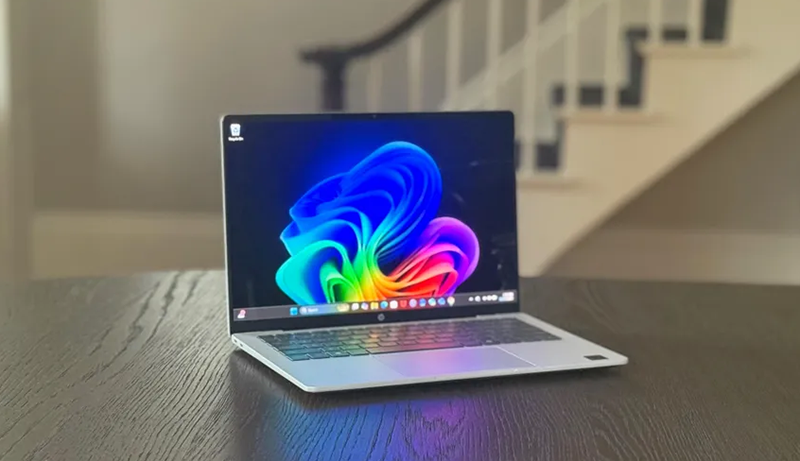
When choosing a Windows laptop for college, you’ll want to focus on performance, portability, and battery life to keep up with your busy schedule. Don’t forget to take into account display quality for comfortable viewing and the connectivity options you’ll need for all your devices.
Keeping these factors in mind will help you find the perfect laptop that fits your academic needs.
Performance Requirements
Because college demands multitasking and running various applications smoothly, you’ll want a laptop with a strong processor like an Intel Core i5 or AMD Ryzen equivalent. Aim for at least 8GB of RAM, though 16GB or more is ideal to handle multiple tabs and software without lag. Storage matters too—choose an SSD with 256GB or more to enjoy faster boot times and quick data access.
If you need enhanced productivity, consider laptops featuring dedicated neural processing units or AI-assisted tools. The key is balancing CPU power with sufficient RAM to keep your system responsive during academic tasks, virtual meetings, and multimedia use. This combination ensures your laptop keeps up with your workload without slowing you down.
Portability and Weight
A lightweight laptop that weighs under 4 pounds makes carrying it across campus much easier. When choosing your Windows laptop for college, focus on compact dimensions that fit snugly into your backpack or small bag. Thin, slim-profile laptops reduce bulk, so you won’t feel cramped when using them in crowded classrooms or busy cafes.
This portability not only minimizes fatigue during long days but also ensures you can move between classes without hassle. Keeping your laptop light and compact means you’ll actually want to carry it everywhere, making studying and note-taking more convenient. Prioritize a design that balances portability with durability, so your laptop stays comfortable to use and easy to transport throughout your busy college schedule.
Battery Life Expectations
How long your laptop’s battery lasts can make or break your college day. Aim for at least 8-10 hours of battery life so you can get through classes and study sessions without hunting for an outlet. Fast-charging is a lifesaver—look for models that recharge to 50% in 30-45 minutes, giving you quick power boosts between lectures.
Pay attention to battery health features that alert you when capacity drops, helping you avoid surprises. Remember, screen size, resolution, and brightness all affect battery life, so keep those settings in check. Finally, prioritize laptops with energy-efficient processors and hardware designed to optimize power use, ensuring you get the most out of every charge.
This way, your laptop won’t hold you back during busy college days.
Display Quality Needs
Battery life keeps you powered through long days, but the display quality shapes how comfortably and clearly you’ll see your work. Aim for a high-resolution screen, like Full HD (1920×1080), to enjoy sharp visuals whether you’re reading notes or streaming lectures.
An anti-glare coating helps reduce reflections and eye strain, especially during long study sessions or when working outdoors. Brightness levels above 250 nits ensure you won’t struggle to see your screen in bright classrooms or sunlight.
IPS panels deliver wider viewing angles and accurate colors, which is great if your coursework involves graphic design or media editing. Finally, a 15.6-inch display with a 16:9 or 16:10 aspect ratio strikes a good balance between portability and enough screen space for multitasking efficiently.
Connectivity Options
What connectivity features should you prioritize to make sure your laptop meets all your college needs? Start by ensuring it has multiple USB ports, including USB-A and USB-C, so you can easily connect flash drives, keyboards, or mice. HDMI or DisplayPort connections are vital for hooking up external monitors or projectors during presentations.
Check for Wi-Fi 6 and Bluetooth 5.2 or higher to enjoy fast, reliable wireless connections with modern devices. If you work with media, an SD card reader lets you transfer files directly from cameras without hassle. Ultimately, a headphone/microphone combo jack is essential for clear audio during online classes and video calls.
Prioritizing these connectivity options will keep you ready for any academic or multimedia task.
Budget Considerations
Beyond connectivity, you’ll want to set a clear budget before choosing a Windows laptop for college. Start by determining your maximum spending limit to narrow down your options and avoid overspending. Focus on balancing cost with essential features like processor speed, RAM, and storage to ensure the laptop handles your academic tasks efficiently.
Don’t overlook student discounts, special promotions, or refurbished models—they can stretch your budget further. Aim for cost-effective laptops that deliver the performance you need without costly, high-end extras. Remember, investing in a durable and reliable device might seem pricier upfront but can save you money by reducing repair or replacement costs down the road.
Sticking to these budget considerations helps you make a smart, practical choice for college.
Software Compatibility
How can you be sure your Windows laptop will support all the software you need for college? First, confirm the laptop runs a compatible OS, usually Windows 11 or an earlier version specified by your school. Check that essential programs—like Microsoft Office, Adobe Creative Suite, or any specialized academic software—work flawlessly on that version.
Don’t forget to verify driver support for peripherals such as printers, scanners, and external monitors to avoid last-minute hassles. Keep in mind that ongoing software updates and security patches are vital to maintain smooth performance and protect your data.
Finally, review your college’s technology guidelines carefully to guarantee your laptop meets all software compatibility requirements. This way, you’ll avoid surprises and stay productive throughout your studies.
Frequently Asked Questions
How Long Do Windows Laptop Batteries Typically Last on a Single Charge?
Windows laptop batteries typically last between 6 to 12 hours on a single charge, depending on the model and usage. If you’re doing light tasks like browsing or word processing, you can expect closer to 10-12 hours.
However, more intensive activities like gaming or video editing will drain the battery faster, usually around 6-8 hours. To get the most out of your battery, keep your brightness low and close unused apps.
Are Windows Laptops Compatible With Popular College Software Like Microsoft Office and Zoom?
Yes, Windows laptops are fully compatible with popular college software like Microsoft Office and Zoom. You’ll be able to install and run these programs smoothly since they’re designed to work seamlessly on Windows OS.
Whether you’re writing papers, creating presentations, or attending virtual classes, your Windows laptop will handle it all without a hitch, making your college experience much easier and more efficient.
Can I Upgrade the RAM or Storage on These Windows Laptops Later?
You can certainly customize certain Windows laptops by upgrading RAM or storage, but it depends on the model. Many budget-friendly and mid-range machines allow easy access to memory slots and storage bays, letting you boost performance as needed.
However, some slim or ultraportable laptops have soldered components, so upgrading isn’t possible. Before buying, check the manufacturer’s specs or user reviews to guarantee your chosen laptop supports future enhancements.
What Warranty Options Are Generally Available for College Laptops?
You’ll typically find standard one-year manufacturer warranties covering defects and hardware issues. Many brands offer extended warranty plans or accidental damage protection, which you can add for extra peace of mind. Some also provide on-site or next-day repair services, especially useful for busy college students.
Always check what’s included and consider your usage habits—upgrading your warranty can save you stress and repair costs down the line.
How Important Is Laptop Weight and Portability for College Students?
Laptop weight and portability are super important for you as a college student. You’ll be carrying your laptop to classes, libraries, and coffee shops all day, so a lightweight, slim design makes a huge difference in comfort.
You don’t want to lug around a heavy device that tires you out. Plus, a portable laptop lets you work anywhere, making it easier to stay productive between lectures and study sessions.
Conclusion
Choosing the best windows laptop for college isn’t just smart—it’s like equipping yourself with a supercomputer that can handle everything from late-night essays to marathon study sessions without breaking a sweat.
Imagine breezing through assignments and streaming lectures with lightning speed, all while your laptop stays cool and silent.
With any of these top picks, you’re not just surviving college—you’re absolutely dominating it.
Get ready to crush every deadline and own your academic journey!


Leave a Reply