

You’ll find powerful yet affordable PCs perfectly suited to small business needs, such as 15-inch laptops powered by Intel 13th Gen i5 processors and 16GB RAM that handle daily multitasking with ease.
You can also explore 15.6-inch models offering flexible configurations, from energy-efficient entry-level processors to higher-end setups supporting up to 32GB RAM for demanding workloads.
With fast SSD storage, crisp Full HD displays, versatile connectivity options, and business-friendly security features like privacy shutters and Windows 11 Pro, these systems are designed to keep productivity running smoothly—making it easier to choose the best pc laptop for small business that matches your workflow.
Dell Inspiron 15″ Touchscreen Laptop, 16GB RAM
Experience a laptop that adapts seamlessly to your busy lifestyle with the Dell Inspiron 15″ Touchscreen Laptop. This device combines power and portability, designed to handle demanding tasks while staying lightweight enough for on-the-go use. The Intel Core i5 processor with 10 cores ensures smooth multitasking, helping you stay productive whether you’re working, studying, or creating.
The 15-inch Full HD IPS touchscreen offers crisp visuals and intuitive interaction, making it easier to navigate apps and documents. It’s especially useful for professionals and students who prefer a tactile, responsive display. The laptop’s Intel UHD Graphics support everyday multimedia needs but is best suited for general use rather than intensive gaming or advanced editing.
Storage won’t slow you down thanks to the large 1TB SSD, providing fast access to files and the flexibility to expand if needed. Running on Windows 11 Pro with Microsoft Office pre-installed, it’s ready for business tasks and academic work right out of the box. Maintenance is straightforward, with solid-state storage reducing the risk of mechanical failures and the touchscreen built to handle regular use.
One limitation is the display brightness of 220 nits, which may challenge visibility in very bright outdoor settings. Additionally, the integrated graphics and SD card storage might not meet the needs of users requiring high-end multimedia performance or faster external storage.
Best for: professionals, students, and mobile users seeking a reliable, versatile laptop with touchscreen functionality and business-ready software.
What We Like:
- Powerful 10-core Intel Core i5 processor for efficient multitasking
- Clear and responsive 15″ Full HD IPS touchscreen for interactive use
- Large 1TB SSD with expansion options for ample and fast storage
- Pre-installed Windows 11 Pro and Microsoft Office for immediate productivity
Specification:
| Feature | Details |
|---|---|
| Manufacturer | Dell |
| Display Size | 15 inches |
| Display Type | IPS Touchscreen |
| Processor | Intel Core i5 (10 cores) |
| RAM | 16 GB |
| Storage | 1 TB SSD |
| Graphics | Intel UHD Graphics |
| Operating System | Windows 11 Pro |
| Pre-installed Software | Microsoft Office |
| Display Brightness | 220 nits |
16GB DDR4 512GB SSD 15.6″ Windows 11 Laptop
Experience seamless productivity with this 15.6″ Windows 11 laptop, designed to meet the demands of fast-paced work environments. Equipped with 16GB DDR4 RAM and a 512GB SSD, it ensures smooth multitasking and quick file access, helping you stay efficient throughout your day.
The 12th Gen Quad-Core Intel processor paired with integrated UHD graphics delivers reliable performance for everyday tasks and sharp visuals on its thin-bezel Full HD display. This combination makes it easy to handle multiple applications without lag, improving your workflow and focus.
Portability is a key feature here. With up to 8 hours of battery life and built-in WiFi 6, you can work uninterrupted whether you’re at the office, at home, or on the move. Its lightweight design and expandable storage options provide flexibility to adapt as your business grows.
Maintenance is straightforward thanks to the SSD’s durability and the laptop’s efficient cooling system. While the integrated graphics handle general graphical needs well, they may not support intensive gaming or graphic design software. Also, the battery capacity may require charging during extended heavy use.
Best for: Professionals and small business owners who need a reliable, portable laptop for multitasking and everyday productivity.
What We Like:
- Efficient 12th Gen Intel processor with integrated UHD graphics.
- Large 16GB RAM and fast 512GB SSD storage with expansion options.
- Thin-bezel Full HD display offering clear visuals.
- Lightweight design and long battery life for mobile use.
Specification:
| Feature | Details |
|---|---|
| Processor | 12th Gen Quad-Core Intel |
| RAM | 16GB DDR4 |
| Storage | 512GB SSD |
| Display | 15.6″ Full HD (Thin-bezel) |
| Graphics | Integrated UHD |
| Operating System | Windows 11 |
| Battery Life | Up to 8 hours |
| Connectivity | WiFi 6 |
| Weight | Lightweight (exact weight not specified) |
Lenovo 15.6″ Laptop with Intel Dual Core CPU
Experience efficient computing designed for everyday tasks with the Lenovo 15.6″ Laptop featuring an Intel Dual Core CPU. This laptop is built to help you manage work, studies, and communication without hassle. Its balanced performance targets users who need dependable speed without overspending.
Powered by the Intel Celeron N4500 processor and 8GB DDR4 RAM, it handles multitasking and common applications smoothly. The 256GB PCIe SSD ensures quick startup and ample space for essential files, making data access fast and reliable. This setup reduces waiting times, helping you stay productive throughout the day.
The 15.6-inch Full HD anti-glare display delivers clear visuals, minimizing eye strain during long hours of use. Dolby Audio speakers provide crisp sound, enhancing video calls and presentations. Connectivity options include Wi-Fi 6, USB-C, HDMI, and Ethernet ports, giving you flexibility for various devices and networks.
Designed with privacy in mind, the HD webcam comes with a shutter to secure your meetings. The laptop’s lightweight build makes it easy to carry, supporting your mobile lifestyle without adding bulk. While it’s not suited for heavy gaming or intensive graphic work, it excels at general productivity.
Best for: budget-conscious students and small business users needing a reliable laptop for multitasking, web browsing, and video conferencing.
What We Like:
- Smooth multitasking with Intel Celeron N4500 and 8GB RAM
- Clear 15.6″ Full HD anti-glare screen with quality Dolby Audio
- Wide connectivity including Wi-Fi 6, USB-C, HDMI, and Ethernet
- Privacy-focused HD webcam with shutter
- Lightweight design for easy portability
Specification:
| Feature | Details |
|---|---|
| Manufacturer | Lenovo |
| Display Size | 15.6 inches |
| Processor | Intel Celeron N4500 |
| RAM | 8GB DDR4 |
| Storage | 256GB PCIe SSD |
| Connectivity | Wi-Fi 6, USB-C, HDMI, Ethernet |
| Webcam | HD with privacy shutter |
| Weight | Lightweight (exact weight not specified) |
Lenovo 15.6″ Laptop, 32GB RAM, 1TB SSD
Discover a laptop that blends power and practicality to support your business needs. The Lenovo 15.6″ Laptop offers 32GB of RAM and a 1TB SSD, enabling smooth multitasking and quick access to your files. This combination helps small business owners and professionals handle daily workloads efficiently without lag or storage worries.
Its Intel Celeron N4500 processor and integrated Intel UHD Graphics provide reliable performance for routine tasks like browsing, editing documents, and video calls. The laptop’s 15.6″ Full HD anti-glare display ensures clear visuals while reducing eye strain during extended use. Dolby Audio speakers bring sharp, balanced sound to enhance video conferences and multimedia.
Designed for everyday work, the Lenovo laptop features Wi-Fi 6 and Bluetooth 5.2 for fast, stable connectivity. Multiple ports support versatile peripheral connections, although the presence of a USB 2.0 port may limit data transfer speeds. Its lightweight black chassis is easy to carry, and Windows 11 Home comes pre-installed for a familiar, secure interface.
Maintenance is straightforward with the solid-state drive reducing mechanical failures and the robust RAM helping prevent slowdowns. While the processor and integrated graphics are suitable for basic workloads, they may not meet the demands of heavy computing or graphic-intensive applications.
Best for: Small business owners and professionals seeking a budget-friendly laptop with strong multitasking capabilities for everyday tasks.
What We Like:
- Large 32GB RAM and 1TB SSD provide smooth multitasking and ample storage
- 15.6″ Full HD anti-glare display enhances comfort and clarity
- Dolby Audio speakers improve sound quality for calls and media
- Modern connectivity with Wi-Fi 6, Bluetooth 5.2, and multiple ports
Specification:
| Feature | Details |
|---|---|
| Manufacturer | Lenovo |
| Screen Size | 15.6 inches |
| RAM | 32GB |
| Storage | 1TB SSD |
| Processor | Intel Celeron N4500 |
| Graphics | Integrated Intel UHD |
| Connectivity | Wi-Fi 6, Bluetooth 5.2 |
| Operating System | Windows 11 Home |
| Color | Black |
| Weight | Lightweight (exact weight not specified) |
Dell Inspiron 15 Business Laptop, i5, 16GB RAM
Experience seamless productivity with the Dell Inspiron 15 Business Laptop, designed to meet the demands of busy professionals. Its 13th Gen Intel Core i5 processor paired with 16GB of RAM handles multitasking effortlessly, allowing you to switch between applications without lag. This laptop is built to improve your workflow and keep you focused throughout the day.
The 15.6-inch FHD touchscreen with anti-glare technology ensures crisp visuals and reduces eye strain during long hours of use. Its lightweight design, at just 3.65 lbs, makes it easy to carry between meetings or on business trips without feeling weighed down. You’ll appreciate the balance of performance and portability.
Storage won’t slow you down, thanks to the 512GB SSD, which enables fast boot times and quick access to files. The laptop also features WiFi 6 connectivity to maintain a stable and speedy internet connection. Windows 11 Pro comes pre-installed, offering enhanced security and productivity tools tailored for business users.
Maintenance is straightforward with robust build quality and reliable components, reducing downtime. The included Type-C accessories expand your connectivity options, adding versatility for various peripherals. Note that integrated Intel graphics are best suited for everyday tasks rather than high-end gaming or graphic-intensive work.
Best for: Professionals and business users needing a powerful, portable laptop for multitasking and reliable connectivity.
What We Like:
- Smooth multitasking with 13th Gen Intel Core i5 and 16GB RAM
- Sharp 15.6″ FHD touchscreen with anti-glare for comfortable viewing
- Lightweight design enhances portability for on-the-go use
- Fast 512GB SSD and WiFi 6 for quick access and connectivity
- Versatile Type-C accessories included for expanded functionality
Specification:
| Feature | Details |
|---|---|
| Manufacturer | Dell |
| Processor | 13th Gen Intel Core i5 |
| RAM | 16GB |
| Storage | 512GB SSD |
| Display | 15.6″ FHD touchscreen, anti-glare |
| Weight | 3.65 lbs (1.65 kg) |
| Operating System | Windows 11 Pro |
Lenovo V15 Gen 4 Business Laptop, 16GB RAM, 512GB SSD
Experience seamless productivity and effortless multitasking with the Lenovo V15 Gen 4 Business Laptop. Designed to meet the demands of modern business professionals, this laptop offers a powerful Intel Core i5 processor paired with 16GB of RAM, ensuring smooth performance even during intensive workloads. Its responsive system helps you tackle projects without delays, improving your overall efficiency.
The laptop’s 15.6-inch Full HD display provides clear and crisp visuals, making it easier to review documents and presentations. Its professional, slim design not only looks sleek but also enhances portability, allowing you to work comfortably from any location. The durable build means minimal maintenance, helping you stay focused on tasks rather than upkeep.
Connectivity is simplified with a range of ports including HDMI, USB Type-C, and RJ45, which ensures you can easily connect to external displays, peripherals, and networks. The 512GB SSD offers fast access to your files and applications, reducing wait times and increasing responsiveness during daily use.
Running on Windows 11 Pro, this laptop supports intuitive navigation and collaboration tools that streamline your workflow. While the integrated Intel UHD Graphics suit everyday business tasks, they are less ideal for graphic-intensive applications. The Full HD screen lacks touchscreen functionality, which might be a consideration based on your preferences.
Best for: Business professionals and small business users needing a reliable, portable laptop with strong multitasking capabilities and fast storage.
What We Like:
- Smooth multitasking with Intel Core i5 and 16GB RAM
- Fast and ample 512GB SSD storage
- Versatile connectivity options including HDMI and USB Type-C
- Clear Full HD display for professional use
- Lightweight and portable design
Specification:
| Feature | Details |
|---|---|
| Manufacturer | Lenovo |
| Processor | Intel Core i5 |
| RAM | 16GB |
| Storage | 512GB SSD |
| Display Size | 15.6 inches |
| Display Resolution | Full HD (1920 x 1080) |
| Graphics | Integrated Intel UHD |
| Operating System | Windows 11 Pro |
| Ports | HDMI, USB Type-C, RJ45 |
| Weight | Approximately 1.7 kg |
Lenovo 15.6″ Laptop with Intel Dual Core CPU
Experience reliable performance with the Lenovo 15.6″ Laptop, designed to simplify your daily computing needs. This laptop offers a budget-friendly solution for those needing a lightweight device that handles everyday business and study tasks efficiently. Its clear, Full HD anti-glare display reduces eye strain, making long hours of work or study more comfortable.
The laptop’s Intel Dual Core CPU paired with 8GB RAM and a 256GB SSD ensures smooth multitasking and quick access to your files. It keeps your workflow steady without unnecessary delays. Connectivity options like Wi-Fi 6 and Bluetooth 5.2 enhance your ability to stay connected, whether for remote work or online classes.
The device balances performance with convenience. Its array of ports, including USB-C and HDMI, supports various accessories and external displays, expanding your workspace. The HD webcam comes with a privacy shutter, giving you peace of mind during video calls by protecting your privacy when the camera is not in use.
Maintenance is straightforward due to its solid build and efficient design. The Lenovo laptop is ideal for users who need a dependable machine for routine tasks without the complexity or weight of high-end models. Note that the Intel Celeron N4500 processor may not support heavy multitasking or advanced software but performs well for basic productivity.
Best for: Students, professionals, and everyday users seeking an affordable, lightweight laptop for web browsing, document editing, and video conferencing.
What We Like:
- Sharp 15.6″ Full HD anti-glare screen for comfortable viewing
- Reliable performance with Intel Dual Core CPU and 8GB RAM
- Fast storage access via 256GB SSD
- Broad connectivity: Wi-Fi 6, Bluetooth 5.2, USB-C, HDMI
- Privacy shutter on HD webcam for secure video calls
Specification:
| Feature | Details |
|---|---|
| Manufacturer | Lenovo |
| Display Size | 15.6 inches |
| Processor | Intel Celeron N4500 Dual Core |
| RAM | 8 GB |
| Storage | 256 GB SSD |
| Connectivity | Wi-Fi 6, Bluetooth 5.2 |
| Ports | USB-C, HDMI |
| Webcam | HD with privacy shutter |
| Weight | Not specified |
HP 15.6″ Business Laptop with Microsoft 365 Copilot
The HP 15.6″ Business Laptop with Microsoft 365 Copilot is designed to enhance your productivity and simplify multitasking. It addresses common workflow challenges by offering smooth performance powered by an Intel 4-Core N100 CPU and 16GB RAM. This combination lets you handle multiple applications without slowing down.
Storage is cleverly balanced with 1TB OneDrive cloud space and 128GB UFS local storage, giving you flexibility and ample room for important files. This setup supports seamless file access whether you are online or offline. The HD anti-glare display improves visibility in various lighting conditions, reducing eye strain during long work sessions.
Video meetings are clearer thanks to the HD camera with Temporal Noise Reduction, which minimizes distractions from background noise. Multiple versatile ports ensure you stay connected to essential devices throughout your workday. Running Windows 11 with integrated Microsoft 365 Copilot, the laptop helps streamline tasks and boost efficiency.
Maintenance is straightforward, with reliable hardware components designed for daily business use. The sleek design balances portability with screen size, though the HD display may not meet needs for ultra-high resolution. A mouse isn’t included, so consider adding one for easier navigation.
Best for: Business professionals and entrepreneurs who need a dependable laptop for multitasking, cloud integration, and enhanced productivity with Microsoft 365 Copilot.
What We Like:
- Smooth multitasking with Intel 4-Core N100 CPU and 16GB RAM
- Flexible 1.1TB storage combining local and cloud solutions
- Clear visuals via HD anti-glare screen and noise-reduced HD camera
- Versatile ports for easy device connectivity
- Windows 11 and Microsoft 365 Copilot integration for streamlined workflows
Specification:
| Feature | Details |
|---|---|
| Manufacturer | HP |
| Display Size | 15.6 inches |
| Processor | Intel 4-Core N100 |
| RAM | 16 GB |
| Storage | 1TB OneDrive + 128GB UFS |
| Operating System | Windows 11 |
| Camera | HD with Temporal Noise Reduction |
| Weight | Not specified |
| Color Options | Not specified |
Lenovo ThinkPad E16 Gen 3 Business Laptop
The Lenovo ThinkPad E16 Gen 3 is designed to meet the needs of professionals who require a laptop that blends power with reliability. Its robust Intel Core Ultra 7 255H processor and 32GB DDR5 RAM enable seamless multitasking, helping you stay productive when managing complex workflows. This laptop ensures smooth operation even during intensive business applications.
Built for durability, the ThinkPad E16 Gen 3 adheres to MIL-STD 810H standards, making it a reliable choice for users operating in demanding environments. Its dual 512GB SSDs not only enhance data access speeds but also improve system responsiveness, reducing downtime and enhancing workflow efficiency.
The 16-inch WUXGA IPS display delivers sharp and clear visuals, ideal for presentations and detailed work. Coupled with Intel Arc graphics and the capability to connect three 4K external monitors, this laptop supports extensive multitasking and complex graphical tasks. Connectivity is comprehensive, featuring Thunderbolt 4, HDMI 2.1, and Wi-Fi 6E to keep you seamlessly connected.
Security is integrated with a fingerprint reader and a privacy-shuttered 5MP webcam, protecting sensitive information and ensuring privacy during video calls. While its integrated graphics may not suit high-end gaming or extremely demanding graphic design, the ThinkPad E16 Gen 3 excels in business applications that require reliability and performance.
Best for: Professionals and small business users who need a powerful, durable, and secure laptop capable of handling demanding multitasking and connectivity needs.
What We Like:
- Powerful Intel Core Ultra 7 255H processor with 32GB DDR5 RAM for efficient multitasking
- MIL-STD 810H certification ensures durability in tough conditions
- Supports three external 4K monitors with Intel Arc graphics for enhanced productivity
- Comprehensive connectivity options including Thunderbolt 4 and Wi-Fi 6E
- Security features like fingerprint reader and privacy-shuttered webcam
Specification:
| Feature | Details |
|---|---|
| Manufacturer | Lenovo |
| Dimensions | Not specified |
| Weight | Not specified |
| Processor | Intel Core Ultra 7 255H |
| RAM | 32GB DDR5 |
| Storage | Dual 512GB SSD |
| Display | 16-inch WUXGA IPS |
| Graphics | Intel Arc |
| Connectivity | Thunderbolt 4, HDMI 2.1, Wi-Fi 6E |
| Security Features | Fingerprint reader, privacy-shuttered 5MP webcam |
| Durability Standard | MIL-STD 810H |
HP 14″ Laptop, Intel Quad-Core, 16GB RAM
Experience the perfect blend of portability and performance with the HP 14″ Laptop. Designed to handle your daily computing needs, this laptop helps you stay productive whether at home, school, or on the go. Its compact size and lightweight build make it easy to carry, while the intuitive Windows 11 Home operating system supports a smooth workflow.
Powered by the Intel Celeron N4120 processor and 16GB DDR4 RAM, this laptop effortlessly manages multitasking and everyday applications. You can switch between tasks without lag, enhancing your efficiency. The 14-inch HD BrightView display offers clear visuals, ideal for work, streaming, or browsing.
Storage comes in the form of 64GB eMMC, which ensures quick boot times and faster access to your essential files. However, this capacity might require additional external storage for users handling larger files or media libraries. Connectivity options such as USB-C, HDMI, and Ethernet ports allow you to connect various devices seamlessly.
Maintenance is straightforward with this model, as its design minimizes overheating and supports easy software updates. The inclusion of a 1-year Office 365 subscription adds immediate value for students and professionals needing productivity tools.
Best for: Students and professionals seeking a compact, efficient laptop with solid multitasking capabilities for everyday use.
What We Like:
- Robust 16GB DDR4 RAM for smooth multitasking
- Versatile connectivity with USB-C, HDMI, and Ethernet ports
- Preloaded Windows 11 Home with a 1-year Office 365 subscription
- Lightweight design ideal for mobility
Specification:
| Feature | Details |
|---|---|
| Manufacturer | HP |
| Display Size | 14 inches |
| Processor | Intel Celeron N4120 |
| RAM | 16GB DDR4 |
| Storage | 64GB eMMC |
| Operating System | Windows 11 Home |
| Connectivity | USB-C, HDMI, Ethernet |
| Weight | Approximately 3.2 lbs |
| Color Options | Not specified |
Factors to Consider When Choosing a PC Laptop for Small Business
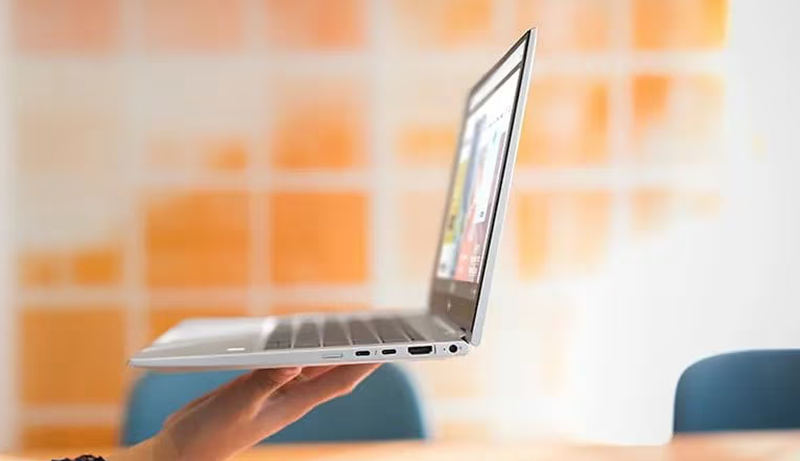
When choosing a PC laptop for your small business, you’ll want to focus on processor performance, memory, and storage to keep things running smoothly. Don’t forget to take into account the display size and resolution for comfortable viewing, plus the types and number of ports for your devices.
Finally, make sure the operating system fits your software needs and workflow.
Processor Performance Needs
Since your small business relies on smooth multitasking and efficient data processing, choosing a processor with the right core count and clock speed is essential. Look for CPUs with higher core and thread counts to handle multiple demanding applications simultaneously without lag.
Modern processors boasting base and boost speeds around 4.0 GHz or higher deliver faster data processing, speeding up your workflow. Opt for current-generation models like Intel’s 12th or 13th Gen, as they provide improved performance, energy efficiency, and useful integrated features tailored for business needs.
For routine tasks like accounting, emailing, and browsing, a mid-range Intel Core i5 or AMD Ryzen 5 will serve you well. However, if your work involves multimedia editing or managing large databases, consider investing in a high-performance CPU with advanced architecture and larger cache sizes to keep things running smoothly.
Memory and Storage Options
Two key components you should focus on when choosing a PC laptop for your small business are memory and storage. For smooth multitasking and running multiple applications, aim for 8GB to 16GB of RAM. This range handles everyday business tasks efficiently without slowing you down.
Storage affects how much data you can keep locally—256GB to 1TB SSDs are ideal for fast access and reliable performance. SSDs markedly boost system responsiveness compared to traditional HDDs, cutting startup and load times. Also, look for laptops that allow you to upgrade memory and storage later, giving you flexibility as your business grows.
Balancing adequate RAM with sufficient SSD space ensures your laptop meets both current workload demands and future data needs without compromise.
Display Size and Resolution
Choosing the right display size and resolution can substantially impact your daily workflow and overall comfort. A larger screen, like 15.6 inches or more, gives you ample space for multitasking and detailed tasks, reducing the need to constantly switch between windows. Opt for a Full HD (1920×1080) or higher resolution to enjoy sharper images and clearer text, which helps reduce eye strain and boosts productivity.
If your work involves presentations or interactive apps, a touchscreen can make navigation smoother. Look for anti-glare coatings to minimize reflections, especially if you work long hours. Also, consider displays with wider aspect ratios and higher brightness levels (measured in nits) to improve viewing comfort and clarity, ensuring you can focus on your work without distractions.
Port Availability and Types
How well does your laptop connect with other devices? When choosing a small business laptop, ensure it has enough USB ports—ideally a mix of USB-C, USB-A, and USB 3.2—to support various peripherals. Check for HDMI or DisplayPort outputs so you can easily hook up external monitors for a bigger workspace.
If you often transfer files from cameras or other devices, an SD card reader is a must-have. Don’t forget audio jacks for microphones or speakers, which are essential for clear communication and multimedia tasks. Also, consider whether the laptop has an Ethernet port or supports adapters to guarantee reliable wired internet, especially if Wi-Fi is spotty.
Prioritizing these ports keeps your setup flexible and efficient.
Operating System Compatibility
What operating system works best for your small business needs? Start by ensuring your PC laptop’s OS—be it Windows, macOS, or Linux—is fully compatible with your essential business software and applications.
Regular updates and security patches are vital to keep your data safe, so pick an OS that receives consistent support. Make sure it integrates smoothly with your existing tools, cloud services, and network setup. Also, consider how familiar your team is with the OS to reduce training time and boost productivity.
Finally, confirm the OS version aligns with your company’s IT policies and licensing requirements. Choosing the right operating system helps your business run efficiently and securely without unnecessary hassle.
Battery Life Expectations
After confirming your operating system fits your business needs, it’s equally important to contemplate battery life when selecting a PC laptop. Aim for a device offering at least 8-10 hours of battery life to power through a full workday without frequent recharging. Check the battery capacity, measured in watt-hours (Wh); higher Wh usually signifies longer usage.
Opt for laptops with power-efficient processors and LED or OLED displays to maximize runtime. Keep in mind that active tasks like video calls, heavy browsing, or multitasking will drain the battery faster. Also, remember battery capacity declines over time, so prioritize models with strong reviews on battery longevity and health.
This way, you ensure your laptop stays reliable throughout its lifespan, supporting your business productivity effortlessly.
Connectivity Features Required
While selecting a PC laptop for your small business, you’ll want to prioritize connectivity features that keep you productive and flexible. Look for a laptop with a mix of USB-A and USB-C ports to connect printers, external drives, and other peripherals without hassle.
An HDMI or DisplayPort is vital if you plan to use external monitors to expand your workspace. Fast, stable internet is essential, so opt for models with Wi-Fi 6 or Wi-Fi 6E. Bluetooth 5.0 or higher guarantees smooth pairing with wireless headsets, keyboards, and mice.
Don’t overlook Ethernet ports or compatible adapters, as wired connections provide reliable internet access when Wi-Fi falters. Prioritizing these features helps maintain seamless workflow and adaptability in your business environment.
Build Quality and Durability
Though you might focus on specs and performance, build quality and durability are just as essential when choosing a PC laptop for your small business. You want a sturdy chassis made from materials like aluminum or reinforced plastic to resist daily wear and accidental bumps. Durable hinges and secure latches prevent screen wobbling and accidental closures, extending your laptop’s lifespan.
Spill-resistant keyboards and reinforced ports protect internal components from liquid damage and frequent use. Look for compliance with military-grade standards such as MIL-STD-810H; it ensures your laptop can handle shocks, vibrations, and extreme conditions. Additionally, reinforced screen glass like Gorilla Glass keeps scratches and impacts at bay, maintaining clear visuals over time.
Prioritizing these features means you’re investing in reliability and long-term value.
Frequently Asked Questions
What Are the Best Software Tools for Small Business Productivity?
You’ll want to use tools like Microsoft 365 for document creation and collaboration, Slack for team communication, and Trello or Asana to manage projects easily.
QuickBooks helps with accounting, while Google Workspace offers cloud storage and email solutions. These tools streamline your workflow, keep your team connected, and save time.
Don’t forget to explore automation tools like Zapier to integrate apps and boost efficiency even more.
How Can I Secure My Small Business PC From Cyber Threats?
Did you know 43% of cyber attacks target small businesses? To secure your PC, you should install reliable antivirus software and enable firewalls. Regularly update your operating system and apps to patch vulnerabilities.
Use strong, unique passwords and enable two-factor authentication. Back up your data frequently and educate your team about phishing scams.
Taking these steps helps protect your business from costly breaches and keeps your data safe.
What Are the Warranty and Support Options for Small Business PCS?
You’ll typically get standard warranties covering hardware defects for one to three years, often with options to extend. Many manufacturers offer on-site support, next-business-day repairs, and dedicated small business help desks. Some include accidental damage protection and data recovery services.
It’s smart to choose a PC with flexible support plans so you can upgrade coverage as your business grows or needs change, ensuring minimal downtime and peace of mind.
How Do PCS for Small Business Differ From Gaming Laptops?
You’ll notice small business PCs focus on reliability, security, and multitasking rather than high-end graphics or gaming performance. They often come with features like better warranty support, business-grade processors, and enhanced connectivity.
Gaming laptops prioritize powerful GPUs and fast refresh rates for smooth gameplay, while business PCs emphasize stability and productivity tools. So, if you need a machine for work, business PCs suit your needs better than gaming laptops.
Can I Upgrade the Hardware Components in These Small Business PCS?
Yes, you can upgrade hardware components in most small business PCs. They’re often designed with easy access to parts like RAM, storage drives, and sometimes even the CPU or GPU.
This flexibility lets you boost performance as your business grows without buying a whole new system. Just check the PC’s specifications and warranty terms before upgrading, so you don’t accidentally void anything or run into compatibility issues.
Conclusion
Choosing the perfect PC for your small business isn’t just important—it’s downright life-changing. With these top picks, you’re not just buying a computer; you’re investing in a powerhouse that can handle everything from spreadsheets to presentations like a pro, making it easier to find the best pc laptop for small business without unnecessary stress.
Don’t settle for sluggish, outdated machines—choose a system that works as hard as you do. Your business deserves speed, reliability, and affordability, all wrapped into one sleek, dependable device built to support your growth every step of the way.


Leave a Reply