
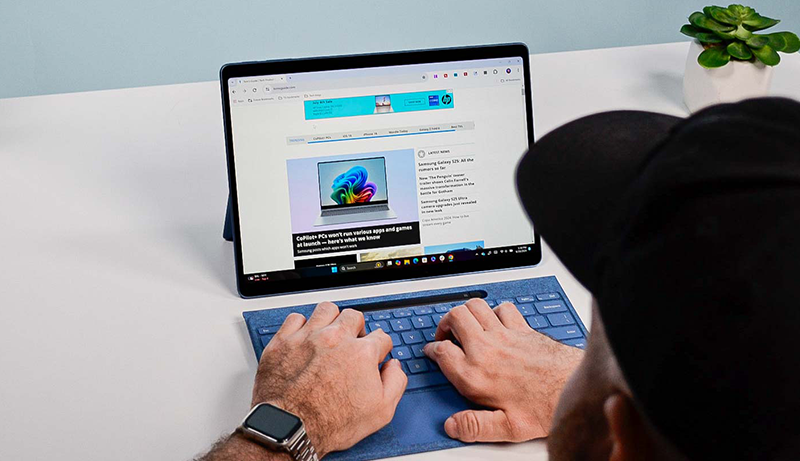
You want a notebook that handles multitasking, offers a sharp, anti-glare display, and runs smoothly on Windows 11 or similar for your writing and research needs. The Best Notebook Laptops for Writers are built to balance performance and comfort, helping you stay focused for long sessions without interruption.
Models like the HP Ultrabook 14, ASUS Vivobook Go Ryzen 5, and HP 17.3″ with i5 processors give you fast SSD storage, long battery life, and portable, lightweight designs.
Plus, features like fingerprint readers and HD webcams protect and enhance your work.
Keep scrolling to find the perfect fit for your workflow.
HP Ultrabook 14 Laptop with Windows 11 Pro
Experience seamless productivity with the HP Ultrabook 14 Laptop, designed to keep pace with your demanding work and multitasking needs. Its quad-core 13th Gen Intel N150 processor turbo boosts up to 3.6 GHz, helping you handle writing, editing, and web applications effortlessly. This Ultrabook’s responsive performance reduces wait times, making your workflow smoother.
The laptop features 16GB DDR4 RAM and a 128GB UFS internal drive paired with a 500GB external storage device. This combination offers both speed and ample space, although the internal storage may require supplemental external drives for larger projects. The 14-inch anti-glare HD display provides comfortable viewing during long sessions, though it’s not Full HD, which could affect image sharpness for detailed visuals.
Built with portability in mind, the HP Ultrabook is lightweight and easy to carry. It includes the latest Windows 11 Pro for enhanced security and productivity, plus Microsoft Office 2024 at no extra cost. The integrated HP True Vision 720p camera and dual microphones support clear video calls, making it ideal for remote work and virtual meetings.
Maintenance is straightforward with reliable components and a design focused on durability. However, carrying the external 500GB drive adds some bulk, which might be a consideration for users on the go.
Best for: Professionals, students, and small business users needing a versatile, portable laptop for multitasking, writing, and video conferencing.
What We Like:
- Efficient quad-core 13th Gen Intel N150 CPU with Turbo Boost up to 3.6 GHz
- Smooth multitasking with 16GB DDR4 RAM and fast internal UFS storage
- Includes Windows 11 Pro and Microsoft Office 2024 for productivity out of the box
- Built-in HD camera and dual microphones for clear video calls
Specification:
| Feature | Details |
|---|---|
| Manufacturer | HP |
| Processor | 13th Gen Intel N150 |
| RAM | 16GB DDR4 |
| Internal Storage | 128GB UFS |
| External Storage | 500GB (external drive) |
| Display | 14-inch HD anti-glare |
| Camera | HP True Vision 720p |
| Operating System | Windows 11 Pro |
| Included Software | Microsoft Office 2024 |
| Weight | Lightweight (exact weight not specified) |
HP 17.3″ Laptop i5, 16GB RAM, 512GB SSD
The HP 17.3″ Laptop is designed to enhance productivity with its large, vibrant display that reduces eye strain during long work sessions. This laptop helps you stay focused, whether writing, studying, or multitasking across multiple applications. The spacious Full HD IPS screen delivers clear visuals and wide viewing angles, making it easier to collaborate or view content from different positions.
Powered by a 13th Gen Intel Core i5 processor and 16GB of RAM, this laptop handles everyday tasks smoothly and boots up quickly thanks to the 512GB SSD. Its efficient performance supports multitasking without slowing down, so you can switch between projects seamlessly. The lift-hinge design improves typing comfort and airflow, helping maintain a cooler device during extended use.
Maintenance is straightforward, with a durable build that incorporates energy-efficient components and recycled plastics, reflecting an environmentally conscious design. The built-in HD camera includes a physical privacy shutter to safeguard your video calls, offering peace of mind during remote meetings.
While the laptop is slightly heavier at 4.6 pounds, it balances a large screen with portability suitable for home or office use. Note that integrated graphics are best for standard tasks, and storage upgrades beyond the built-in SSD are limited.
Best for: Professionals, students, and writers seeking a spacious, efficient laptop for multitasking and long hours of use.
What We Like:
- Large 17.3-inch Full HD IPS display reduces eye strain and supports multitasking
- Fast 13th Gen Intel Core i5 with 16GB RAM and 512GB SSD for smooth daily performance
- Eco-friendly design using recycled plastics and energy-efficient components
- Lift-hinge design enhances typing comfort and cooling
- Privacy shutter on HD camera adds security for video calls
Specification:
| Feature | Details |
|---|---|
| Manufacturer | HP |
| Display Size | 17.3 inches |
| Processor | 13th Gen Intel Core i5 |
| RAM | 16GB |
| Storage | 512GB SSD |
| Weight | 4.6 pounds (2.09 kg) |
| Screen Type | Full HD IPS |
| Camera | HD with privacy shutter |
| Material | Recycled plastics |
ASUS Vivobook Go 15.6” Ryzen 5 Laptop
Experience seamless productivity wherever you go with the ASUS Vivobook Go 15.6” Ryzen 5 Laptop. This laptop is designed to solve the common challenge of balancing performance and portability. Its lightweight build and slim profile make it easy to carry, while powerful hardware keeps your tasks running smoothly.
The 15.6-inch Full HD NanoEdge display provides clear visuals with minimal bezels and a lay-flat hinge, enhancing comfort during long work sessions or collaborative projects. Although the display brightness and color range are modest, it serves well for writing, research, and everyday use without straining your eyes.
Powered by an AMD Ryzen 5 7520U processor and 8GB DDR5 RAM, this laptop manages multitasking efficiently. You can expect quick responses for document editing, browsing, and light media tasks. The device also features fast charging and a privacy webcam shutter, addressing convenience and security needs on the move.
Durability is another strong point, with military-grade standards ensuring the laptop can withstand daily wear and tear. While connectivity options are limited to Wi-Fi 5 and lack a USB-C port, the overall design focuses on reliability and ease of maintenance.
Best for: Writers and mobile professionals needing a lightweight, durable laptop that balances solid performance with portability for daily productivity.
What We Like:
- Lightweight and slim with military-grade durability for rugged portability
- Full HD 15.6” NanoEdge display with 180° lay-flat hinge for flexible use
- Efficient multitasking powered by AMD Ryzen 5 7520U and 8GB DDR5 RAM
- Fast charging and privacy webcam shutter enhance convenience and security
Specification:
| Feature | Details |
|---|---|
| Manufacturer | ASUS |
| Display Size | 15.6 inches |
| Display Type | Full HD NanoEdge |
| Processor | AMD Ryzen 5 7520U |
| RAM | 8GB DDR5 |
| Weight | 3.59 lbs (1.63 kg) |
| Thickness | 0.7 inches (1.78 cm) |
| Connectivity | Wi-Fi 5 |
| Special Features | Privacy webcam shutter, Military-grade durability |
HP 15.6″ Laptop i5-1135G7, 16GB RAM, 1TB SSD
Experience seamless multitasking with the HP 15.6″ Laptop, designed to boost your productivity without compromise. Equipped with an 11th Gen Intel Core i5-1135G7 processor, this laptop effortlessly handles writing, research, and multimedia work by delivering reliable speed and responsiveness.
Its generous 16GB RAM and fast 1TB M.2 SSD provide ample space and quick access to files, helping you stay organized and efficient throughout your day. The laptop’s FHD anti-glare display paired with Intel Iris Xe Graphics offers clear and vibrant visuals, reducing eye strain during long sessions.
This model is lightweight and portable, making it easy to carry for work or study on the go. With up to 8 hours of battery life, it supports your busiest days, though heavy users may need to recharge more frequently. Connectivity options like HDMI, Wi-Fi, and Bluetooth add convenience for presentations and wireless accessories.
Maintenance is straightforward thanks to its solid-state drive and durable build, minimizing slowdowns and physical wear. While it’s not suited for intensive gaming or advanced 3D tasks due to integrated graphics, it excels in everyday productivity and creative projects.
Best for: Students, professionals, and creatives seeking a portable, high-performance laptop for multitasking and content creation.
What We Like:
- Efficient 11th Gen Intel Core i5 processor with Turbo Boost for smooth multitasking
- Large 16GB RAM and fast 1TB M.2 SSD for quick data access
- Clear 15.6″ FHD anti-glare display with Intel Iris Xe Graphics
- Lightweight design with up to 8 hours of battery life
- Multiple connectivity options including HDMI, Wi-Fi, and Bluetooth
Specification:
| Feature | Details |
|---|---|
| Manufacturer | HP |
| Display Size | 15.6 inches |
| Processor | Intel Core i5-1135G7 (11th Gen) |
| RAM | 16 GB |
| Storage | 1 TB M.2 SSD |
| Graphics | Intel Iris Xe Graphics |
| Battery Life | Up to 8 hours |
| Dimensions | Not specified |
| Weight | Not specified |
| Connectivity | HDMI, Wi-Fi, Bluetooth |
Student Laptop 15.6″ Rose Gold with Fingerprint Reader
Step up your productivity with the Student Laptop 15.6″ Rose Gold, designed to blend style with practical security. Its fingerprint reader allows quick access without the hassle of passwords, making daily logins seamless. The elegant Rose Gold finish adds a sophisticated touch that stands out in any setting.
The vibrant 15.6-inch FHD IPS display delivers sharp, clear visuals with wide viewing angles. Whether you’re tackling research or writing papers, the screen reduces eye strain and enhances focus. The backlit keyboard supports work in dim environments, keeping you productive during late study sessions.
Under the hood, an Intel Dual-Core processor paired with 8GB RAM and a 256GB SSD ensures smooth performance for everyday tasks like browsing, document editing, and video calls. Its lightweight 3.7-pound frame makes it easy to carry around campus or between meetings. Multiple ports and reliable Wi-Fi connectivity keep you connected on the go.
Maintenance is straightforward with solid-state storage that resists shocks and speeds up file access. While the battery life ranges from 3 to 4 hours, it fits short bursts of work or class time well. Storage expands only through a TF card slot, offering limited upgrade options but maintaining a slim profile.
Best for: Students and professionals who need a stylish, portable laptop with secure login features and reliable performance for everyday academic and office tasks.
What We Like:
- Lightweight and slim with a distinctive Rose Gold design
- Fingerprint reader for quick, secure access
- 15.6″ FHD IPS display with backlit keyboard for comfortable use in low light
- Fast SSD storage ensures responsive performance
- Multiple ports and stable Wi-Fi support mobile productivity
Specification:
| Feature | Details |
|---|---|
| Manufacturer | Not specified |
| Display Size | 15.6 inches (FHD IPS) |
| Processor | Intel Dual-Core |
| RAM | 8 GB |
| Storage | 256 GB SSD |
| Weight | 3.7 lbs |
| Color | Rose Gold |
| Security Feature | Fingerprint Reader |
| Keyboard | Backlit |
| Expansion | TF Card Slot |
HP Stream 14″ Business Notebook AMD Athlon 8GB RAM
Experience smooth multitasking and reliable performance with the HP Stream 14″ Business Notebook. Designed to handle everyday business tasks, this laptop helps you manage research, writing, and editing without interruptions. Its AMD Athlon processor and 8GB of RAM ensure responsive operation even when running several applications at once.
The 14-inch HD display paired with AMD Radeon Graphics provides clear visuals for work presentations and media breaks. Storage combines fast SSD and eMMC technologies, allowing quick file access while offering enough space for essential documents and software. Windows 11 brings enhanced security features and productivity tools to keep your workflow protected and efficient.
Weighing lightly and featuring versatile ports, this notebook is easy to carry and connect wherever your work takes you. Maintenance is straightforward with solid-state storage that reduces mechanical wear and tear. However, the 192GB storage capacity might require extra external drives if you handle large files regularly.
While the dual-core processor suits daily tasks well, it may not keep up with highly demanding applications or intensive multitasking beyond typical business use. The HD display resolution is adequate for general work but may not satisfy users needing sharper detail for design or photo editing.
Best for: Professionals and students seeking a lightweight, budget-friendly laptop with dependable multitasking performance for everyday business and personal use.
What We Like:
- Smooth multitasking powered by AMD Athlon processor and 8GB RAM
- Fast file access with combined SSD and eMMC storage
- Clear visuals on a 14-inch HD display with AMD Radeon Graphics
- Lightweight design and versatile ports enhance portability
- Windows 11 provides strong security and productivity support
Specification:
| Feature | Details |
|---|---|
| Manufacturer | HP |
| Processor | AMD Athlon 3050U dual-core |
| RAM | 8GB |
| Storage | 192GB (SSD + eMMC) |
| Display Size | 14 inches |
| Graphics | AMD Radeon Graphics |
| Operating System | Windows 11 |
| Weight | Lightweight (exact weight not specified) |
HP 14 Ultrabook Laptop i3 16GB 1TB Win11Pro
Experience seamless productivity with the HP 14 Ultrabook Laptop i3 16GB 1TB Win11Pro, designed to keep pace with your demanding work and study needs. Its 8-core Intel Core i3 processor combined with 16GB RAM delivers smooth multitasking, allowing you to switch between applications without lag. Large file storage won’t be an issue thanks to the 1TB combined SSD and external drive, providing ample space for documents, projects, and media.
The 14-inch anti-glare display reduces eye strain during long sessions, while the built-in HP TrueVision camera supports clear video calls and online meetings. Running Windows 11 Pro, this laptop enables efficient collaboration with secure access to productivity tools. The inclusion of lifetime Microsoft Office 2024 activation ensures you’re equipped with essential software for creating and editing documents.
Portability is a key benefit, as the laptop weighs just over 3 pounds, making it easy to carry between classes, meetings, or workspaces. Its long-lasting battery helps maintain productivity without frequent charging. Maintenance is straightforward, with a durable design that supports everyday use and reliable performance.
While its 1366×768 HD display and basic Intel UHD Graphics are suited for typical tasks, users requiring higher resolution or advanced graphics may find these limiting. The external 500GB drive adds convenience but is less integrated than a full internal SSD setup.
Best for: Professionals, students, and writers seeking a portable, multitasking laptop offering ample storage and essential productivity software.
What We Like:
- Efficient 8-core Intel Core i3 processor with 16GB RAM for smooth multitasking
- Lifetime activation of Microsoft Office 2024 included
- Lightweight design with long battery life supports mobility
- 1TB combined SSD and external drive provide extensive storage space
- Anti-glare display and TrueVision camera enhance comfort and communication
Specification:
| Feature | Details |
|---|---|
| Manufacturer | HP |
| Processor | 8-core Intel Core i3 |
| RAM | 16GB |
| Storage | 1TB SSD + 500GB external |
| Display | 14-inch anti-glare, 1366×768 HD |
| Graphics | Intel UHD Graphics |
| Operating System | Windows 11 Pro |
| Weight | Just over 3 pounds (~1.4 kg) |
15.6″ Student Laptop 16GB RAM 512GB SSD
Experience a laptop that adapts to your demanding study sessions and busy schedule. The 15.6″ student laptop with 16GB RAM and 512GB SSD delivers the right balance of power and portability to keep you productive throughout the day. Its lightweight and ultra-slim design makes it easy to carry between classes or meetings without strain.
The 1920×1080 IPS display features eye protection technology, reducing strain during long hours of reading or writing. A backlit keyboard allows comfortable typing even in low-light environments. With fast memory and ample storage, this laptop handles multitasking smoothly, letting you switch between assignments and apps effortlessly.
Powered by an Intel 5205 processor and integrated Intel UHD Graphics, it supports everyday tasks and creative projects with stability. While its battery life lasts up to 6 hours, it’s ideal for study sessions or workdays with accessible charging options. Secure fingerprint access adds convenience and keeps your data protected.
Maintenance is straightforward thanks to its solid-state drive, which offers durability and faster data retrieval compared to traditional drives. The laptop runs Windows 11, ensuring compatibility with current software and tools essential for students and professionals alike.
Best for: Students and professionals who need a lightweight, portable laptop with reliable multitasking and moderate battery life for study and office use.
What We Like:
- Lightweight, ultra-slim design with a backlit keyboard for versatile usage
- Eye-friendly 15.6″ IPS display with full HD resolution
- 16GB RAM and 512GB SSD deliver smooth performance and quick data access
- Secure and convenient fingerprint login
- Runs Windows 11 for broad software compatibility
Specification:
| Feature | Details |
|---|---|
| Manufacturer | Not specified |
| Display Size | 15.6 inches |
| Resolution | 1920×1080 IPS |
| RAM | 16GB |
| Storage | 512GB SSD |
| Processor | Intel 5205 (up to 1.9GHz) |
| Graphics | Integrated Intel UHD |
| Battery Life | Up to 6 hours |
| Weight | 3.5 pounds |
| Keyboard | Backlit |
| Operating System | Windows 11 |
| Connectivity | Bluetooth 4.2 |
Factors to Consider When Choosing a Best Notebook for Writers
When choosing a notebook laptop for writing, you’ll want to focus on keyboard comfort and display quality to keep your workflow smooth. Battery life and portability matter if you write on the go, while processor speed and memory guarantee your device manages your tasks without lag.
Don’t forget storage capacity to keep all your work safe and accessible.
Keyboard Comfort and Layout
Although choosing a laptop might seem straightforward, keyboard comfort and layout play a crucial role in your writing efficiency and endurance. You’ll want a keyboard with well-spaced keys to reduce fatigue during long sessions. Responsive keys that provide tactile feedback help you type accurately and quickly without errors.
Look for a full-sized keyboard that includes dedicated function keys and a separate numeric keypad for added convenience. Key travel distance matters too—ideally between 1.2 and 2.0 mm—to keep your fingers comfortable over hours of typing. Additionally, ergonomic features like a slight tilt or a palm rest can improve your posture and overall comfort.
Prioritizing these aspects ensures your laptop supports your writing workflow seamlessly.
Display Quality and Size
A comfortable keyboard is just one part of a writer’s setup; the display also plays a big role in your overall experience. Choosing a larger screen, like 15.6 or 17.3 inches, gives you more space to view your work and multitask efficiently. Aim for a high-resolution display, at least Full HD (1920×1080), to keep text sharp and reduce eye strain during long writing sessions.
An anti-glare or matte finish helps minimize reflections, making it easier to read in different lighting conditions. Look for an IPS panel for consistent colors and wide viewing angles, so your screen stays clear even if you shift positions. Finally, confirm the display brightness hits at least 250 nits, which is essential for comfortable reading, especially in bright environments.
Battery Life and Portability
Since you often move between cafes, libraries, and home offices, choosing a laptop with long battery life and lightweight design is essential. A notebook that lasts over 8 hours on a single charge lets you work unplugged without hunting for outlets. Look for models with high-capacity batteries to maintain consistent performance during extended writing sessions.
Lightweight and slim laptops reduce the strain of carrying your device, making your daily commute easier. Keep in mind that battery life varies with tasks—basic writing consumes less power than video editing. Also, consider a quick-charging feature, which can provide several extra hours of use after a short charge.
Prioritizing these factors ensures your laptop keeps up with your busy, mobile writing lifestyle.
Processor Speed and Performance
Long battery life and portability keep you writing on the go, but processor speed directly impacts how smoothly your laptop handles tasks. Choosing a 10th or 11th generation Intel Core i5 or i7 processor guarantees faster response times and smoother multitasking, especially when juggling writing apps and research tabs.
Higher clock speeds in GHz mean your laptop can handle multiple applications or large files without lag. Multi-core processors, ideally with at least 4 cores and Turbo Boost technology, distribute workloads efficiently, preventing slowdowns during intensive tasks like editing or running resource-heavy software.
The processor’s generation and architecture also influence power efficiency and heat management, helping your laptop stay stable and last longer through extended writing sessions. Prioritizing processor speed means a seamless writing experience without frustrating delays.
Memory and Storage Capacity
How much memory and storage do you really need in a laptop for writing? Aim for at least 8GB of RAM to guarantee smooth multitasking and efficient use of writing apps. This amount helps you switch between research, notes, and drafts without hiccups.
For storage, a 256GB SSD is the baseline, offering quick access to your documents and enough space for daily files. If you handle extensive research, multimedia, or numerous drafts, consider 512GB or even 1TB SSDs to keep everything handy without slowing down your system.
SSDs also boost responsiveness with fast read/write speeds, which means less waiting and more writing. Plus, choosing a laptop that allows RAM upgrades or adding external storage can future-proof your setup as your needs grow.
Operating System and Software
You are trained on data up to October 2023. When choosing a notebook laptop for writing, guarantee the operating system supports your preferred writing and editing software, whether that’s Windows, macOS, or Linux. Confirm the OS receives regular updates and security patches to keep your work safe.
Check that essential apps like word processors, note-taking, and research tools run smoothly on the system. Also, consider if the OS offers cloud integration and remote access to streamline your workflow.
Finally, pick an operating system you’re comfortable with to avoid technical frustrations and boost productivity. Choosing the right OS and compatible software will help you focus on writing without interruptions or compatibility issues.
Frequently Asked Questions
How Long Does the Battery Last on Average for Writers?
You can expect the battery to last between 8 to 12 hours on average, depending on your usage. If you’re just typing and browsing, it’ll stretch towards the upper end. However, running multiple apps or editing large documents might drain it faster.
To maximize battery life, you should dim your screen, close unnecessary programs, and avoid heavy multitasking. This way, your laptop will keep up with your writing sessions without frequent charging.
Are These Laptops Compatible With Popular Writing Software?
Yes, these laptops are fully compatible with popular writing software like Microsoft Word, Scrivener, Google Docs, and Final Draft. You won’t have any trouble installing or running these programs smoothly.
Plus, many models come with fast processors and ample RAM, so your software runs without lag. You can focus on your writing without tech interruptions, making these laptops great companions for both casual and professional writers.
What Is the Keyboard Layout and Key Travel Like?
You’ll find the keyboard layouts on these notebooks are designed for comfort and efficiency, usually featuring full-sized keys with well-spaced layouts. Key travel is typically around 1.5 to 2mm, giving you satisfying tactile feedback without tiring your fingers during long writing sessions.
The keys are often backlit, so you can work in low light. Overall, you’ll enjoy responsive typing that feels natural and reduces strain.
Can These Laptops Easily Connect to External Monitors?
Absolutely, these laptops can easily connect to external monitors. While their sleek, compact design might suggest limited ports, they actually offer versatile connectivity options like USB-C, Thunderbolt, and HDMI.
You won’t have to juggle adapters constantly; many come with built-in ports or support docking stations. So, whether you want a single large display or multiple screens for multitasking, these laptops have you covered without sacrificing portability or style.
Do These Laptops Support Cloud Storage Integration?
Yes, these laptops support cloud storage integration seamlessly. You’ll find built-in apps and compatibility with popular services like Google Drive, Dropbox, and OneDrive. This makes it easy for you to save, access, and sync your writing projects across devices anytime, anywhere.
Whether you’re working offline or online, you won’t have to worry about losing your work or manually transferring files. Cloud integration keeps your workflow smooth and efficient.
Conclusion
Choosing the perfect notebook laptop for your writing isn’t just about power or portability—it’s about finding the balance between freedom and focus. The Best Notebook Laptops for Writers are designed to support your creative rhythm, offering just the right mix of performance, comfort, and simplicity. While some models pack serious punch for multitasking, others embrace sleek minimalism that helps your ideas flow without distraction.
You want a device that feels like an extension of your creativity, not a hurdle. That’s why the Best Notebook Laptops for Writers prioritize quiet keyboards, long battery life, and fluid performance. So, whether you crave speed or subtlety, the right laptop will turn your writing sessions from a chore into pure joy.


Leave a Reply