
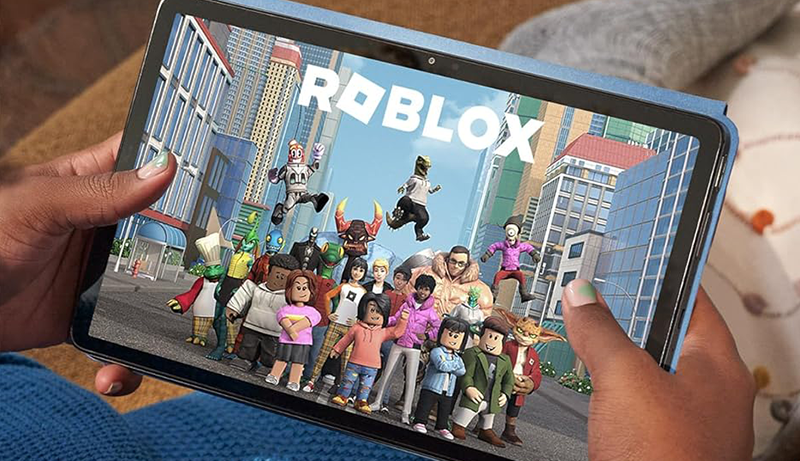
Finding the best tablet for playing Roblox can make a huge difference in how smooth, immersive, and enjoyable your gameplay feels. Roblox may look simple on the surface, but it’s a platform filled with fast-paced action, creative worlds, and user-generated content that benefits from strong visuals and responsive performance. A good tablet should offer fast app loading, stable frame rates, and a bright, colorful display that brings every game environment to life.
Whether you enjoy role-playing adventures, competitive shooters, or building your own creations, choosing the right device ensures you can jump into games without lag, overheating, or frustrating slowdowns. Battery life also plays a major role, especially for long gaming sessions or travel. Additional features like enhanced cooling, accurate touch response, and smooth multitasking can further improve the experience, allowing Roblox to run at its best.
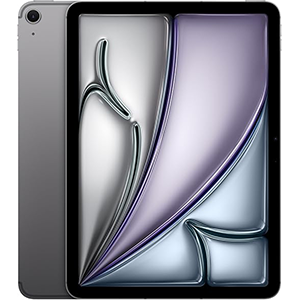
Apple iPad Air (M3)
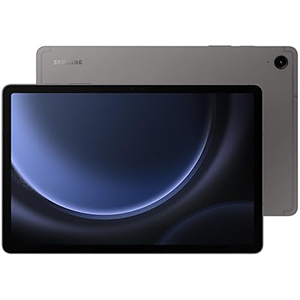
Galaxy Tab S9 FE
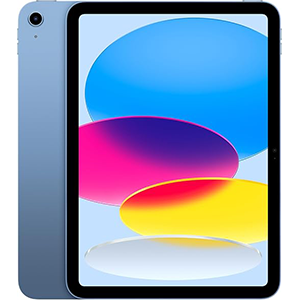
Apple iPad (A16)
In this guide, we evaluate some of the top-performing tablets suitable for Roblox gaming. Each device excels in areas like smooth gameplay, high-quality visuals, strong wireless connectivity, and user-friendly design. No matter your preference — Android, iPadOS, or Fire OS — there’s a perfect option that delivers dependable speed and entertainment for every Roblox player.
1. Apple iPad Air 11-inch
This tablet stands out for users seeking strong performance and reliable responsiveness during gaming. Its M3 chip is built for high-intensity tasks, making Roblox run smoothly even in graphically complex worlds. Apps load quickly, and multitasking remains fluid thanks to its advanced processing architecture. The Liquid Retina display enhances visuals with accurate colors and low reflectivity, contributing to a more immersive gaming and viewing experience.
Its front and back 12MP cameras add versatility for those who also need a device for video calls, content creation, or school use. The combination of iPadOS and access to a wide range of optimized apps further strengthens its appeal. Creative users benefit from Apple Pencil compatibility, while those who type frequently can add a keyboard for productivity.
Wireless connectivity is strong with Wi-Fi 6E support, helping maintain stable online gameplay. Touch ID allows quick and secure access, useful for younger players as well. The device is also lightweight and comfortable to carry, making it suitable for travel or long gaming sessions.
Battery life experiences vary depending on usage intensity, but its all-day rating makes it convenient for general use. Overall, its performance, display quality, and multi-purpose functionality make it a strong option for Roblox and beyond.
Ideal for:
- Players focused on high-performance gaming (like competitive or graphically heavy Roblox worlds).
- Users who multitask—running games, media, creative apps, or schoolwork.
- People wanting a premium tablet that can double as a laptop replacement for travel or productivity.
- Those who value display quality, camera versatility, and accessory support (stylus/keyboard).
Why: Its powerful processor and premium screen ensure smooth, visually rich gameplay, while the accessory support and portability make it versatile beyond gaming.
Pros
- Smooth and fast performance for heavy games
- High-quality display with accurate colors
- Great cameras for everyday use
- Excellent multitasking experience
- Supports accessories for creativity and productivity
Cons
- Battery life may be inconsistent for some users
- Accessories must be purchased separately
2. Samsung Galaxy Tab S9 FE
This tablet delivers a balanced experience for Roblox players who prefer an Android device. Its large, bright 10.9-inch screen helps make gameplay enjoyable, offering crisp visuals and good color clarity. The responsive performance ensures smooth handling of tasks, making it suitable not just for gaming but also schoolwork, entertainment, and everyday use.
Its durable build, supported by an IP68 water- and dust-resistance rating, adds long-term reliability. This makes it a good choice for younger players or frequent travelers. The extended battery life supports long sessions, and fast charging minimizes downtime between uses.
One of its standout features is the included stylus, which is great for creativity apps, handwriting, markup tasks, or drawing. Its user-friendly interface complements multitasking capabilities with the ability to open multiple apps simultaneously. Storage expandability via microSD makes the device flexible for users who keep large game files, media, or documents.
The tablet’s camera setup adjusts automatically during video chats, making communication smoother. File sharing features help users transfer content easily, even across different device brands. With dual speakers enhancing audio quality, it creates an immersive multimedia and gaming environment.
Overall, this device combines durability, visual clarity, strong battery life, and useful creative tools—making it a dependable option for Roblox players.
Ideal for:
- Android enthusiasts who prefer a balance between gaming, creativity (stylus), and daily tasks.
- Students needing a tablet for note-taking, schoolwork, and entertainment.
- Users who want durability — helpful if traveling or using outdoors.
- Those who appreciate expandable storage and flexibility in media/games/apps.
Why: The built-in stylus and expandable storage give flexibility; its durability and long battery life make it a practical all-round daily-use tablet.
Pros
- Large, clear display great for gaming and movies
- Long battery life with fast charging
- Water- and dust-resistant design
- Includes stylus for drawing and note-taking
- Expandable storage provides flexibility
Cons
- Processor may not match premium-tier speed
- Larger size may not suit everyone
3. Apple iPad 11-inch (A16)
This tablet is designed for users who want smooth performance without needing top-tier hardware. Its A16 chip ensures fast operation, allowing Roblox to run responsively even during busy gameplay. The device handles multitasking with ease, ensuring seamless app switching and stable performance.
The Liquid Retina display enhances visual clarity with sharp colors and brightness suitable for indoor and outdoor use. Its sound quality also supports an enjoyable gaming and media experience. The device remains easy to handle, with a lightweight build that makes it ideal for extended sessions.
Camera performance is strong, featuring 12MP front and back shooters suitable for scanning, video calls, and everyday pictures. With iPadOS providing tools like Split View, Scribble, and access to a vast app library, the device works well for school, creative projects, or entertainment.
Wireless connectivity through Wi-Fi 6 ensures stable online gameplay, minimizing lag during Roblox sessions. Users can pair Apple Pencil or Magic Keyboard accessories to enhance productivity, although these are optional add-ons.
Battery life supports daily usage, making the device convenient for students, travelers, and home users. Overall, this tablet provides a balanced mix of performance, display quality, and user-friendly software, making it a solid choice for Roblox players.
Ideal for:
- Players seeking a balance: good performance for games without overpaying for premium-level hardware.
- Users who want a reliable device for gaming, streaming, browsing, and light creative work.
- Everyone from students to casual gamers to general users who want ease, quality, and simplicity.
Why: It offers stable performance and a strong display, without being overbuilt for simple tasks — a sweet spot between budget and premium.
Pros
- Fast and responsive performance
- High-quality display with vivid colors
- Great value for its capabilities
- Lightweight and easy to carry
- Strong cameras with 4K video support
Cons
- Accessories not included
- Storage not expandable
- Bright outdoor use may reduce visibility
4. OnePlus Pad 2
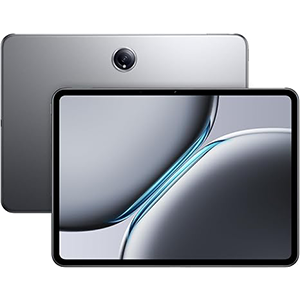
This tablet offers strong performance for Roblox players who prefer a large display and fast system responsiveness. Its processing capabilities handle gaming well, keeping gameplay fluid and enjoyable. The high refresh rate display enhances movement smoothness, making action scenes look more natural. Its brightness level supports clear visibility even in brighter environments.
With a sleek metal build, the tablet feels sturdy and premium. Users who enjoy productivity tasks will appreciate its comfortable design and large screen. The fast charging capability is a major advantage, reducing downtime when the battery runs low.
Its audio system, supported by multiple speakers, helps provide an immersive experience whether gaming, streaming, or browsing. AI-enhanced features add extra convenience for editing, content creation, or removing unwanted elements from images.
The device’s cameras deliver clear photos and videos for everyday use, scanning, and communication. Although storage is generous, the absence of expandable memory may be a limitation for users needing long-term flexibility.
Overall, the tablet is well-rounded, offering premium build quality, strong performance, fast charging, and a refined interface — making it a capable choice for Roblox and general use.
Ideal for:
- Gamers and media users who like larger, immersive screens and smooth visuals.
- Users who often multitask — gaming, streaming, editing, browsing — benefiting from performance and fast charging.
- People who want a premium build and good audio for multimedia consumption.
Why: The large, bright screen and smooth performance make games and movies pop; fast charging and robust build add convenience.
Pros
- Fast and fluid performance
- Bright, smooth display ideal for gaming
- Premium build quality
- Very fast charging
- Good audio quality with multiple speakers
Cons
- Storage cannot be expanded
- Larger size may reduce portability
- Software updates vary by region
5. Amazon Fire Max 11
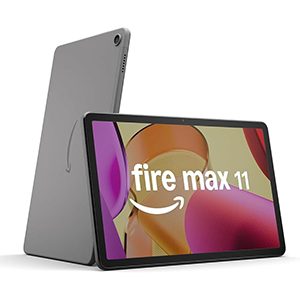
This tablet offers a balanced experience for entertainment and casual gaming. Its vivid 11-inch display provides clear visuals, making Roblox environments look bright and detailed. The screen resolution supports comfortable reading, browsing, and streaming as well.
The tablet performs smoothly for everyday tasks, including light gaming, thanks to its processor and optimized system design. Users who prefer a simple, easy-to-navigate interface will appreciate its layout. Battery life is one of its strong points, allowing extended use across reading, watching videos, or gameplay. Fast Wi-Fi support contributes to smoother online sessions.
Its durable aluminum body and strengthened glass make it a practical choice for families. The option to expand storage provides extra space for apps, downloads, and media. The device also offers family-friendly features, including parental controls and kids’ content options.
Optional accessories enhance productivity, and tools for writing, summarizing, and creativity add value for users who want more than gaming. Its camera performance is adequate for video calls and basic pictures.
Overall, it is a dependable, straightforward tablet suitable for Roblox players seeking a budget-friendly option with solid display quality, long battery life, and family-oriented features.
Ideal for:
- Casual gamers or younger users who enjoy Roblox without need for high-end performance.
- Families seeking a simple, rugged tablet for kids or shared use.
- Those prioritizing budget, durability, and ease of use over top-tier performance.
Why: It gives decent display and battery life with enough performance for light to moderate gaming, plus expandable storage and family-friendly features — a practical, cost-conscious choice.
Pros
• Bright, clear display
• Strong battery life for long sessions
• Durable aluminum build
• Storage expansion provides flexibility
• Simple, easy-to-use interface
Cons
• Occasional app compatibility limitations
• Camera quality is basic
• Not ideal for heavy multitasking
Comparison Table (Key Factors)
| Tablet Model | Performance (Roblox & apps) | Display Quality | Battery Experience | Build & Design | Extras / Features |
|---|---|---|---|---|---|
| Model A (M3 chip) | Very high — handles heavy games and multitasking smoothly | Premium Liquid Retina — vibrant, sharp visuals | All-day rating; some variability depending on use | Lightweight, portable — good for travel | Touch ID, stylus/keyboard support, high-quality cameras |
| Model B (Android mid-range) | Good — responsive enough for gaming and everyday use | Crisp 10.9″ display — good for games, videos, tasks | Long battery life; supports fast charging | Durable build; water/dust resistance adds robustness | Built-in stylus, expandable storage, dual speakers |
| Model C (A16 chip) | Strong — suitable for Roblox, multitasking, general tasks | Clear, vivid screen — good contrast and brightness | Reliable daily battery life | Slim and easy to carry | Pencil support, quality cameras, solid ecosystem |
| Model D (Large display, fast charging) | High — smooth graphics, good frame rates | Large 12.1″ bright screen — immersive visuals | Quick charging, long usage between charges | Premium metal build — solid feel | AI-enhanced tools, strong audio, good for media/tasks |
| Model E (Budget / basic gaming) | Moderate — fine for light/medium gaming & general use | Clear 11″ screen — good enough for casual gaming | Good battery life overall; some reports of inconsistency | Durable aluminum body, more rugged than average | Expandable storage, family-friendly features, easy interface |
How to Choose the Best Tablet for Roblox
Selecting a tablet for smooth and enjoyable Roblox gameplay requires paying attention to a few essential factors rather than focusing on brand names. The right device will allow stable performance, responsive controls, and a comfortable gaming experience. First, examine the processor and overall performance capability. Roblox is not the most demanding game, but it does rely on consistent CPU and GPU power to render worlds, handle multiplayer environments, and maintain smooth frame rates. A tablet with a modern processor and enough graphical handling ability will reduce lag, stutters, and unexpected crashes.
Next, consider the available memory. Aim for sufficient RAM to allow Roblox to run smoothly while leaving room for background tasks. Low memory often leads to gameplay delays or textures loading slowly. Storage is also important, not only for Roblox itself but for additional games, updates, and saved media. Opting for comfortable internal storage space helps avoid constantly deleting files.
Display quality plays a major role in the overall experience. A clear, bright screen with good resolution ensures Roblox worlds look detailed and easy to navigate. Larger screens can enhance immersion, especially during building or exploring open environments, while compact tablets are easier to hold for long sessions. Balance size with comfort based on how the tablet will be used—handheld gaming or placed on a stand.
Battery life is another key factor. Roblox can drain weaker batteries quickly, so choose a tablet known for lasting several hours of continuous use. Fast-charging support is also useful for players who game frequently throughout the day.
Connectivity should not be overlooked. Since Roblox is heavily online-based, reliable Wi-Fi performance is essential for maintaining stable multiplayer sessions. Newer Wi-Fi standards typically provide smoother connectivity.
Finally, consider long-term software support. Regular updates help maintain security, improve performance, and ensure compatibility with the latest versions of Roblox. A tablet with strong update support is more future-proof and cost-effective.
By keeping these factors in mind—performance, memory, display quality, battery life, connectivity, and software longevity—you can confidently select a tablet that delivers a smooth and enjoyable Roblox gaming experience.
How Do Gaming Tablets Differ From Other Tablets?

Gaming tablets stand out from ordinary tablets by prioritizing components and features that support smooth gameplay and graphics-heavy applications. First, they typically use more powerful processors and GPUs — capable of rendering 3D graphics and maintaining stable frame rates — rather than prioritizing only light tasks like reading or basic browsing. Because games often stress both CPU and graphics performance, gaming tablets tend to handle multitasking and rendering better than average devices.
Second, display quality and responsiveness matter more. A gaming tablet often offers sharper resolution, better color reproduction, and sometimes higher refresh rates — making fast movements and animations appear fluid, which improves experience in fast-paced or visually rich games. Touch responsiveness and accurate rendering also make controls feel more natural during gameplay.
Third, they usually provide better thermal management and battery capacity. Extended gaming sessions generate heat and drain battery faster. Gaming-focused designs aim to keep the device cooler under load and deliver sustained battery life under heavier usage.
Finally, support for modern graphics APIs (like OpenGL ES 3.0 or newer) and up-to-date operating systems increases compatibility with current games. As a result, gaming tablets tend to last longer in terms of usability. Ordinary tablets might suffice for browsing or watching media, but for gaming — especially 3D or online multiplayer games — a gaming tablet offers performance and longevity advantages.
What Devices Support Roblox?
Roblox supports a variety of device types: phones, tablets, and computers, depending on their operating system and hardware capabilities. For mobile and tablet usage, officially supported devices include iOS devices (iPhone, iPad, some iPod Touch models) running iOS or iPadOS version 13 or newer.
On Android side, any phone or tablet running Android 8.0 (Oreo) or newer — and supporting modern graphics APIs (notably OpenGL ES 3.0 or above) — is considered compatible.
Additionally, certain tablets running Amazon’s Fire OS are supported, including several generations of Fire tablets that meet minimum hardware and OS requirements.
Beyond mobile/tablet, Roblox also supports desktop computers on appropriate Windows and macOS systems.
However, some low-end or very old devices may either struggle with performance or be blocked entirely, especially if they use very old graphics chipsets or outdated OS versions.
In short: modern iOS and iPadOS devices, Android tablets/phones meeting OS and graphics requirements, supported Amazon Fire tablets, and computers with supported Windows or macOS versions can run Roblox — provided hardware and software meet the minimum standards.
What Kind of Tablets Can You Play Roblox On?
You can play Roblox on tablets that meet certain OS, graphics, and hardware criteria. On iOS/iPadOS, any tablet running iPadOS 13 or later — including recent iPads, iPad Air, iPad mini, and iPad Pro — qualifies.
For Android tablets, the key requirements are Android 8.0 or higher and support for graphics via modern APIs (specifically OpenGL ES 3.0 or above). Tablets meeting those criteria — even mid-range models — should be able to run the game.
Some tablets running Amazon’s Fire OS are also supported, provided they belong to supported generations and receive necessary OS updates.
What matters most is not the tablet’s brand but whether its software and graphics capabilities meet the minimum — and ideally exceed them for smoother gameplay. Tablets with decent CPUs/GPUs, up-to-date operating systems, good display resolution, and stable network abilities are best suited to Roblox. Lower-end or outdated tablets may technically run the app but deliver poor performance: lag, slow loading, and crashes.
Therefore, if you’re choosing a tablet for Roblox, aim for one that’s relatively recent (last few years), supports current OS versions, and includes decent graphics support — regardless of whether it’s premium or mid-range.
Can you get Roblox on any tablet?
Not every tablet can run Roblox — compatibility depends on the tablet’s operating system version, graphics capability, and hardware support. You can only get Roblox on tablets that meet the official minimum requirements. For iOS/iPadOS tablets, that means running iOS/iPadOS 13 or newer and being from a supported generation.
For Android tablets, Roblox requires Android 8.0 or higher plus support for modern graphics APIs (OpenGL ES 3.0 or above). Tablets with older OS versions or outdated graphics chipsets may not run Roblox properly, or may be prevented from installing the app at all. In some cases, Roblox warns users that the device may not perform well, or blocks experiences entirely if the hardware is unsupported.
Similarly, some tablets with modified operating systems, very old hardware, or from niche manufacturers may not appear in official compatibility lists — meaning Roblox may crash, lag, or refuse to run.
So while many modern tablets are compatible, you cannot assume every tablet works. It’s best to verify OS version, graphics support, and recent update history before expecting Roblox to run smoothly.
What Devices Will No Longer Support Roblox?
Over time, older devices and those with outdated operating systems or insufficient graphics capabilities get phased out of official support for Roblox. According to the official support guidelines, devices must run at least iOS/iPadOS 13 for Apple tablets or Android 8.0 (with appropriate graphics support) for Android tablets.
Older Android tablets — especially those using legacy graphics chipsets (for example, those relying only on OpenGL ES 2.0 or outdated hardware libraries) — may no longer be compatible. Roblox’s documentation notes that devices with older chipsets may receive warnings or may be blocked from running games.
Similarly, older iPads or iPods that cannot upgrade beyond deprecated iOS versions — or those that perform poorly under modern requirements — will eventually lose full support. In practical terms, devices that haven’t received updates in several years, or use very old CPUs/GPUs, are likely to be dropped.
Also, tablets running custom or unsupported operating systems, or those that no longer receive security or performance updates, may face compatibility issues. As Roblox updates its engine and features, older hardware may struggle — leading to lag, crashes, or inability to connect to servers.
In summary: older-generation tablets whose OS or hardware fails to meet the minimum requirements — especially outdated Android devices and unsupported iOS models — are the ones most likely to lose Roblox compatibility over time.
Pro Tips to Optimize Your Tablet Performance for Roblox
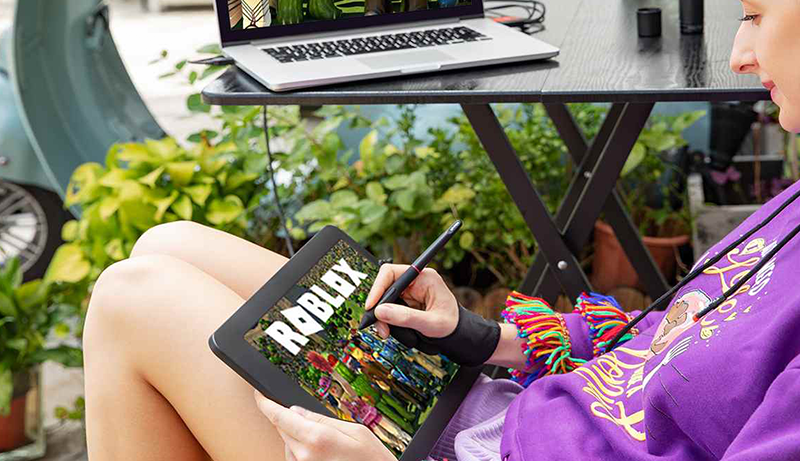
If you want to get the smoothest experience playing Roblox on a tablet, a few practical steps can help optimize performance beyond just picking a capable device.
Keep your operating system and Roblox app up to date. Updates often bring performance improvements, bug fixes, and better compatibility with newer game features — ensuring smoother and more stable gameplay.
Close unnecessary background apps. Running many apps simultaneously can consume RAM and CPU resources, causing slowdowns. Before launching Roblox, close other heavy apps (browsers, streaming, or editing tools) to free up system resources.
Use a stable, fast internet connection. Roblox is online-based and requires an internet connection. A steady Wi-Fi or reliable mobile data with adequate speed reduces lag and connection drops. Avoid crowded networks or weak signals whenever possible.
Enable performance-friendly settings. If available, lower in-game graphics settings, disable extras like high shadows or effects, and reduce resolution if the tablet supports it. This can help maintain stable frame rates, especially on mid-range tablets.
Ensure proper ventilation. Extended gaming can generate heat. Make sure the tablet isn’t overheating — avoid playing on soft surfaces like beds or cushions, and avoid direct sunlight. Overheating can throttle performance.
Regular maintenance. Clear cache if the app becomes sluggish, occasionally reboot the device, and manage storage space so the system isn’t bogged down by excess data.
These steps help maximize performance — even on tablets that meet only the minimum requirements — and offer smoother, more reliable Roblox gameplay.
Frequently Asked Question (FAQ)
1. How much RAM is needed for smooth Roblox gameplay?
At least moderate RAM is recommended to avoid lag and allow Roblox to load worlds smoothly.
2. Does Roblox require a powerful processor?
It doesn’t need top-tier hardware, but a modern and efficient processor helps maintain stable performance.
3. Is screen size important for Roblox?
Larger screens improve visibility and comfort, though smaller tablets are easier to hold. It depends on user preference.
4. Can budget tablets run Roblox well?
Some can, as long as they meet basic performance criteria such as reliable processing power and enough RAM.
5. Does battery life matter for Roblox players?
Yes—Roblox can drain batteries quickly, so longer battery life is beneficial for prolonged sessions.
6. Is strong Wi-Fi necessary?
Stable Wi-Fi improves multiplayer reliability and reduces connection drops
Conclusion
Choosing a tablet for Roblox comes down to balanced performance and dependable features rather than specific models. A device with a capable processor, enough RAM, and ample storage ensures smoother gameplay and faster loading times. A good display enhances visibility, while strong battery life supports longer gaming sessions without interruptions.
Reliable Wi-Fi and consistent software updates keep Roblox running efficiently. By focusing on these practical considerations, players can find a tablet that delivers an enjoyable and lag-free Roblox experience suited to their personal gaming style.


Leave a Reply