
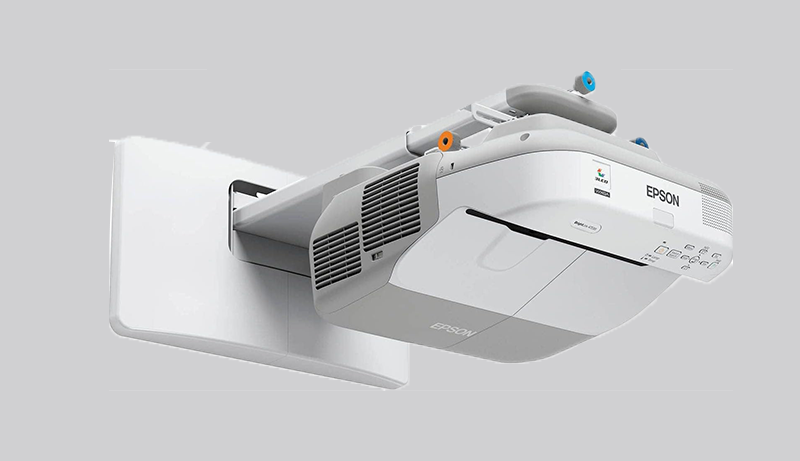
Interactive projectors have transformed the way we present, teach, and entertain—combining the versatility of a whiteboard, the immersive scale of a projector, and the ease of touchscreen interaction. With so many options on the market, choosing the best interactive projector in 2025 can feel overwhelming.
Whether you’re outfitting a classroom, upgrading your business presentations, or enhancing your home entertainment setup, the right projector can make a world of difference.
In a hurry? Here are our top three interactive projectors worth checking out.
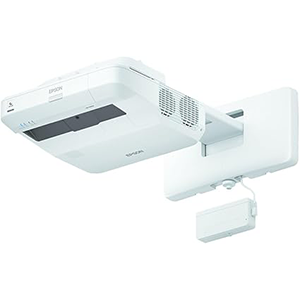
Epson 8M4690
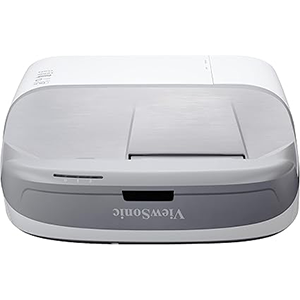
ViewSonic PS750W
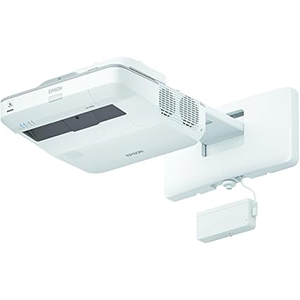
Epson V11H728022
Keep reading for our curated list of the best interactive projectors—selected based on standout features, performance, and real user feedback. These picks are designed to elevate your interactive experience, no matter your needs.
Our comparison highlights a range of options—from budget-friendly models to high-end performers—ensuring there’s something for everyone.
1. Epson 8M4690
The BrightLink Pro 1460Ui transforms any wall or existing dry-erase board into a massive 100-inch interactive display—an ideal setup for meetings, brainstorming sessions, and collaborative work, whether you’re in the same room or connecting remotely.
With 4,400 lumens of both color and white brightness, it delivers vibrant, true-to-life visuals even in brightly lit environments. This ensures that your presentations, videos, and documents remain crisp and clear, no matter the lighting conditions.
One of its standout features is wireless screen mirroring. Thanks to Miracast support, you can stream full HD 1080p content and mirror your Android device effortlessly—perfect for sharing content on the fly without the hassle of cables.
The Full HD WUXGA resolution provides sharp, detailed visuals on displays up to 100 inches in size, making it excellent for intricate presentations, charts, and high-quality video playback.
What really sets the 1460Ui apart is its intuitive, touch-enabled interactivity. You can start writing on the screen instantly using your finger or the included pens—no complex setup required. This plug-and-play approach keeps meetings efficient and flowing smoothly from the moment you power on.
2. ViewSonic PS750W
The ViewSonic PS750W shines with its all-in-one interactive design, combining an embedded camera and interactive curtain module to deliver a fully integrated projection solution. This thoughtful setup enhances engagement and interaction, making it especially well-suited for today’s tech-forward classrooms.
Its ultra-short throw lens is a standout feature—capable of projecting a 115-inch image from just under 2 feet away. This not only enables large displays in compact spaces but also minimizes distracting shadows and glare for a clearer, more immersive viewing experience.
Practicality is another strong suit of the PS750W. With Dynamic Eco-mode, the projector’s lamp can last up to 7,500 hours, significantly cutting down on maintenance and replacement costs over time.
Connectivity is made easy with broad compatibility across media players, PCs, Macs, and mobile devices. With HDMI, USB, and Ethernet LAN ports, it’s ready to handle a variety of input sources, supporting a wide range of classroom tools and content.
To top it all off, ViewSonic includes everything you need to get started right out of the box: a wall mount, interactive curtain module, interactive pens, power and VGA cables, and a remote control—making setup simple and stress-free.
3. Epson V11H728022
The Epson V11H728022 BrightLink 696Ui is a dynamic and versatile interactive projector, built to elevate both learning and presentation environments through seamless collaboration. One of its key strengths lies in its powerful 3,800 lumens of color and white brightness, ensuring bright, vivid visuals even in well-lit spaces—perfect for classrooms, meeting rooms, and other environments with varying light conditions.
It features a Full HD WUXGA resolution and supports display sizes up to 100 inches, offering crisp, detailed images with excellent legibility from anywhere in the room. Whether you’re sharing complex data or high-resolution visuals, the clarity is consistently top-tier.
Interactivity is where the BrightLink 696Ui truly excels. Supporting both pen and touch input, it enables up to six users to write, draw, and interact with content simultaneously. This collaborative functionality makes group work, brainstorming sessions, and interactive lessons more engaging and effective.
The projector also makes content sharing a breeze—ideal for personalized learning and team-based projects. It allows users to quickly exchange ideas and information, encouraging more fluid, adaptable communication.
Its ultra-short-throw design is another standout feature, capable of producing a 100-inch image from just 11 inches away. This minimizes shadows and glare, while also offering flexible placement options in rooms where space is limited. All of these features make the BrightLink 696Ui a smart, space-efficient solution for interactive environments.
4. BrightLink 760Wi
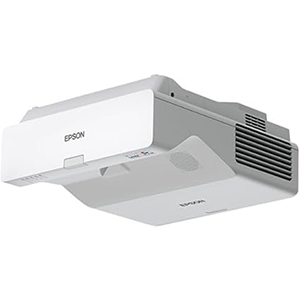
The Epson BrightLink 760Wi Interactive Projector is a standout solution for classrooms and collaborative workspaces, delivering advanced features and cutting-edge technology in a lamp-free, laser-based design. Built to foster interactive learning and teamwork, it offers best-in-class color brightness thanks to Epson’s 3-chip 3LCD technology. With 4,100 lumens of both color and white brightness, the 760Wi produces vibrant, true-to-life images even in brightly lit environments.
A major highlight is its ability to project up to a 100-inch interactive display—providing up to 85% more usable space than a typical 75-inch interactive flat panel. This expansive canvas offers an excellent cost-per-inch value for those seeking a larger interactive display without compromising quality.
The projector supports dual-pen interactivity right out of the box, and with the optional ultra-slim touch module, up to eight users can interact simultaneously. This makes it ideal for collaborative group activities and dynamic learning sessions.
With a 16:10 WXGA resolution, the BrightLink 760Wi ensures crisp, easily readable visuals, while also supporting both 4:3 and 16:9 aspect ratios to accommodate a wide variety of content formats. It’s fully compatible with leading platforms like Microsoft Office 365 and Google Workspace, offering seamless integration into modern digital learning and work environments.
One of its most convenient features is PC-free functionality—users can draw, save, print, and email whiteboard content directly from the projector. This makes it easy to share content across networked BrightLink devices without needing a computer.
Thanks to its 20,000-hour laser light source, the 760Wi is virtually maintenance-free, eliminating the need for lamp replacements and reducing long-term costs.
Additionally, with the free Epson iProjection software, users can wirelessly connect and share content from up to 50 devices, including Chromebooks, iOS and Android devices, Macs, and PCs—making collaboration simple and flexible from any platform.
5. Epson BrightLink 475Wi
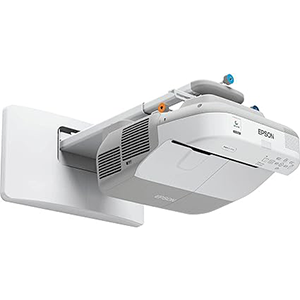
The Epson BrightLink 475Wi Interactive Projector offers a well-rounded solution for delivering interactive presentations and fostering collaboration in both educational and professional settings. Its thoughtful design and intuitive features are aimed at enhancing user engagement and simplifying setup.
A key strength of the BrightLink 475Wi is its built-in interactivity. By combining a powerful projector with interactive pen technology, it eliminates the need for costly electronic whiteboards—offering a more flexible and budget-friendly alternative.
Users can write directly on projected content from various sources, including iPads, document cameras, and Blu-ray players, or even annotate over blank whiteboards without needing to connect to a computer. This flexibility makes it ideal for impromptu lessons, brainstorming sessions, and dynamic discussions.
The dual-pen functionality allows two users to write and interact with the screen simultaneously, promoting collaboration and interactive learning. It’s a great tool for classrooms, workshops, or team meetings where multiple contributors are encouraged to participate.
Setting up the 475Wi is refreshingly simple. It features automatic calibration, no need for driver installation, and helpful tools like horizontal keystone correction and Quick Corner adjustments for perfect image alignment. These features ensure a quick, frustration-free setup process.
With ultra-bright, ultra-wide WXGA resolution and the ability to project up to 100 inches from less than 13 inches away, the projector delivers large, clear visuals in tight spaces—while eliminating shadows and glare for an optimal viewing experience from every angle.
Conclusion
Interactive projectors have revolutionized the way we teach, present, and collaborate—bridging the gap between traditional display tools and the dynamic demands of modern environments. Whether in education, business, or even home settings, these devices offer a powerful combination of functionality, flexibility, and engagement.
Leading models like Epson’s BrightLink series and ViewSonic’s interactive solutions exemplify how far this technology has come. With the ability to turn virtually any surface into a fully interactive workspace, they open up endless possibilities for creative expression, teamwork, and immersive learning.
Standout features such as high brightness, ultra-short throw projection, PC-free annotation, and multi-user interactivity make these projectors more than just display devices—they’re platforms for interaction and innovation. While setup, cost, and surface compatibility are important considerations, the overall value and impact they deliver often outweigh the challenges.
Ultimately, the best interactive projectors offer a unique blend of stunning visuals, intuitive collaboration tools, and remarkable versatility. They’re no longer optional accessories—they’re essential tools for the modern classroom, office, or shared creative space. As the technology continues to evolve, the potential for even more engaging, connected experiences is only just beginning.


Leave a Reply